Duck Rider: Ride a Yellow Rubber Duck in the Bathtub
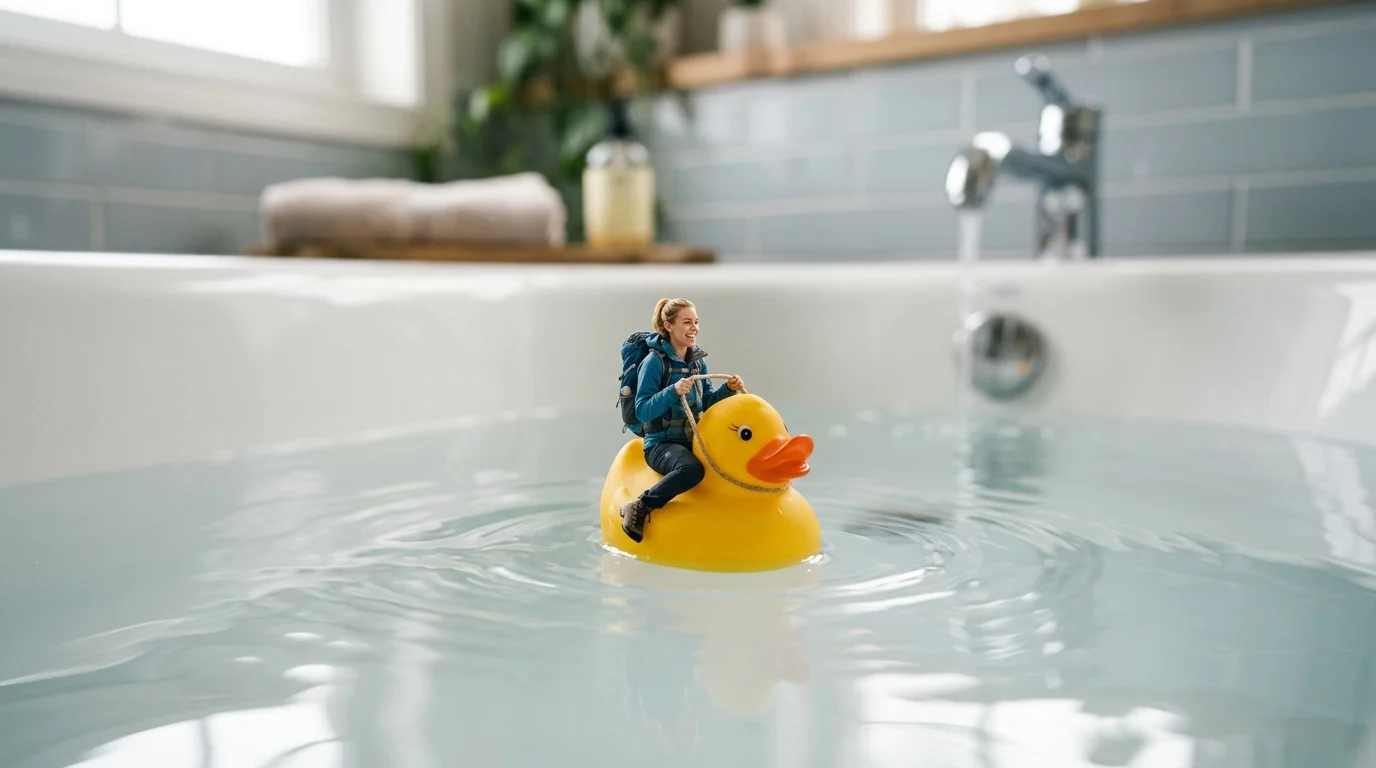
Upload a photo and climb aboard a classic yellow rubber duck. That is the official prompt for PixVerse’s newly launched Duck Rider template — a playful one-photo V6 effect that shrinks your subject into a miniature rider cruising across bathtub waters.
The official preview captures a tiny character perched comfortably atop a bright yellow duck, gliding smoothly as delicate ripples spread across clear bathwater. The same one-click flow works with a portrait of you, a friend, a toddler, or even a pet.
See It In Action
What Is the Duck Rider Template?
Duck Rider is a delightful miniature fantasy template powered by PixVerse V6. You upload one photo; PixVerse V6 generates a 6-second vertical video featuring your subject as a tiny duck jockey. You do not write a prompt — the miniature bathtub physics and charming paddle motion are locked for effortless whimsy.
Template details
| Field | Value |
|---|---|
| Template name | Duck Rider |
| Template ID | 414433248965078 |
| Output | Video |
| Model | PixVerse V6 |
| Input | 1 photo |
| Duration | 6 seconds |
| Quality | 360p / 540p / 720p / 1080p |
| Audio | Included |
| Custom prompt | Off |
| Launched | Jul 28 2026 |
How it works
- Upload one photo — a clear portrait or well-lit photo works best
- Select Duck Rider — search the name in PixVerse templates, or use Template ID
414433248965078 - Generate — PixVerse V6 applies the effect automatically
- Download and share — export the 6-second clip for TikTok, Reels, or Shorts
What’s in the Official Preview
The template preview showcases a polished, cohesive scene built around the official prompt:
- Photorealistic miniature subject seated atop an iconic bright yellow rubber duck
- Smooth gliding motion across crystal-clear bathtub water with subtle ripples
- Cozy bathroom ambient lighting with soft reflections on the porcelain surface
- Sharp facial fidelity keeping the tiny rider immediately recognizable
The effect taps into the trending miniature-world aesthetic: your everyday portrait is reimagined as an adorable micro-adventure.
How to Create Your Duck Rider Video
Step 1: Choose a photo
Select a clear portrait or sitting/standing pose with good lighting. The AI preserves your face while placing your body atop the yellow duck.
Step 2: Open PixVerse
Visit PixVerse on web or in the app, then open the template library.
Step 3: Find Duck Rider
Search Duck Rider or browse newly launched templates. Confirm Template ID 414433248965078.
Step 4: Generate
Upload the photo and generate. The template does not accept a custom prompt, so you do not need to describe the scene.
Tips
- Clear, smiling portraits produce the most cheerful and endearing miniature riders
- Pet photos and photos of children look especially cute riding across the bathwater
- High-contrast lighting helps the AI cleanly separate the subject from the background
- Export in 1080p for crisp, shareable short-form video on Instagram Reels and TikTok
Frequently Asked Questions (FAQ)
Q: Do I need to write a prompt? A: No. Duck Rider has custom prompts turned off. Upload one photo and generate.
Q: How long is the video? A: 6 seconds, generated with PixVerse V6.
Q: What quality is available? A: 360p / 540p / 720p / 1080p.
Q: How many photos do I upload? A: One. This is a single-image template.
Q: Does the video include sound or music? A: Yes. The generated clip includes gentle water splashing and cheerful background audio.
Ready to ride your yellow rubber duck? Open PixVerse, search Duck Rider, and generate from one photo.
Related templates:
- Jaws Shock — sudden shark reveal in the ocean
- UFO Ocean Lift — beamed up above the summer waves
- Cafe to Beach — step from coffee shop to seaside
- Little Gymnast — tiny gymnast on the rings