Wednesday Mode: Mysterious Gothic Dance Video on PixVerse AI
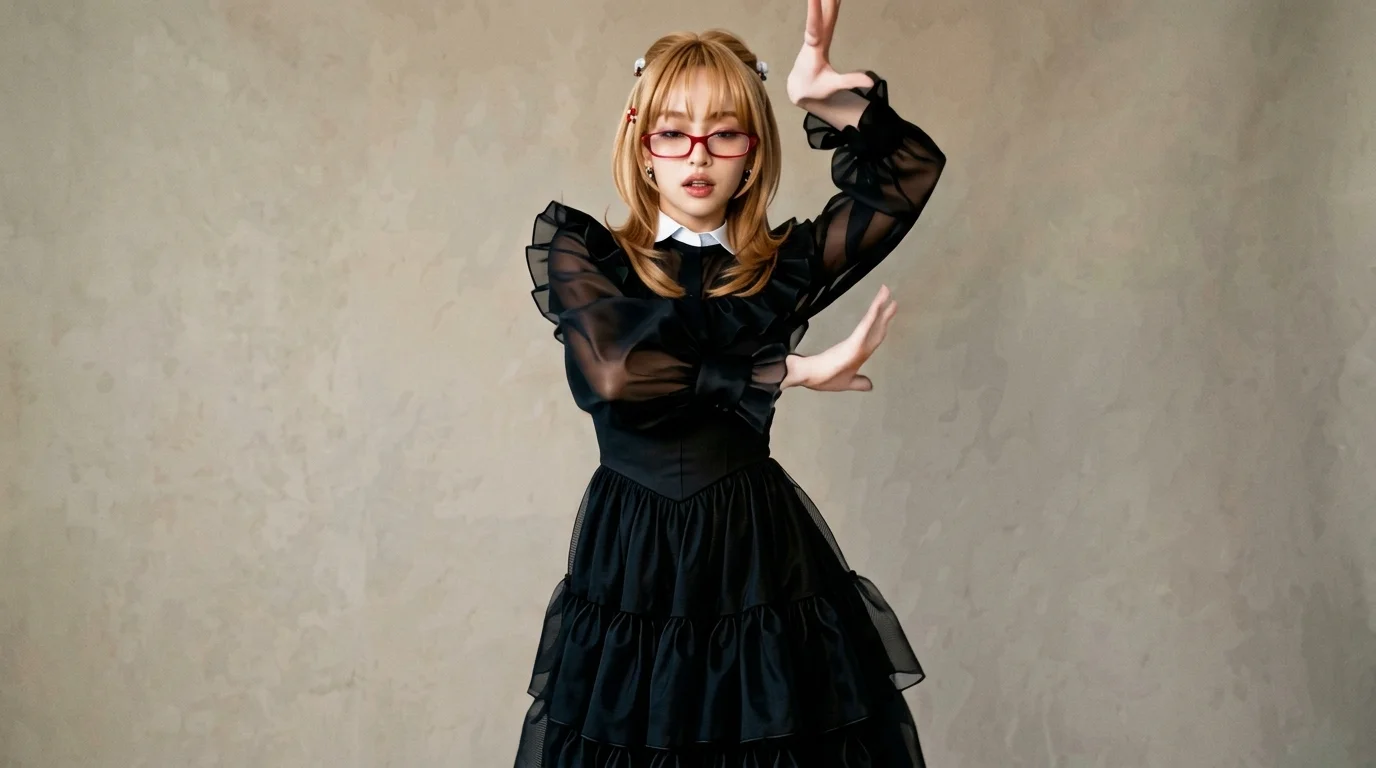
Wednesday’s mysterious and magical dance, don’t you want to try it? That is the official prompt for PixVerse’s Wednesday Mode template — an enchanting 8-second V6 dance effect inspired by the dark gothic ballroom scene that captivated millions.
The official preview captures the signature angular hand gestures, unblinking glare, and gothic tempo that define Wednesday’s eccentric routine. Upload one portrait to step right onto the dimly lit academy dance floor.
See It In Action
What Is the Wednesday Mode Template?
Wednesday Mode is a gothic pop dance template powered by PixVerse V6. Upload one image to produce an 8-second vertical video with dark atmospheric music, expressive gothic choreography, and exports up to 1080p.
Template details
| Field | Value |
|---|---|
| Template name | Wednesday Mode |
| Template ID | 419665672220672 |
| Output | Video |
| Model | PixVerse V6 |
| Input | 1 photo |
| Duration | 8 seconds |
| Quality | 360p / 540p / 720p / 1080p |
| Custom prompt | Off |
| Launched | Aug 18 2026 |
How it works
- Upload one photo — a clear portrait or full-body shot works best
- Select Wednesday Mode — search the name in PixVerse templates, or use Template ID
419665672220672 - Generate — PixVerse V6 applies the effect automatically
- Download and share — export the 8-second clip for TikTok, Reels, or Shorts
What’s in the Official Preview
The template preview brings the official concept to life:
- Sharp, iconic angular arm snaps and hypnotic gothic head tilts
- Authentic dark academia lighting and moody ballroom ambiance
- Smooth fluid motion keeping facial structure and dark styling intact
- Atmospheric viral soundtrack tailored to the eccentric routine
The effect preserves facial identity while generating fluid, coherent animation matching the prompt.
How to Create Your Wednesday Mode Video
Step 1: Choose a photo
Choose a front-facing portrait with a serious, deadpan expression. Dark clothing, collared shirts, or braided hair look especially dramatic in this template.
Step 2: Open PixVerse
Visit PixVerse on web or in the app, then open the template library.
Step 3: Find Wednesday Mode
Search Wednesday Mode or look under newly launched templates. Confirm Template ID 419665672220672.
Step 4: Generate
Upload the photo and generate. The template does not accept a custom prompt, so you do not need to describe the scene.
Tips
- A neutral or stern expression matches the dark gothic aesthetic perfectly
- Black dresses, suits, or vintage outfits enhance the mysterious vibe
- Export at 1080p to preserve fine details in low-key gothic lighting
- Works amazingly well with cosplay, stylised avatars, and pet portraits
Frequently Asked Questions (FAQ)
Q: Do I need to write a prompt? A: No. Wednesday Mode has custom prompts turned off. Upload one photo and generate.
Q: How long is the video? A: 8 seconds, generated with PixVerse V6.
Q: What quality is available? A: 360p / 540p / 720p / 1080p.
Q: How many photos do I upload? A: One. This is a single-image template.
Q: Does the character smile in the dance? A: No. The choreography retains the trademark deadpan, mysterious expression throughout the 8 seconds.
Embrace your dark side! Open PixVerse, search Wednesday Mode, and awaken the gothic dancer inside you.
Related templates:
- My Version of Life — parallel timelines and identities
- Subject 3 Fever — global viral dance phenomenon
- Two Dance — catchy beat-synced choreography
- Little Gymnast — miniature gymnast on rings