Ghost Army Charge: Turn Your Photo into an Epic Battle Hero
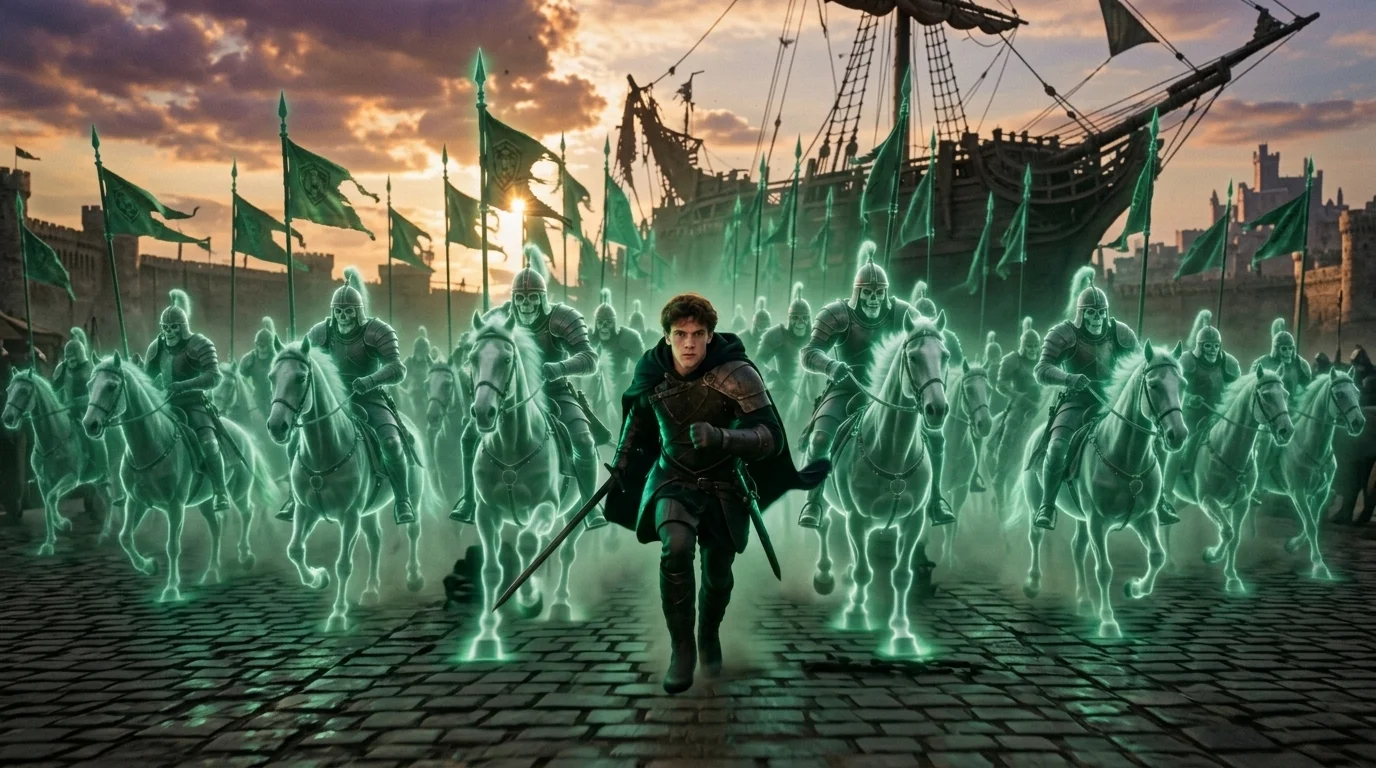
Upload a person, pet, or character photo and turn them into an epic fantasy battle hero. The hero raises their weapon sideways, gives a powerful command swing, then charges forward as thousands of green spectral undead warriors materialize from the air behind them and rush into battle together. That is the official prompt for PixVerse’s Upload Your Hero to a Ghost Army Charge template — a single-photo V6 effect that thrusts your subject into the front ranks of a massive supernatural army.
The official preview shows a battle-ready hero commanding a breathtaking charge while an endless host of glowing green spectral warriors emerges from thin air. The same one-click generation works with a portrait of you, a friend, an action figure, or a pet.
See It In Action
What Is the Upload Your Hero to a Ghost Army Charge Template?
Upload Your Hero to a Ghost Army Charge is a cinematic image-to-video template powered by PixVerse V6. You upload one photo; PixVerse generates an 8-second vertical battle sequence with synchronized audio. You do not need to write a prompt — the fantasy battle animation and spectral army effects are locked for consistent, high-impact results.
Template details
| Field | Value |
|---|---|
| Template name | Upload Your Hero to a Ghost Army Charge |
| Template ID | 419831334571328 |
| Output | Video |
| Model | PixVerse V6 |
| Input | 1 photo |
| Duration | 8 seconds |
| Quality | 720p |
| Custom prompt | Off |
| Launched | Aug 19 2026 |
How it works
- Upload one photo — a clear portrait or full-body shot works best
- Select Upload Your Hero to a Ghost Army Charge — search the name in PixVerse templates, or use Template ID
419831334571328 - Generate — PixVerse V6 applies the effect automatically
- Download and share — export the 8-second clip for TikTok, Reels, or Shorts
What’s in the Official Preview
The template preview brings the official concept to life:
- A heroic figure raising their weapon with a decisive commanding swing
- Thousands of glowing green ethereal undead warriors materializing in mid-air
- An overwhelming full-charge sprint across an epic fantasy battlefield
- Dramatic atmospheric lighting with spectral particle trails and cinematic audio
The effect preserves facial identity while generating fluid, coherent animation matching the prompt.
How to Create Your Upload Your Hero to a Ghost Army Charge Video
Step 1: Choose a photo
Use a clear portrait, full-body shot, or costume photo with defined edges. Dynamic poses and dramatic expressions blend effortlessly into the high-fantasy battlefield.
Step 2: Open PixVerse
Visit PixVerse on web or in the app, then open the template library.
Step 3: Find Upload Your Hero to a Ghost Army Charge
Search Upload Your Hero to a Ghost Army Charge or look under newly launched templates. Confirm Template ID 419831334571328.
Step 4: Generate
Upload the photo and generate. The template does not accept a custom prompt, so you do not need to describe the scene.
Tips
- Fantasy costumes, armor, or bold outfits intensify the cinematic commander feel
- High-resolution photos keep facial expressions sharp through the sprint animation
- Pet portraits create a delightfully epic, heroic warrior contrast
- The 720p vertical video is ready for immediate posting on TikTok, Instagram Reels, and YouTube Shorts
Frequently Asked Questions (FAQ)
Q: Do I need to write a prompt? A: No. Upload Your Hero to a Ghost Army Charge has custom prompts turned off. Upload one photo and generate.
Q: How long is the video? A: 8 seconds, generated with PixVerse V6.
Q: What quality is available? A: 720p.
Q: How many photos do I upload? A: One. This is a single-image template.
Q: Can I use pets or fantasy avatars? A: Yes. Solo photos of people, pets, 3D characters, and cosplay portraits all adapt into battle heroes.
Ready to lead the spectral legion? Open PixVerse, search Upload Your Hero to a Ghost Army Charge, and generate your fantasy battle video from a single photo.
Related templates:
- Throw the Drink, Face the Dragon — epic knight vs colossal dragon showdown
- Wednesday Mode — stylish gothic dark era dance
- Subject 3 Fever — global viral dance phenomenon
- Little Gymnast — miniature gymnast on rings