Umbrella Launch: Turn a Beach Photo into a Windy Umbrella Flying Video
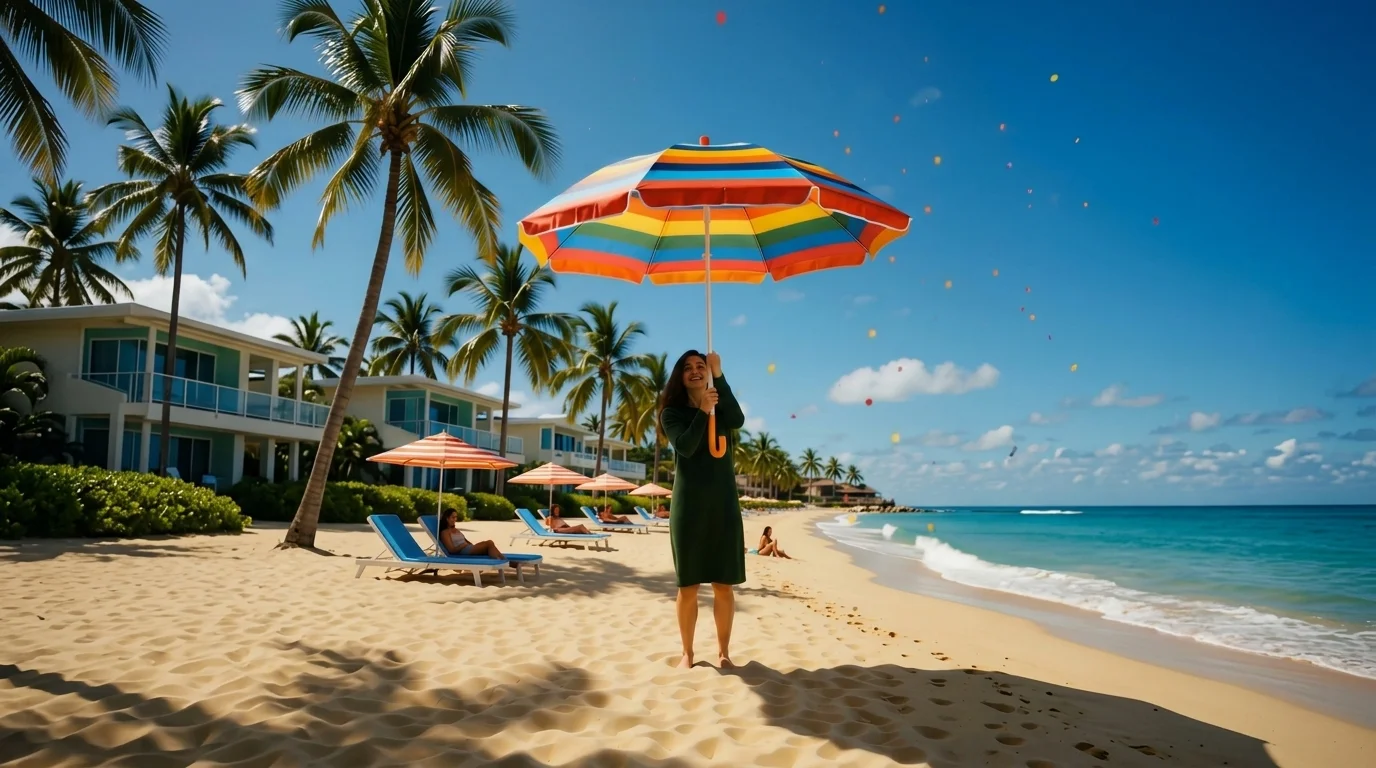
Hold on tight! A hilarious windy escape with your rogue summer umbrella. That is the official prompt for PixVerse’s newly launched Umbrella Launch template — a one-photo V6 effect that creates a hilarious beach adventure where a sudden gust of wind catches your umbrella and carries you soaring into the sky.
The official preview shows a beachgoer holding a bright summer umbrella when an unexpected gust of wind lifts the umbrella — and the subject — high into the sunny sky holding on for dear life. The same one-click flow works with any summer or beach picture.
See It In Action
What Is the Umbrella Launch Template?
Umbrella Launch is a new PixVerse image-to-video template. You upload one photo; PixVerse V6 generates a 7-second vertical video. You do not write a prompt — the template prompt is locked, so the effect stays consistent.
Template details
| Field | Value |
|---|---|
| Template name | Umbrella Launch |
| Template ID | 414762421590476 |
| Output | Video |
| Model | PixVerse V6 |
| Input | 1 photo |
| Duration | 7 seconds |
| Quality | 360p / 540p / 720p / 1080p |
| Audio | Included |
| Custom prompt | Off |
| Launched | Jul 29 2026 |
How it works
- Upload one photo — a clear portrait or photo works best
- Select Umbrella Launch — search the name in PixVerse templates, or use Template ID
414762421590476 - Generate — PixVerse V6 applies the effect automatically
- Download and share — export the 7-second clip for TikTok, Reels, or Shorts
What’s in the Official Preview
The template preview showcases a unique scene:
- Subject holding a colorful summer beach umbrella on the shore
- Sudden massive wind gust catching the umbrella canopy
- Comedic airborne flight soaring above the beach and ocean
- Dynamic wind sound effects and playful soundtrack included
The effect is packed with lighthearted comedy: your uploaded likeness is preserved as you soar over the coastline hanging onto the umbrella handle.
How to Create Your Umbrella Launch Video
Step 1: Choose a photo
Use a clear standing, sitting, or full-body photo. Beachwear, summer outfits, or casual portraits fit the outdoor vibe.
Step 2: Open PixVerse
Visit PixVerse on web or in the app, then open the template library.
Step 3: Find Umbrella Launch
Search Umbrella Launch or look under newly launched templates. Confirm Template ID 414762421590476.
Step 4: Generate
Upload the photo and generate. The template does not accept a custom prompt, so you do not need to describe the scene.
Tips
- Use one main subject per photo for a cleaner result
- High-resolution images keep facial features and textures sharper
- Full-body or three-quarter shots help the AI place the subject naturally during takeoff
- The output is vertical, ready for short-form platforms
Frequently Asked Questions (FAQ)
Q: Do I need to write a prompt? A: No. Umbrella Launch has custom prompts turned off. Upload one photo and generate.
Q: How long is the video? A: 7 seconds, generated with PixVerse V6.
Q: What quality is available? A: 360p, 540p, 720p, and 1080p.
Q: How many photos do I upload? A: One. This is a single-image template.
Q: Is audio included with the clip? A: Yes. The generated video comes with rushing wind audio effects and playful music.
Ready to take off with a rogue beach umbrella? Open PixVerse, search Umbrella Launch, and generate from one photo.
Related templates:
- Beach Toy — hilarious miniature scale twist on the beach lounger
- Sand Monument — reverse zoom revealing a titanic beach sand statue monument
- The Dog in the Balloon — pet takes flight in a hot air balloon over an ancient valley
- Desert Hairdryer — hairdryer hot air turns into an epic desert dune adventure
- Little Gymnast — tiny gymnast athlete reaching for the rings