Trip on Stage, Keep Singing: Viral Concert AI Video
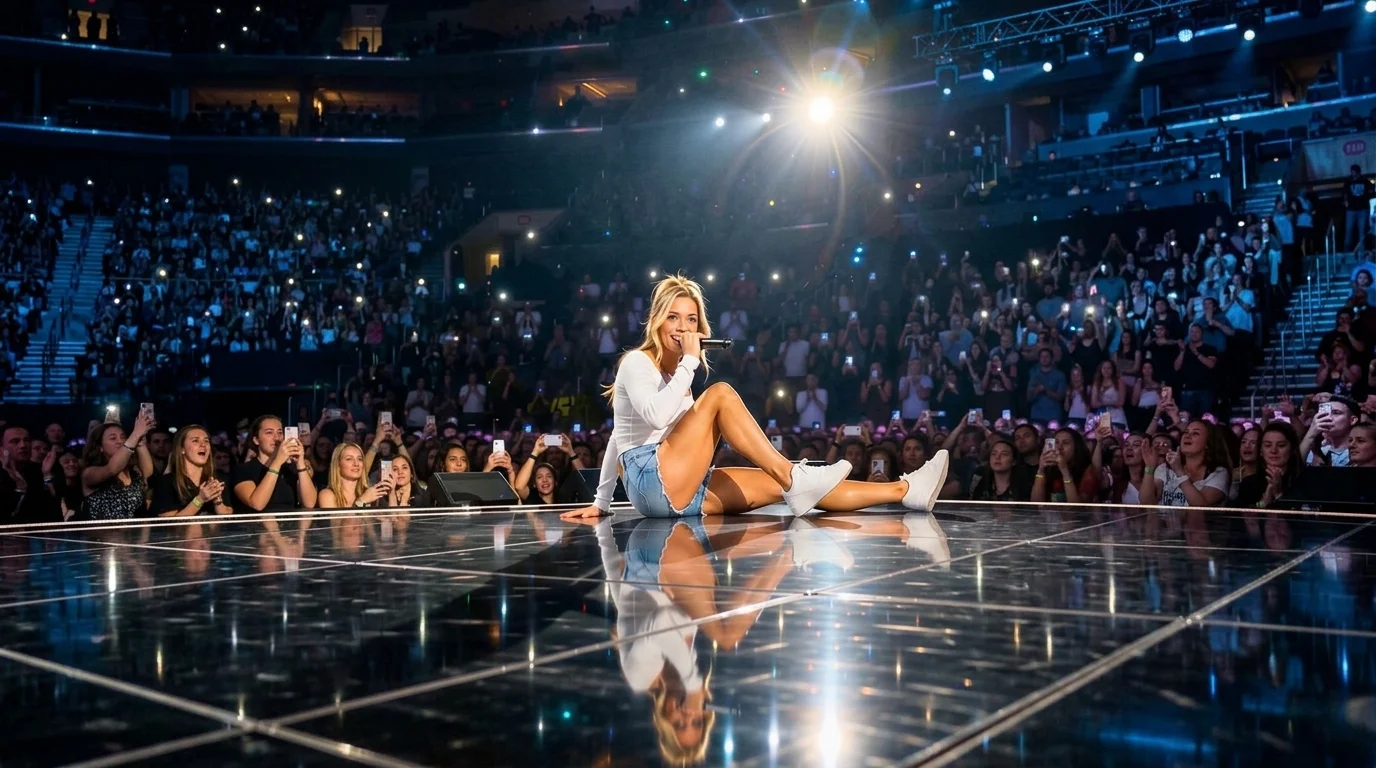
Upload a performer photo and turn them into a viral concert moment. They get clearly tripped by a black speaker cable on stage, fall awkwardly but safely, then calmly sit on the floor, raise the microphone, and keep singing as the crowd cheers. That is the official prompt for PixVerse’s Trip on Stage, Keep Singing template.
The official preview portrays a live music concert: the artist strides across the stage, trips over a stage cable, takes an awkward tumble, but effortlessly recovers by sitting cross-legged, lifting the mic, and continuing the song while the audience roars.
See It In Action
What Is the Trip on Stage, Keep Singing Template?
Trip on Stage, Keep Singing is a hilarious yet heroic viral concert template. Upload one photo, and PixVerse V6 produces an 8-second vertical video packed with comedic drama, stage lights, and cheering concert audio.
Template details
| Field | Value |
|---|---|
| Template name | Trip on Stage, Keep Singing |
| Template ID | 419490294857920 |
| Output | Video |
| Model | PixVerse V6 |
| Input | 1 photo |
| Duration | 8 seconds |
| Quality | 360p / 540p / 720p / 1080p |
| Audio | Included |
| Custom prompt | Off |
| Launched | Aug 17 2026 |
How it works
- Upload one photo — a clear portrait or full-body shot works best
- Select Trip on Stage, Keep Singing — search the name in PixVerse templates, or use Template ID
419490294857920 - Generate — PixVerse V6 applies the effect automatically
- Download and share — export the clip for TikTok, Reels, or Shorts
What’s in the Official Preview
The official preview showcases the key elements of the template:
- Dramatic stumble over a black stage speaker cable with safe, cartoonish physics
- Smooth transition into a seated pose without dropping the vocal performance
- Concert arena ambiance with stadium spotlights and cheering crowd reactions
- Audio track blending live performance vocals and background crowd applause
It captures the ultimate ‘the show must go on’ spirit: turning what could be an embarrassing slip into an unforgettable, viral superstar highlight.
How to Create Your Trip on Stage, Keep Singing Video
Step 1: Choose a photo
A photo of you or a friend holding a microphone, wearing concert attire, or posing dramatically will look sensational in this stage scenario.
Step 2: Open PixVerse
Visit PixVerse on web or in the app, then open the template library.
Step 3: Find Trip on Stage, Keep Singing
Search Trip on Stage, Keep Singing or look under newly launched templates. Confirm Template ID 419490294857920.
Step 4: Generate
Upload the photo and generate. The template does not accept a custom prompt, so you do not need to describe the scene.
Tips
- Performer poses or glam outfits enhance the stadium concert realism
- Works great with friends or pet photos for hilarious comedic contrast
- The 8-second runtime is perfectly paced for viral TikTok and Reels hooks
- Render in 1080p to keep spotlight flares and facial expressions pin-sharp
Frequently Asked Questions (FAQ)
Q: Do I need to write a prompt? A: No. Trip on Stage, Keep Singing has custom prompts turned off. Upload one photo and generate.
Q: How long is the video? A: 8 seconds, generated with PixVerse V6.
Q: What quality is available? A: 360p / 540p / 720p / 1080p.
Q: How many photos do I upload? A: One. This is a single-image template.
Q: Does the character actually sing in the audio? A: Yes. The generated video features an audio track with live performance music and crowd cheering.
Ready for your viral concert moment? Open PixVerse, search Trip on Stage, Keep Singing, and make stage history.
Related templates:
- Bathroom Hot Dance — high-energy bathroom mirror routine
- Seven Move Challenge — sharp 7-move synchronized choreography
- Train on the Ceiling — gravity-defying upside-down workout
- Little Gymnast — miniature gymnast on rings