Train on the Ceiling: Gravity-Defying Fitness with PixVerse
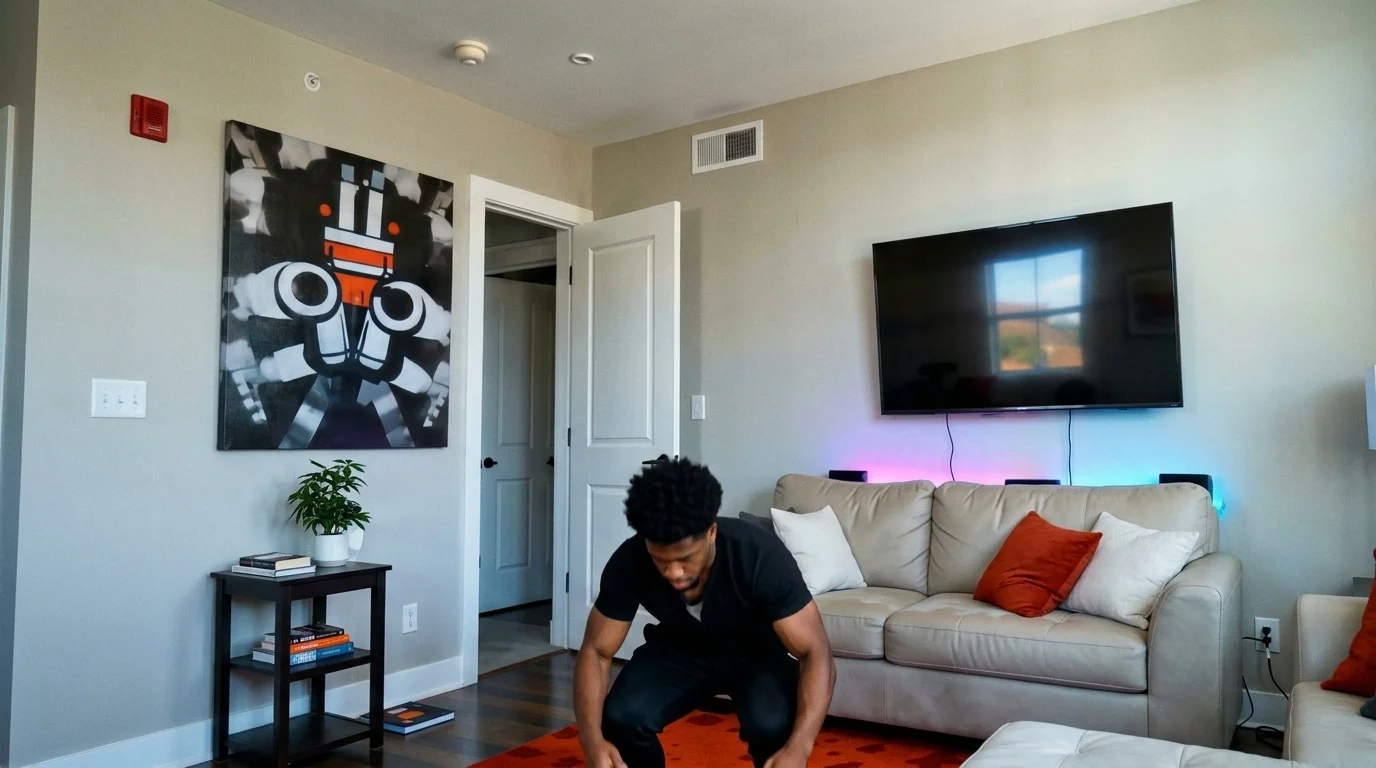
Upload a photo of yourself, and you can pull off advanced workout moves on the ceiling. That is the official prompt for PixVerse’s Train on the ceiling template — a mind-bending V6 fitness effect that turns gravity upside down.
The official preview shows an athletic individual performing incredible calisthenic holds and workout reps while hanging inverted from an ordinary living room ceiling, backed by a driving electronic workout beat.
See It In Action
What Is the Train on the ceiling Template?
Train on the ceiling is a gravity-defying image-to-video template. Upload one photo, and PixVerse V6 creates a 9-second video showing you executing elite gymnastics and fitness maneuvers upside down on the ceiling.
Template details
| Field | Value |
|---|---|
| Template name | Train on the ceiling |
| Template ID | 418986599033024 |
| Output | Video |
| Model | PixVerse V6 |
| Input | 1 photo |
| Duration | 9 seconds |
| Quality | 360p / 540p / 720p / 1080p |
| Audio | Included |
| Custom prompt | Off |
| Launched | Aug 14 2026 |
How it works
- Upload one photo — a clear portrait or full-body shot works best
- Select Train on the ceiling — search the name in PixVerse templates, or use Template ID
418986599033024 - Generate — PixVerse V6 applies the effect automatically
- Download and share — export the clip for TikTok, Reels, or Shorts
What’s in the Official Preview
The official preview showcases the key elements of the template:
- Inverted room perspective creating the illusion of zero-gravity ceiling workouts
- Advanced calisthenics movements such as ceiling pull-ups, planks, and leg raises
- Realistic indoor room fixtures that emphasize the inverted physics
- Energetic workout soundtrack synchronized with physical exertion beats
This template combines fitness motivation with surreal visual effects, giving your social media followers an instant double-take moment.
How to Create Your Train on the ceiling Video
Step 1: Choose a photo
A photo in athletic wear or gym clothing with a clear full-body or half-body view gives the AI ideal body contours to animate across the ceiling.
Step 2: Open PixVerse
Visit PixVerse on web or in the app, then open the template library.
Step 3: Find Train on the ceiling
Search Train on the ceiling or look under newly launched templates. Confirm Template ID 418986599033024.
Step 4: Generate
Upload the photo and generate. The template does not accept a custom prompt, so you do not need to describe the scene.
Tips
- Photos with visible arms and shoulders produce the most believable workout holds
- Gym apparel or fitted sportswear adds authenticity to the extreme calisthenics illusion
- Both serious fitness enthusiasts and funny gag poses look great inverted
- Download in 1080p to maximize sharpness of ceiling textures and body definition
Frequently Asked Questions (FAQ)
Q: Do I need to write a prompt? A: No. Train on the ceiling has custom prompts turned off. Upload one photo and generate.
Q: How long is the video? A: 9 seconds, generated with PixVerse V6.
Q: What quality is available? A: 360p / 540p / 720p / 1080p.
Q: How many photos do I upload? A: One. This is a single-image template.
Q: Do I need to be in a workout pose in my photo? A: No. You can upload a standard standing portrait, and PixVerse V6 generates the upside-down workout animation automatically.
Ready to defy gravity? Open PixVerse, search Train on the ceiling, and start your ceiling workout today.
Related templates:
- Bad 3D Energy — hilariously crude 3D meme animation
- Quick Outfit Change — instant fashion transformation
- Trip on Stage, Keep Singing — viral stage stumble and performance
- Little Gymnast — miniature gymnastics on rings