Toy Shark in the Bathtub: Playful PixVerse AI Video Template
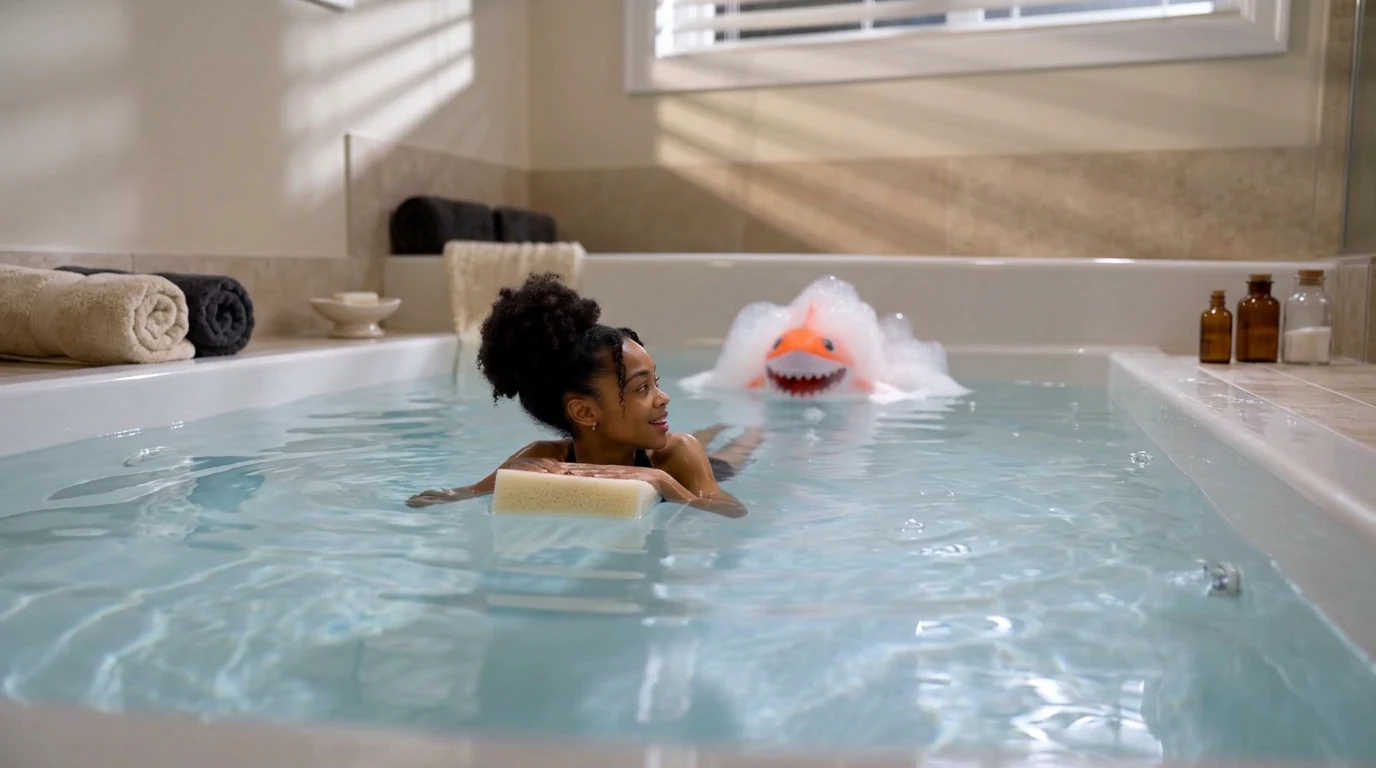
Upload your photo and play with the toy shark in the bathtub. Toy Shark in the Bathtub is a newly launched PixVerse V6 template: one photo becomes an 8-second bath-time clip with a bubble-covered toy shark in the water.
The official preview shows a woman in a tub, arms on a sponge, looking back at an orange toy shark surfacing through foam. The template keeps that playful setup and maps your uploaded likeness into the scene.
See It In Action
What Is the Toy Shark in the Bathtub Template?
This is a single-image, image-to-video effect. You do not stage a bathtub or animate a toy. PixVerse V6 generates the water, the shark, and the 8-second performance, with the template audio attached.
Template details
| Field | Value |
|---|---|
| Template name | Toy Shark in the Bathtub |
| Template ID | 422337745483392 |
| Output | Video |
| Model | PixVerse V6 |
| Input | 1 photo |
| Duration | 8 seconds |
| Quality | 360p / 540p / 720p / 1080p |
| Audio | Included |
| Custom prompt | Off |
| Launched | Sep 02 2026 |
How it works
- Upload one photo
- Select Toy Shark in the Bathtub — Template ID
422337745483392 - Generate
- Download up to 1080p
What’s in the Official Preview
The sample is a bright, indoor bath scene:
- A person in the tub, turned toward the toy
- A yellow sponge used as a float
- An orange toy shark coming up through bubbles
- Soft window light and a white tub rim
- Clear bath water in the foreground
It is the playful bathroom counterpart to Frozen Climb in the Bathtub, which uses the same setting for a tiny ice climb.
How to Create Your Toy Shark Video
Step 1: Choose a photo
Use a clear, well-lit face. The preview is a mid-shot in water, so identity has to hold in a wet, close scene.
Step 2: Open PixVerse
Visit PixVerse.
Step 3: Find the template
Search Toy Shark in the Bathtub. The Chinese title is 浴缸里的玩具鲨鱼.
Step 4: Generate
Upload and generate. Custom prompts are off, so the shark-and-tub setup stays fixed.
Tips
- One subject per photo matches the official clip
- Avoid heavy filters that hide facial features
- Export 1080p for social posts
- Make a pair with Frozen Climb in the Bathtub for a two-clip bathroom series
Frequently Asked Questions (FAQ)
Q: What do I upload? A: One photo. The template is a single-image effect.
Q: How long is the video? A: 8 seconds.
Q: Does it include sound? A: Yes. The template has an audio track.
Q: Can I change the shark or the bathroom with a prompt? A: No. Custom prompts are disabled.
Q: What resolutions are supported? A: 360p, 540p, 720p, and 1080p.
Ready to play with the toy shark? Open PixVerse and search Toy Shark in the Bathtub.
Related templates:
- Frozen Climb in the Bathtub — ice mountain in the same tub
- Curling in the Sink — kitchen-sink sport
- Little Gymnast — tiny athlete series
- AI Dancing Baby