Toothpick Labels: Tiny Tabletop Sports AI Video Template
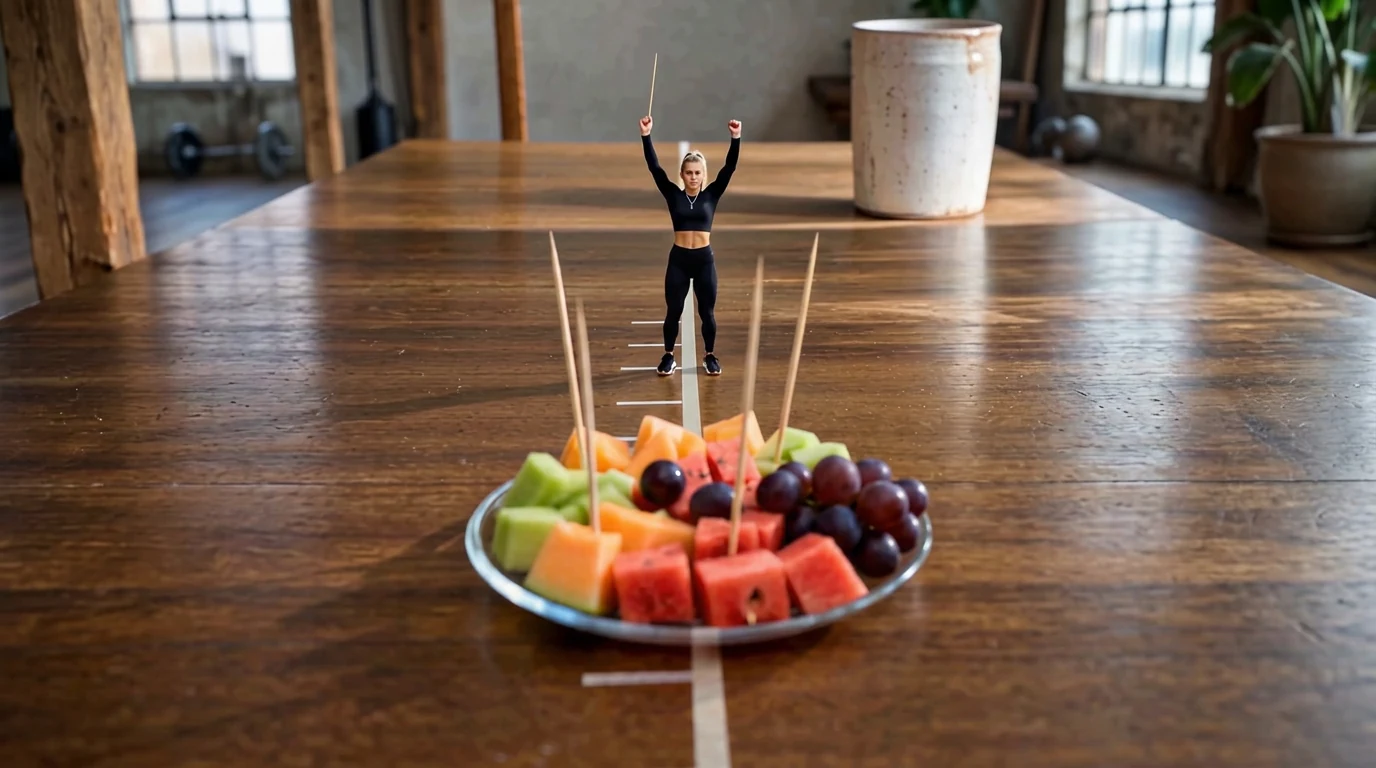
Upload your photo and create unique toothpick labels. Toothpick Labels is a new PixVerse V6 miniature template: your subject shrinks onto a wooden table marked like a track, with a fruit plate and standing toothpicks in the foreground.
The official preview is a tiny athlete in black sportswear, both arms raised, holding a toothpick like a baton. In front: watermelon, melon, grapes, and a row of toothpicks. One photo becomes an 8-second vertical video with template audio.
See It In Action
What Is the Toothpick Labels Template?
This is a tabletop miniature effect. PixVerse V6 does not add a sticker to a toothpick in 2D. It rebuilds a real table as a sports field and places a tiny version of your photo subject on the lane.
Template details
| Field | Value |
|---|---|
| Template name | Toothpick Labels |
| Template ID | 422337048311424 |
| Output | Video |
| Model | PixVerse V6 |
| Input | 1 photo |
| Duration | 8 seconds |
| Quality | 360p / 540p / 720p / 1080p |
| Audio | Included |
| Custom prompt | Off |
| Launched | Sep 02 2026 |
How it works
- Upload one photo
- Select Toothpick Labels — Template ID
422337048311424 - Generate
- Download up to 1080p
What’s in the Official Preview
The sample is shot from table height, looking down a marked lane:
- A wooden table with a tape center line and tick marks
- A tiny person in a black crop top, black leggings, and sneakers
- Arms raised, one hand lifting a toothpick
- A glass plate of cut fruit in the foreground
- Extra toothpicks standing in the fruit like posts
It belongs with the other new miniature sports templates: Mini Home Run, Little Gymnast, and Little Fencer.
How to Create Your Toothpick Labels Video
Step 1: Choose a photo
A clear face and a readable body silhouette both help. The subject is small in frame, so identity has to survive the shrink.
Step 2: Open PixVerse
Visit PixVerse.
Step 3: Find the template
Search Toothpick Labels. The Chinese title is 牙签标签.
Step 4: Generate
Upload and generate. Custom prompts are off, so the tabletop sports look stays locked.
Tips
- One subject per photo
- High-resolution portraits keep the tiny face sharp
- Export 1080p if you want the fruit-and-wood detail to hold on a phone screen
- Film a series with Mini Home Run and Curling in the Sink
Frequently Asked Questions (FAQ)
Q: What does “toothpick labels” mean here? A: The official effect places a tiny version of you on a table with fruit and toothpicks — a miniature sports / party-table scene, not a 2D label maker.
Q: How long is the video? A: 8 seconds.
Q: Is audio included? A: Yes.
Q: How many photos do I need? A: One.
Q: Can I describe a different table in the prompt? A: No. Custom prompts are disabled.
Ready to label the tabletop? Open PixVerse and search Toothpick Labels.
Related templates:
- Mini Home Run — living-room baseball
- Little Gymnast — tiny rings
- Curling in the Sink — sink-sized curling
- Frozen Climb in the Bathtub