Tiny World Explorer: Float on a Mini Earth Above the Clouds
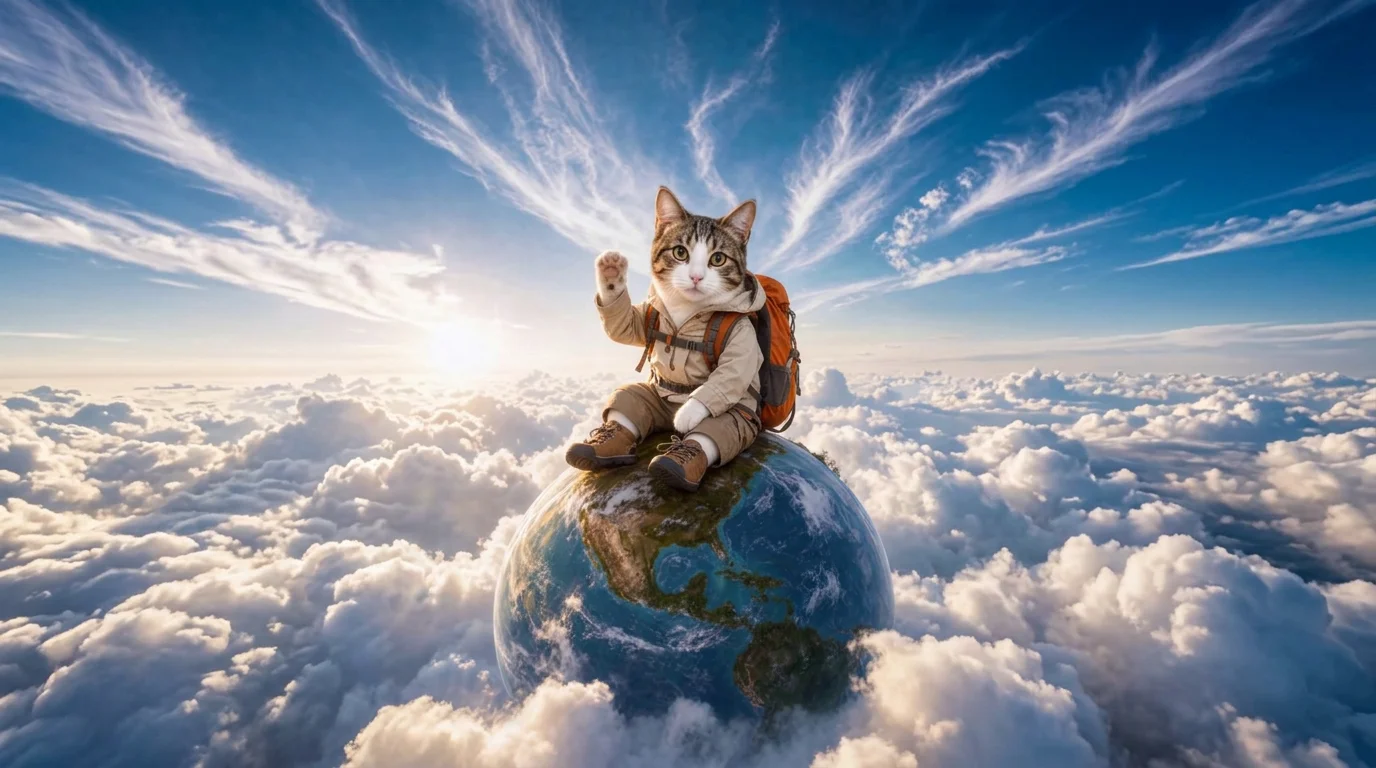
Upload a person, pet, or character to become a tiny explorer sitting on a floating mini Earth above the clouds. That is the official prompt for PixVerse’s Tiny World Explorer template — a poetic V6 effect that transports your subject into a dreamy, cloud-swept fantasy.
See It In Action
What Is the Tiny World Explorer Template?
Tiny World Explorer is a whimsical image-to-video template powered by PixVerse V6. Upload one photo of a person, pet, or character to generate a 10-second dreamlike sky journey above the clouds in 720p resolution.
Template details
| Field | Value |
|---|---|
| Template name | Tiny World Explorer |
| Template ID | 419844646413632 |
| Output | Video |
| Model | PixVerse V6 |
| Input | 1 photo |
| Duration | 10 seconds |
| Quality | 720p |
| Audio | Included |
| Custom prompt | Off |
| Launched | Aug 19 2026 |
How it works
- Upload one photo — a clear photo works best
- Select Tiny World Explorer — search the name in PixVerse templates, or use Template ID
419844646413632 - Generate — PixVerse V6 applies the effect automatically
- Download and share — export your video for TikTok, Reels, or Shorts
What’s in the Official Preview
- A tiny traveler or pet perched atop a rotating miniature globe floating above the clouds
- Soft golden-hour sunlight casting warm rays across fluffy drifting cloud banks
- Gentle, serene cinematic motion with realistic atmospheric perspective
- Nostalgic storybook atmosphere with whimsical, relaxing background audio
How to Create Your Tiny World Explorer Video
Step 1: Choose a photo
Upload a clear portrait or full-body picture of a person or pet. A calm expression or sitting pose blends beautifully with the peaceful miniature world setting.
Step 2: Open PixVerse
Visit PixVerse on web or in the app, then open the template library.
Step 3: Find Tiny World Explorer
Search Tiny World Explorer or look under newly launched templates. Confirm Template ID 419844646413632.
Step 4: Generate
Upload the photo and generate. The template does not accept a custom prompt, so you do not need to describe the scene.
Tips
- Sitting or relaxed poses fit the floating globe perch naturally
- Pets look charming exploring the miniature planet above the clouds
- Pastel or soft-colored clothing matches the dreamy sunset palette
- Ideal for storybook intros, meditation clips, and imaginative social reels
Frequently Asked Questions (FAQ)
Q: Do I need to write a prompt? A: No. Tiny World Explorer has custom prompts turned off. Upload one photo and generate.
Q: How long is the video? A: 10 seconds, generated with PixVerse V6.
Q: What quality is available? A: 720p.
Q: How many photos do I upload? A: One. This is a single-image template.
Q: Can I use cartoon or anime avatars? A: Yes! Anime characters, 3D avatars, pets, and real photos all work seamlessly.
Ready to explore the skies? Open PixVerse, search Tiny World Explorer, and start your journey.
Related templates:
- Baby in Hand — palm-sized treasure in caring hands
- Rose Gunslinger — western showdown with rose storm
- Romantic Sword — sword swing with blooming flower petals
- Little Gymnast — mini gymnast athlete on rings