Tiny Trouble Studio: Turn Any Photo into a Puppet Adventure
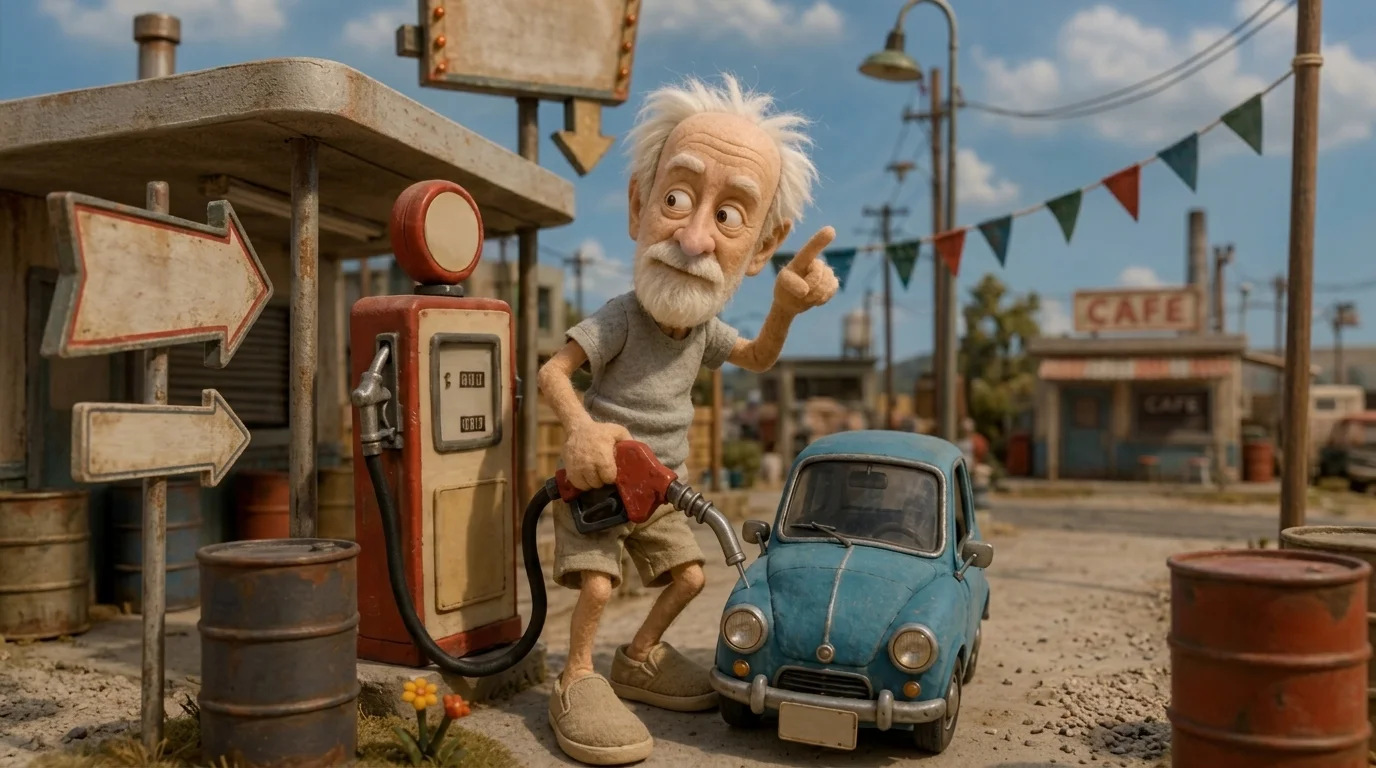
Turn your photo into a one-of-a-kind handcrafted puppet adventure. That is the official prompt for PixVerse’s newly launched Tiny Trouble Studio template — a delightful V6 image-to-video effect that transforms your subject into an adorable handcrafted wool puppet.
The official preview showcases rich wool felt textures, miniature wooden details, and whimsical stop-motion animations that bring handcrafted storytelling to life. The same one-click flow works with portraits of people, kids, or pets.
See It In Action
What Is the Tiny Trouble Studio Template?
Tiny Trouble Studio is an imaginative PixVerse image-to-video template powered by PixVerse V6. You upload one photo; PixVerse V6 generates a 5-second vertical video. You do not write a prompt — the template prompt is locked, so the effect stays consistent.
Template details
| Field | Value |
|---|---|
| Template name | Tiny Trouble Studio |
| Template ID | 416094030864576 |
| Output | Video |
| Model | PixVerse V6 |
| Input | 1 photo |
| Duration | 5 seconds |
| Quality | 720p |
| Audio | None |
| Custom prompt | Off |
| Launched | Jul 29 2026 |
How it works
- Upload one photo — a clear portrait or well-lit photo works best
- Select Tiny Trouble Studio — search the name in PixVerse templates, or use Template ID
416094030864576 - Generate — PixVerse V6 applies the effect automatically
- Download and share — export your clip for TikTok, Reels, or Shorts
What’s in the Official Preview
- A subject reimagined as a tactile, needle-felted woolen miniature puppet
- Detailed handcrafted workshop textures including yarn, stitching, and tiny props
- Smooth stop-motion style movements and playful puppet expressions
- A warm, whimsical studio lighting setup that highlights craft textures
How to Create Your Tiny Trouble Studio Video
Step 1: Choose a photo
Use a clear, well-lit photo where the face and clothing details are visible.
Step 2: Open PixVerse
Visit PixVerse on web or in the app, then open the template library.
Step 3: Find Tiny Trouble Studio
Search Tiny Trouble Studio or look under newly launched templates. Confirm Template ID 416094030864576.
Step 4: Generate
Upload the photo and generate. The template does not accept a custom prompt, so you do not need to describe the scene.
Tips
- Single-subject portraits create the most detailed felt puppet characters
- Colorful clothing translates into vibrant textured yarn and fabric details
- Pet photos convert into adorable miniature needle-felted animals
- Output is vertical 720p, optimized for TikTok, Instagram Reels, and YouTube Shorts
Frequently Asked Questions (FAQ)
Q: Do I need to write a prompt? A: No. Tiny Trouble Studio has custom prompts turned off. Upload one photo and generate.
Q: How long is the video? A: 5 seconds, generated with PixVerse V6.
Q: What quality is available? A: 720p.
Q: How many photos do I upload? A: One. This is a single-image template.
Q: Can I use pet photos? A: Yes. Dogs, cats, and human portraits all transform into charming felt puppets.
Ready for a handcrafted adventure? Open PixVerse, search Tiny Trouble Studio, and generate from one photo.
Related templates:
- Party Takeover — energetic festival dance transformation
- Beach Snow Globe — tropical beach snow globe teleportation
- The Flying Carpet — magical sunset carpet flight over ancient city
- Little Gymnast — tiny gymnast on gym rings