Tiny Sticker Chef Chaos: Hilarious Miniature Kitchen Adventure
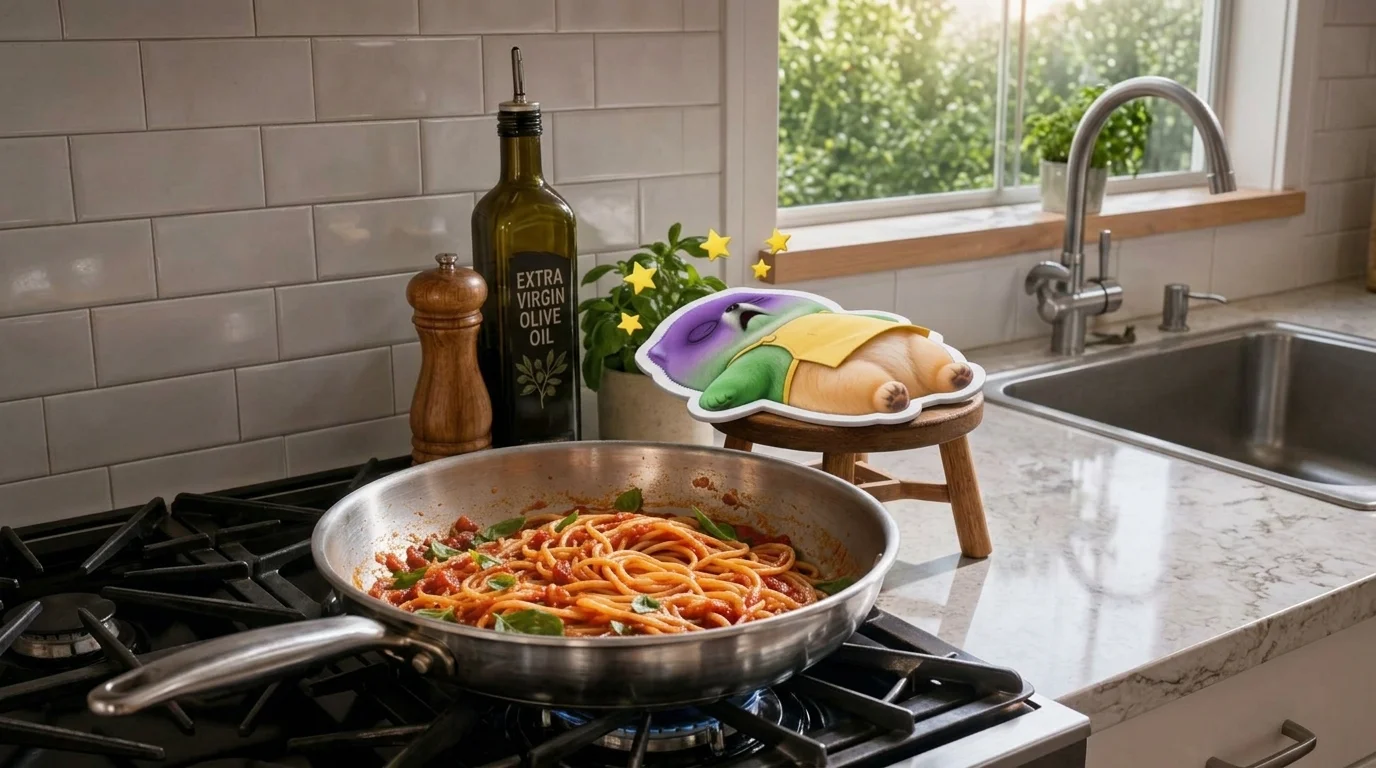
Turn yourself into a tiny sticker chef and cook up a hilarious kitchen adventure. That is the official prompt for PixVerse’s newly launched Tiny Sticker Chef Chaos template — an exciting V6 image-to-video effect that brings your imagination to life.
The official preview demonstrates the full power of PixVerse V6: sharp subject preservation, smooth camera motion, and vivid visual transformation in a single click.
See It In Action
What Is the Tiny Sticker Chef Chaos Template?
Tiny Sticker Chef Chaos is a powerful PixVerse image-to-video template powered by PixVerse V6. You upload one photo; PixVerse V6 automatically generates a 10 seconds vertical video. Custom prompts are locked so the effect remains consistently high quality.
Template details
| Field | Value |
|---|---|
| Template name | Tiny Sticker Chef Chaos |
| Template ID | 416276364653376 |
| Output | Video |
| Model | PixVerse V6 |
| Input | 1 photo |
| Duration | 10 seconds |
| Quality | 720p |
| Audio | Included |
| Custom prompt | Off |
| Launched | Jul 30 2026 |
How it works
- Upload one photo — a clear portrait or well-lit shot works best
- Select Tiny Sticker Chef Chaos — search the name in PixVerse templates, or use Template ID
416276364653376 - Generate — PixVerse V6 applies the effect automatically
- Download and share — export your 10-second clip for TikTok, Reels, or Shorts
What’s in the Official Preview
- A tiny illustrated sticker-style chef bustling around an oversized real-world kitchen
- Comical interactions with giant pots, oversized ladles, and flying culinary ingredients
- Playful 2.5D sticker aesthetic with clean white outline borders and lively cartoon movements
- Whimsical animated kitchen audio and humorous sound effects synchronized with the cooking chaos
How to Create Your Tiny Sticker Chef Chaos Video
Step 1: Choose one photo
Use a clear, well-lit photo with sharp details.
Step 2: Open PixVerse
Visit PixVerse on web or in the app, then open the template library.
Step 3: Find Tiny Sticker Chef Chaos
Search Tiny Sticker Chef Chaos or look under newly launched templates. Confirm Template ID 416276364653376.
Step 4: Generate
Upload the one photo and generate. The template does not accept a custom prompt, so you do not need to describe the scene.
Tips
- Use clear, well-lit photos for the cleanest video output
- High-resolution images preserve fine facial features and textures
- Output is vertical 720p, ready for short-form video platforms
- Generate directly in PixVerse without typing a prompt
Frequently Asked Questions (FAQ)
Q: Do I need to write a prompt? A: No. Tiny Sticker Chef Chaos has custom prompts turned off. Upload one photo and generate.
Q: How long is the video? A: 10 seconds, generated with PixVerse V6.
Q: What quality is available? A: 720p.
Q: How many photos do I upload? A: One. This is a single-image template.
Q: Can I use kids or pet photos for the sticker chef? A: Yes. Kids, adults, and pets all turn into hilarious sticker chefs with miniature chef hats.
Ready to create your video? Open PixVerse, search Tiny Sticker Chef Chaos, and generate from one photo.
Related templates:
- Mini Me Makeover — tiny relaxing miniature spa experience
- Mini Squeeze Toy — funny squishy rubber toy pinch and bounce
- Food Levitation — stunning artistic food splashing in mid-air
- Little Gymnast — tiny gymnast on gym rings