Tiny Burger Crew: Turn Your Pet into an Adorable Mini Chef with PixVerse V6
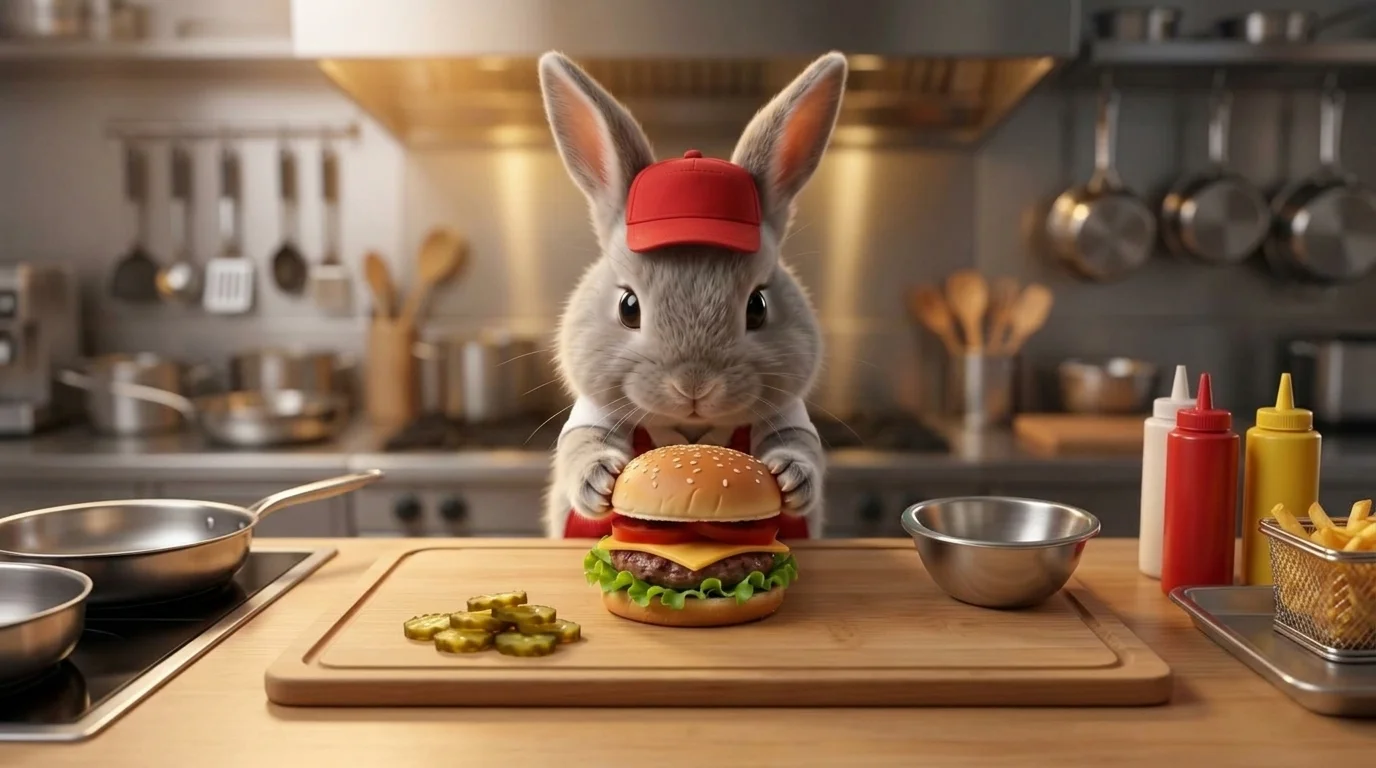
Upload a photo of a small animal and watch it put on a hat and apron to carefully assemble a burger in the kitchen. That is the official prompt for PixVerse’s Tiny Burger Crew template.
The official preview features an adorable small animal outfitted with a chef hat and apron, meticulously placing buns, lettuce, tomatoes, and patties to build a miniature gourmet burger.
See It In Action
What Is the Tiny Burger Crew Template?
Tiny Burger Crew is a heartwarming miniature culinary template powered by PixVerse V6. Upload one photo of your pet, and PixVerse V6 generates an 8-second vertical video transforming them into a focused little kitchen chef.
Template details
| Template details | Output |
|---|---|
| Template name | Tiny Burger Crew |
| Template ID | 417204920908928 |
| Output | Video |
| Model | PixVerse V6 |
| Input | 1 photo |
| Duration | 8 seconds |
| Quality | 360p / 540p / 720p / 1080p |
| Audio | Off |
| Custom prompt | Off |
| Launched | Aug 04 2026 |
How it works
- Upload 1 photo — a clear photo works best
- Select Tiny Burger Crew — search the name in PixVerse templates, or use Template ID
417204920908928 - Generate — PixVerse V6 applies the effect automatically
- Download and share — export the 8-second clip for TikTok, Reels, or Shorts
What’s in the Official Preview
The template preview showcases a polished, cohesive scene built around the official theme:
- Cute mini chef hat and apron automatically fitted onto your pet
- Detailed kitchen countertop setting with tiny culinary ingredients
- Adorable 8-second burger stacking and assembly animation
- Consistent animal features and expressions preserved perfectly
How to Create Your Tiny Burger Crew Video
Step 1: Choose a cute pet photo
Use a clear, close-up photo of your pet facing the camera with good indoor or daylight lighting.
Step 2: Open PixVerse
Visit PixVerse on web or in the app, then open the template library.
Step 3: Find Tiny Burger Crew
Search Tiny Burger Crew or look under newly launched templates. Confirm Template ID 417204920908928.
Step 4: Generate
Upload the photo and generate. The template does not accept a custom prompt, so you do not need to describe the scene.
Tips
- Front-facing photos of dogs, cats, or small animals work best
- Clear shots with visible paws enhance the cooking animation
- Works well with plushies or toy animals too
- Export at 1080p for the sharpest, most adorable social clip
Frequently Asked Questions (FAQ)
Q: Do I need to write a prompt? A: No. Tiny Burger Crew has custom prompts turned off. Upload your photo and generate.
Q: How long is the video? A: 8 seconds, generated with PixVerse V6.
Q: What quality is available? A: 360p / 540p / 720p / 1080p.
Q: How many photos do I upload? A: 1 photo. This template creates the full animation from your uploaded image.
Q: Can I upload any type of pet photo? A: Yes! Kittens, puppies, hamsters, bunnies, and other small pets look utterly adorable assembling mini burgers.
Ready to create your video? Open PixVerse, search Tiny Burger Crew, and generate from 1 photo.
Related templates:
- Move Like Animal — unleash wild primal dance instincts
- Quiet on the Creek — peaceful nature moments by the stream
- Street Art Awakening — vibrant graffiti urban illustration
- Little Gymnast — miniature gymnast on the rings