The Stars on Stage: Stand Out and Radiate Confidence on PixVerse
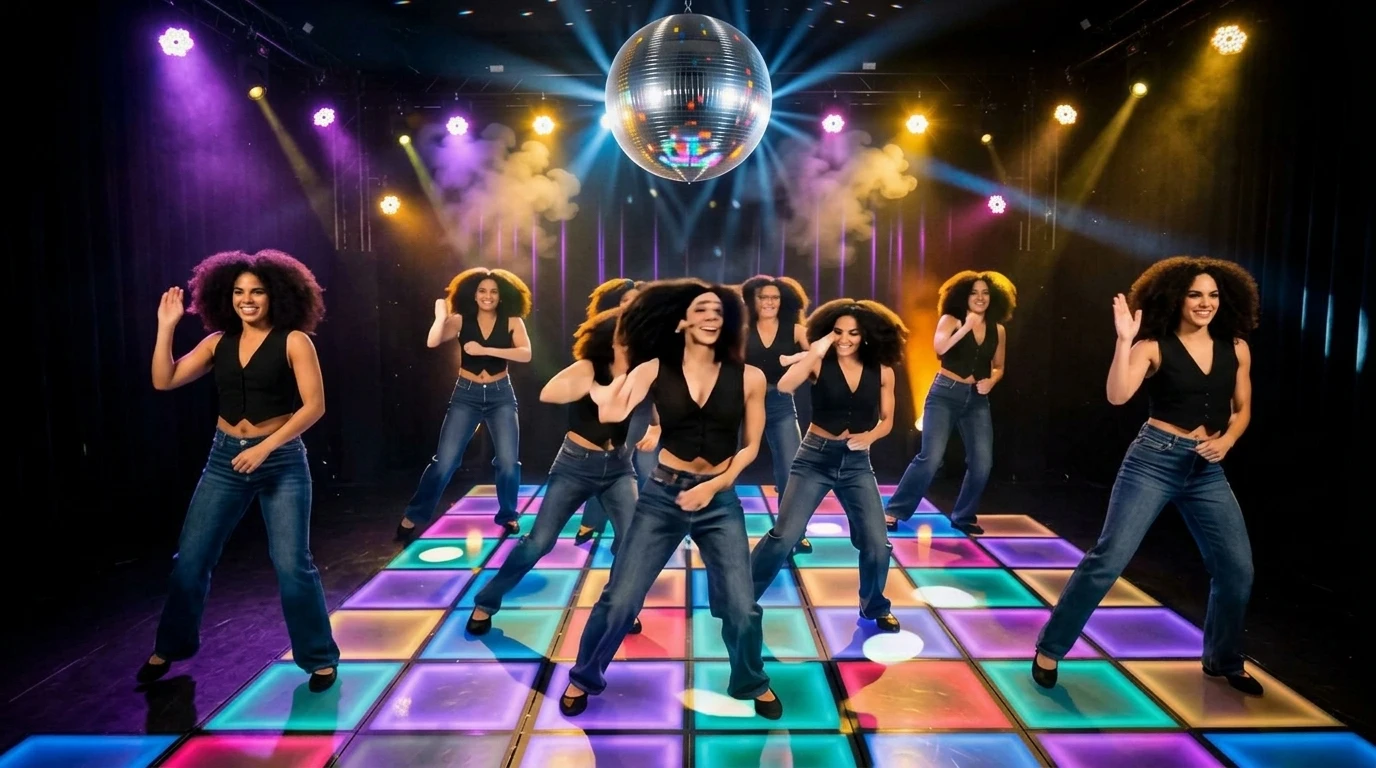
Even a single individual can stand out from a team and radiate confidence. That is the official prompt for PixVerse’s newly launched The stars on stage template — a one-photo V6 effect that brings this vision to life with fluid motion and stunning detail.
The official preview shows a standout performer stepping forward from a group formation under brilliant stage lights, radiating poise, confidence, and idol charisma. The same one-click flow works with your portrait, a stage outfit photo, or a group picture.
See It In Action
What Is the The stars on stage Template?
The stars on stage is an idol performance template powered by PixVerse V6. You upload one photo; PixVerse V6 generates an 8-second vertical video where your subject takes the center spotlight with synchronized dance beats. You do not write a prompt — the template prompt is locked, so the stage presence stays consistent.
Template details
| Field | Value |
|---|---|
| Template name | The stars on stage |
| Template ID | 418457177152448 |
| Output | Video |
| Model | PixVerse V6 |
| Input | 1 photo |
| Duration | 8 seconds |
| Quality | 360p / 540p / 720p / 1080p |
| Audio | Included |
| Custom prompt | Off |
| Launched | Aug 11 2026 |
How it works
- Upload one photo — a clear portrait or well-lit photo works best
- Select The stars on stage — search the name in PixVerse templates, or use Template ID
418457177152448 - Generate — PixVerse V6 applies the effect automatically
- Download and share — export the 8-second clip for TikTok, Reels, or Shorts
What’s in the Official Preview
The template preview showcases a polished, cohesive scene built around the official prompt:
- Dynamic center-stage idol choreography showcasing poise and charisma
- Dazzling concert stage lighting with sweeping beams and volumetric fog
- Sharp group formation dynamics highlighting the main center dancer
- High-energy pop performance track driving the tempo and stage mood
A must-try for pop fans, dancers, and creators who want to see themselves center stage under dazzling lights.
How to Create Your The stars on stage Video
Step 1: Choose a photo
Glamorous outfits, sharp stage attire, or polished portraits blend effortlessly into the concert environment.
Step 2: Open PixVerse
Visit PixVerse on web or in the app, then open the template library.
Step 3: Find The stars on stage
Search The stars on stage or browse newly launched templates. Confirm Template ID 418457177152448.
Step 4: Generate
Upload the photo and generate. The template does not accept a custom prompt, so you do not need to describe the scene.
Tips
- Photos with direct eye contact create a powerful connection with the viewer
- Full-length portraits let the idol choreography shine from head to toe
- Vibrant stage colors pop even more when your original photo has clean lighting
- 1080p export delivers crystal-clear spotlights and stage particle effects
Frequently Asked Questions (FAQ)
Q: Do I need to write a prompt? A: No. The stars on stage has custom prompts turned off. Upload one photo and generate.
Q: How long is the video? A: 8 seconds, generated with PixVerse V6.
Q: What quality is available? A: 360p / 540p / 720p / 1080p.
Q: How many photos do I upload? A: One. This is a single-image template.
Q: Does the video include sound or music? A: Yes. A vibrant pop dance track is included to power the stage routine.
Ready to step into the stage spotlight? Open PixVerse, search The stars on stage, and generate from one photo.
Related templates:
- Born To Shine On Stage — festival headliner performance
- Everyone Is Obsessed — viral dance that captivates the crowd
- Beat-Cut Beauty Transformation — beat-synced glam reveal
- Little Gymnast — tiny gymnast on the rings