The Last Leap at Sunset: Superhero Rooftop Leap with PixVerse
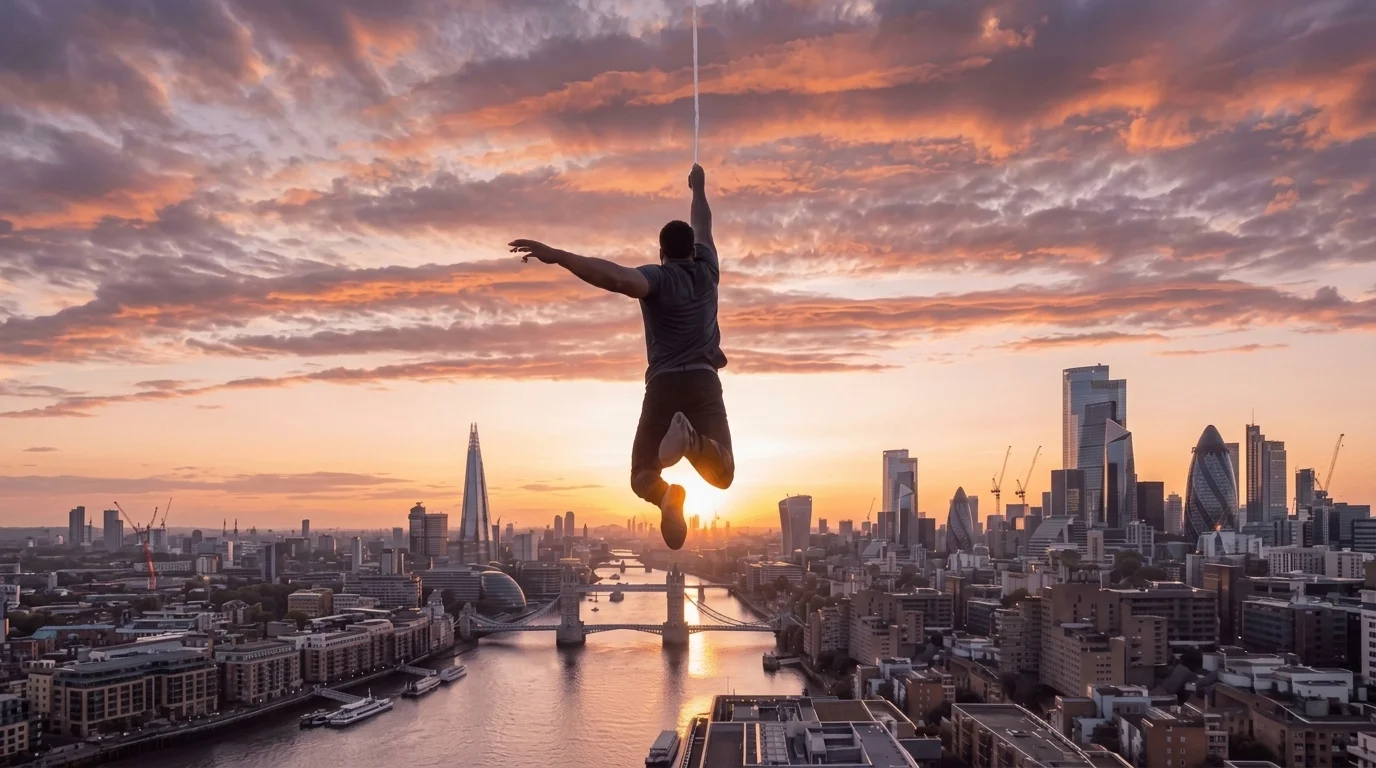
One leap. One city. Your hero story begins. That is the official prompt for PixVerse’s newly launched The Last Leap at Sunset template — an exciting V6 image-to-video effect that brings your imagination to life.
The official preview demonstrates the full power of PixVerse V6: sharp subject preservation, smooth camera motion, and vivid visual transformation in a single click.
See It In Action
What Is the The Last Leap at Sunset Template?
The Last Leap at Sunset is a powerful PixVerse image-to-video template powered by PixVerse V6. You upload one photo; PixVerse V6 automatically generates a 15 seconds vertical video. Custom prompts are locked so the effect remains consistently high quality.
Template details
| Field | Value |
|---|---|
| Template name | The Last Leap at Sunset |
| Template ID | 416504334886464 |
| Output | Video |
| Model | PixVerse V6 |
| Input | 1 photo |
| Duration | 15 seconds |
| Quality | 720p |
| Audio | Included |
| Custom prompt | Off |
| Launched | Jul 31 2026 |
How it works
- Upload one photo — a clear portrait or well-lit shot works best
- Select The Last Leap at Sunset — search the name in PixVerse templates, or use Template ID
416504334886464 - Generate — PixVerse V6 applies the effect automatically
- Download and share — export your 15-second clip for TikTok, Reels, or Shorts
What’s in the Official Preview
- An epic cinematic superhero leap across rooftops at golden hour sunset over a sprawling cityscape
- Dynamic tracking camera angle capturing mid-air suspension, wind-swept clothes, and flowing hair
- Dramatic warm amber sunset glow illuminating city skyscrapers and atmospheric clouds
- Heroic orchestral soundtrack synchronized with the breathtaking leap
How to Create Your The Last Leap at Sunset Video
Step 1: Choose one photo
Use a clear, well-lit photo with sharp details.
Step 2: Open PixVerse
Visit PixVerse on web or in the app, then open the template library.
Step 3: Find The Last Leap at Sunset
Search The Last Leap at Sunset or look under newly launched templates. Confirm Template ID 416504334886464.
Step 4: Generate
Upload the one photo and generate. The template does not accept a custom prompt, so you do not need to describe the scene.
Tips
- Use clear, well-lit photos for the cleanest video output
- High-resolution images preserve fine facial features and textures
- Output is vertical 720p, ready for short-form video platforms
- Generate directly in PixVerse without typing a prompt
Frequently Asked Questions (FAQ)
Q: Do I need to write a prompt? A: No. The Last Leap at Sunset has custom prompts turned off. Upload one photo and generate.
Q: How long is the video? A: 15 seconds, generated with PixVerse V6.
Q: What quality is available? A: 720p.
Q: How many photos do I upload? A: One. This is a single-image template.
Q: What photo works best for the hero leap? A: A full-body or half-body portrait with heroic, confident posture creates the most impressive result.
Ready to create your video? Open PixVerse, search The Last Leap at Sunset, and generate from one photo.
Related templates:
- One-Hand Wall Balance — gravity-defying one-hand wall balance pose
- Studio Vocal Challenge — cinematic vocal performance in recording studio
- ACAI Dance Duet — viral synchronized tractor dance duet
- Little Gymnast — tiny gymnast on gym rings