The Infinite Trampoline: Dive into an Endless Coral Reef
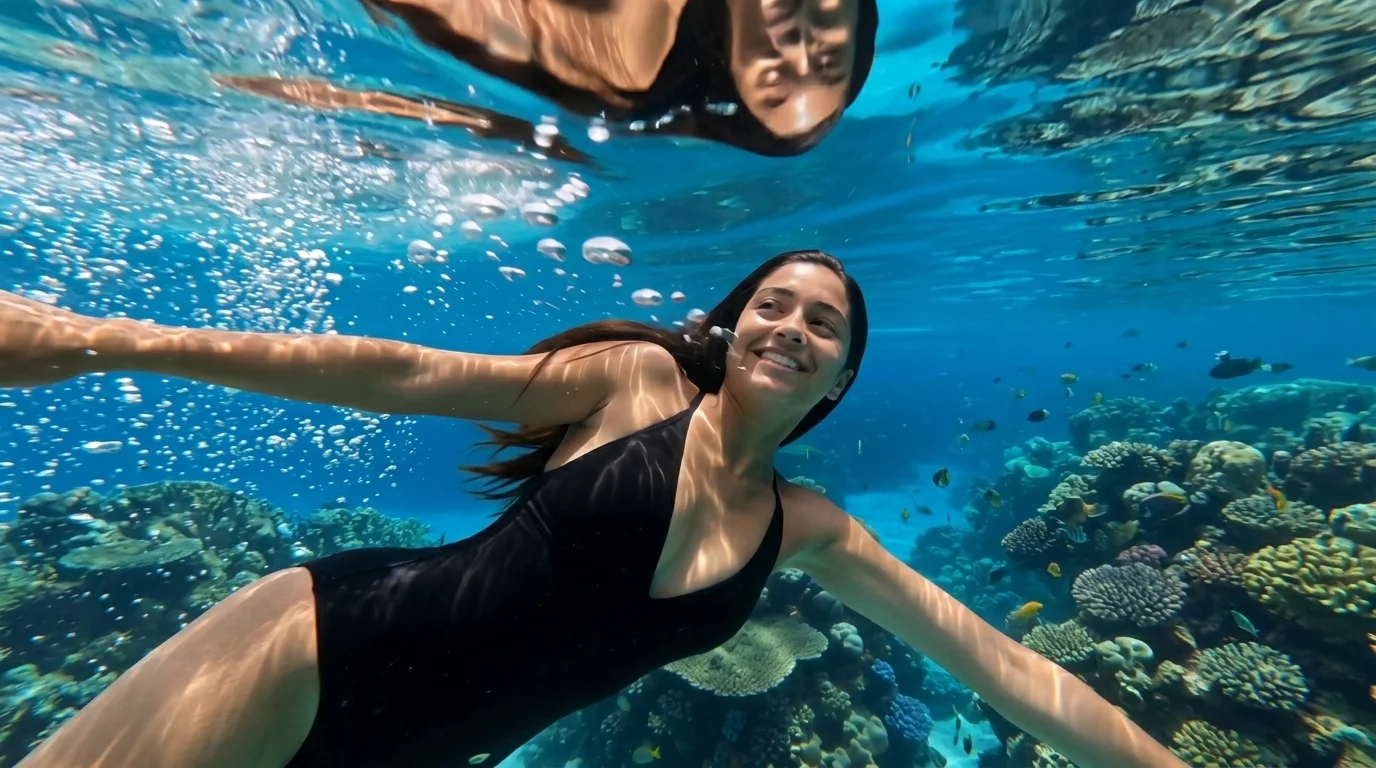
A simple dive that goes through the water and spills into an endless reef. That is the official prompt for PixVerse’s The Infinite Trampoline template — a surreal 10-second V6 effect that plunges your subject into a luminous underwater paradise.
The official preview shows an effortless dive piercing the water surface, transitioning smoothly into a vast, glowing coral reef teeming with vibrant aquatic life and crystalline water currents.
See It In Action
What Is the Infinite Trampoline Template?
The Infinite Trampoline is a dreamlike PixVerse image-to-video template powered by PixVerse V6. You upload one photo; PixVerse V6 generates a 10-second vertical surreal dive video. Custom prompts are locked so the seamless aquatic transition remains consistent.
Template details
| Field | Value |
|---|---|
| Template name | The Infinite Trampoline |
| Template ID | 413915466638324 |
| Output | Video |
| Model | PixVerse V6 |
| Input | 1 photo |
| Duration | 10 seconds |
| Quality | 360p / 540p / 720p / 1080p |
| Audio | Included |
| Custom prompt | Off |
| Launched | Jul 17 2026 |
How it works
- Upload one photo — a clear portrait or well-lit shot works best
- Select The Infinite Trampoline — search the name in PixVerse templates, or use Template ID
413915466638324 - Generate — PixVerse V6 applies the effect automatically
- Download and share — export the clip for TikTok, Reels, or Shorts
What’s in the Official Preview
- Seamless dive transition breaking through surface ripples into an endless reef
- Glowing bioluminescent coral formations and flowing underwater light rays
- Weightless floating physics with natural bubble trails and fluid hair motion
- Cinematic 10-second runtime offering an immersive, meditative visual flow
How to Create Your Infinite Trampoline Video
Step 1: Choose a photo
Use a clear full-body or upper-body photo. Swimming attire, summer clothes, or casual outfits all work wonderfully.
Step 2: Open PixVerse
Visit PixVerse on web or in the app, then open the template library.
Step 3: Find The Infinite Trampoline
Search The Infinite Trampoline or look under newly launched templates. Confirm Template ID 413915466638324.
Step 4: Generate
Upload your photo and generate. The underwater dive sequence is rendered automatically.
Tips
- Full-body action shots create the smoothest diving motion into the reef
- High-contrast photos make underwater light rays and bubbles sparkle brighter
- Perfect for summer travel reels, dreamcore aesthetics, and calming ambient videos
- Download in 1080p to enjoy the full clarity of coral textures and water caustics
Frequently Asked Questions (FAQ)
Q: Do I need to write a prompt? A: No. The Infinite Trampoline has custom prompts turned off. Upload one photo and generate.
Q: How long is the video? A: 10 seconds, generated with PixVerse V6.
Q: What quality is available? A: 360p, 540p, 720p, and 1080p.
Q: How many photos do I upload? A: One photo. This is a single-image template.
Q: Does the photo need to be taken in water? A: No. Any regular portrait or outdoor photo is seamlessly placed into the dive scene.
Ready to dive into the infinite ocean? Open PixVerse, search The Infinite Trampoline, and generate from one photo.
Related templates:
- Aqua Dive — dreamy romantic underwater kiss in deep blue waters
- After the Fall — dramatic selfie amid burning Colosseum ruins
- The Hidden Billionaire Reveal — grand billionaire superstar CEO entrance
- Little Gymnast — tiny gymnast on the rings