The Flying Carpet: Soar Over an Ancient City at Sunset
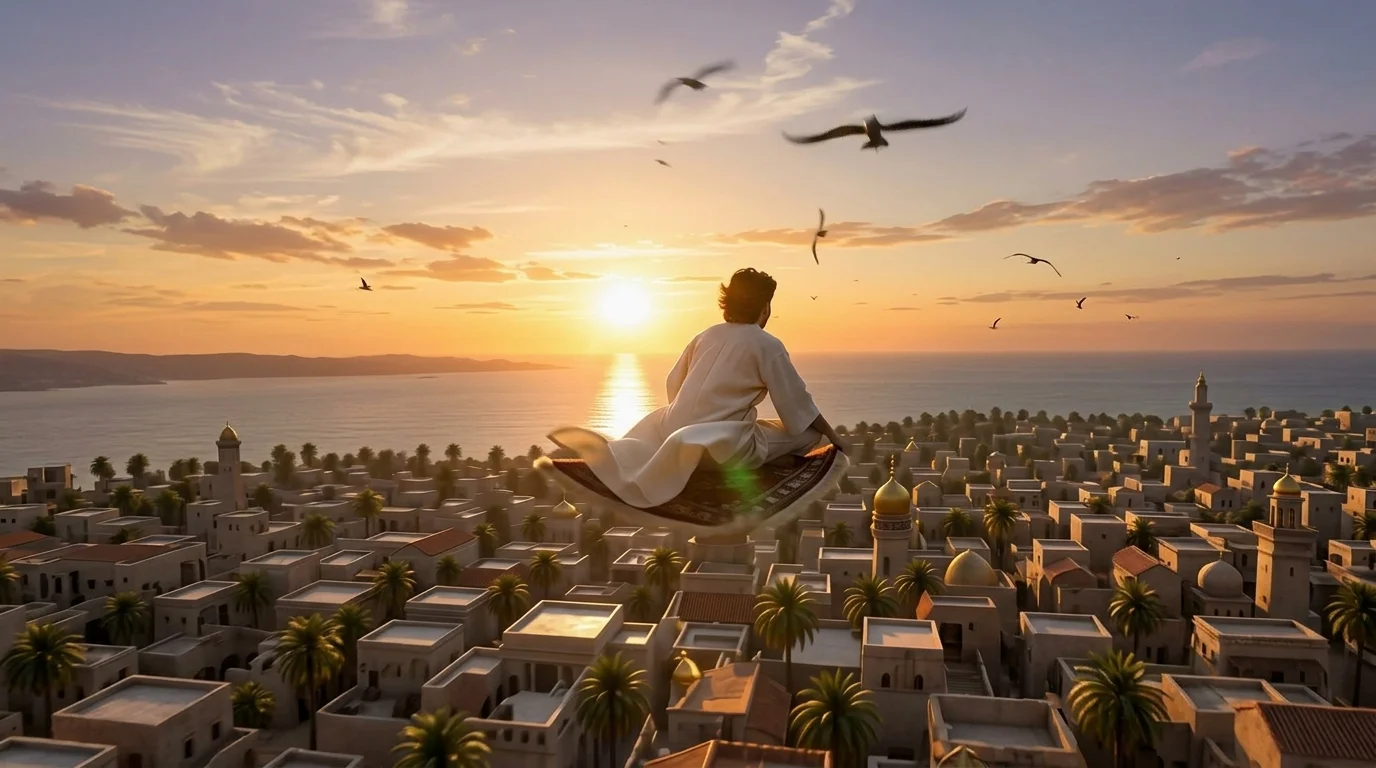
Take off on a carpet over an ancient city at sunset. A pure sensation of flight and freedom. That is the official prompt for PixVerse’s newly launched The Flying Carpet template — an enchanting V6 image-to-video effect that takes your subject soaring above ancient domed skylines on a magical woven carpet.
The official preview captures the exhilarating feeling of gliding across golden twilight skies, banking smoothly over ornate minarets and ancient palaces. The same one-click flow works with portraits of you, friends, or pets.
See It In Action
What Is The Flying Carpet Template?
The Flying Carpet is a cinematic PixVerse image-to-video template powered by PixVerse V6. You upload one photo; PixVerse V6 generates an 8-second vertical video. You do not write a prompt — the template prompt is locked, so the effect stays consistent.
Template details
| Field | Value |
|---|---|
| Template name | The Flying Carpet |
| Template ID | 414794070161561 |
| Output | Video |
| Model | PixVerse V6 |
| Input | 1 photo |
| Duration | 8 seconds |
| Quality | 360p, 540p, 720p, 1080p |
| Audio | Included |
| Custom prompt | Off |
| Launched | Jul 28 2026 |
How it works
- Upload one photo — a clear portrait or well-lit photo works best
- Select The Flying Carpet — search the name in PixVerse templates, or use Template ID
414794070161561 - Generate — PixVerse V6 applies the effect automatically
- Download and share — export your clip for TikTok, Reels, or Shorts
What’s in the Official Preview
- An intricately woven magical flying carpet soaring over historic architecture
- A panoramic ancient city skyline illuminated by a warm golden sunset
- Smooth gliding camera motion capturing the pure sensation of flight and freedom
- An atmospheric, soaring musical score synchronized with the aerial flight
How to Create Your The Flying Carpet Video
Step 1: Choose a photo
Use a clear portrait or seated/standing shot with good lighting.
Step 2: Open PixVerse
Visit PixVerse on web or in the app, then open the template library.
Step 3: Find The Flying Carpet
Search The Flying Carpet or look under newly launched templates. Confirm Template ID 414794070161561.
Step 4: Generate
Upload the photo and generate. The template does not accept a custom prompt, so you do not need to describe the scene.
Tips
- Seated, kneeling, or relaxed poses blend naturally onto the flying carpet
- High-resolution photos maintain crisp facial details against the vast skyline
- Pet photos create whimsical, fairytale-like flying companion scenes
- Output is vertical up to 1080p, ready for TikTok, Instagram Reels, and Shorts
Frequently Asked Questions (FAQ)
Q: Do I need to write a prompt? A: No. The Flying Carpet has custom prompts turned off. Upload one photo and generate.
Q: How long is the video? A: 8 seconds, generated with PixVerse V6.
Q: What quality is available? A: 360p, 540p, 720p, and 1080p.
Q: How many photos do I upload? A: One. This is a single-image template.
Q: Does it include audio? A: Yes. An uplifting cinematic flight score is included automatically.
Ready to take flight on a magic carpet? Open PixVerse, search The Flying Carpet, and generate from one photo.
Related templates:
- The Hourglass — surreal giant hourglass dune slide
- Paragliding — high-flying summer coastal paragliding
- Tiny Trouble Studio — handcrafted puppet adventure
- Little Gymnast — tiny gymnast on gym rings