The Dog in the Balloon: Turn Pet Photos into a Hot Air Balloon Flight Video
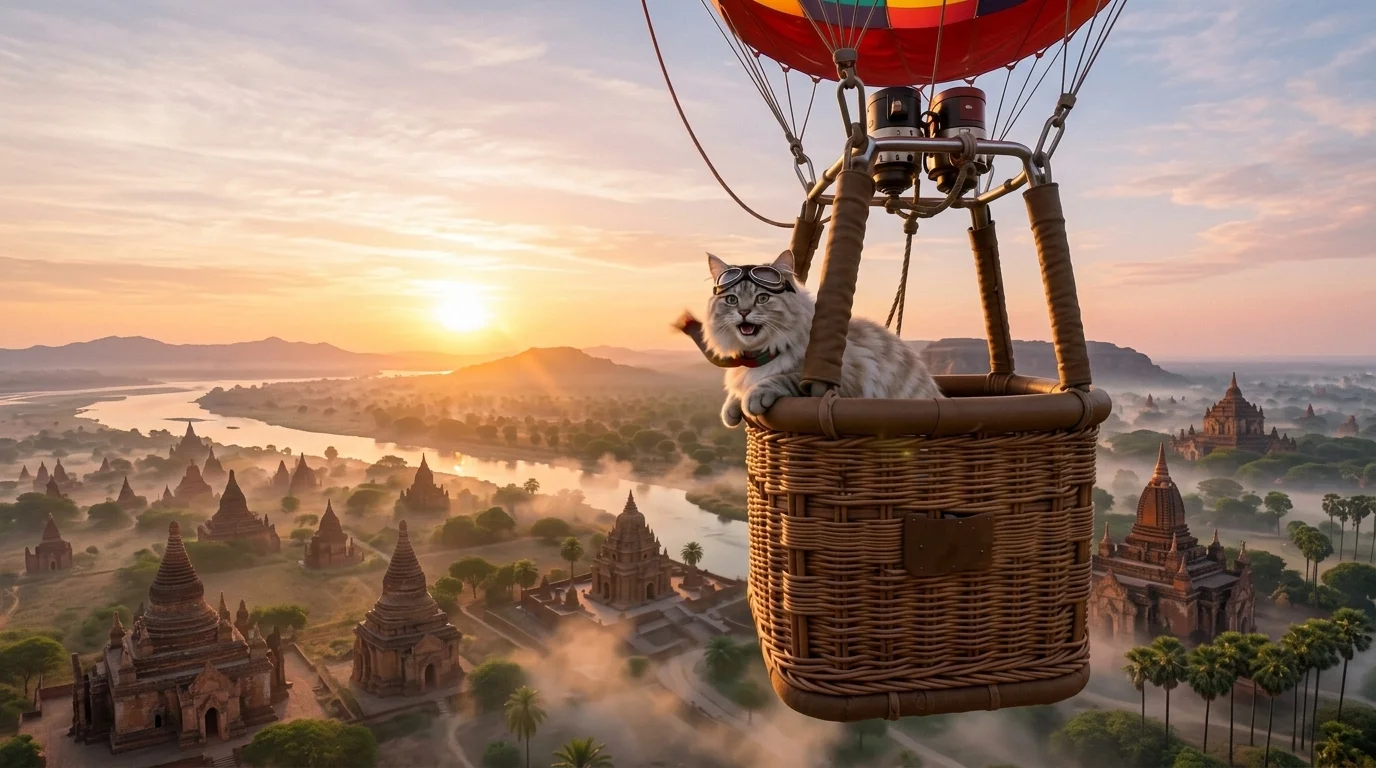
The creature takes off in a hot air balloon over an ancient valley at dawn. That is the official prompt for PixVerse’s newly launched The Dog in the Balloon template — a one-photo V6 effect that sends your uploaded pet or subject on an awe-inspiring hot air balloon journey soaring over an ancient valley at sunrise.
The official preview features a charming dog sitting safely in a wicker hot air balloon basket as it floats gracefully across a golden ancient canyon at dawn. The same one-click flow works with photos of dogs, cats, other pets, or people.
See It In Action
What Is the The Dog in the Balloon Template?
The Dog in the Balloon is a new PixVerse image-to-video template. You upload one photo; PixVerse V6 generates a 8-second vertical video. You do not write a prompt — the template prompt is locked, so the effect stays consistent.
Template details
| Field | Value |
|---|---|
| Template name | The Dog in the Balloon |
| Template ID | 414796823015558 |
| Output | Video |
| Model | PixVerse V6 |
| Input | 1 photo |
| Duration | 8 seconds |
| Quality | 360p / 540p / 720p / 1080p |
| Audio | Included |
| Custom prompt | Off |
| Launched | Jul 29 2026 |
How it works
- Upload one photo — a clear portrait or photo works best
- Select The Dog in the Balloon — search the name in PixVerse templates, or use Template ID
414796823015558 - Generate — PixVerse V6 applies the effect automatically
- Download and share — export the 8-second clip for TikTok, Reels, or Shorts
What’s in the Official Preview
The template preview showcases a unique scene:
- An adorable pet sitting comfortably in a hot air balloon basket
- Warm golden dawn sunlight casting long shadows across ancient rock formations
- Panoramic aerial view soaring peacefully over an ancient valley
- Calm, inspiring soundtrack complementing the morning flight
The effect creates a heartwarming cinematic adventure: your pet or uploaded subject stays perfectly in character while flying through morning clouds.
How to Create Your The Dog in the Balloon Video
Step 1: Choose a photo
Use a clear, close-up or seated photo of your dog, cat, or pet. Human portraits and fantasy avatars also look stunning.
Step 2: Open PixVerse
Visit PixVerse on web or in the app, then open the template library.
Step 3: Find The Dog in the Balloon
Search The Dog in the Balloon or look under newly launched templates. Confirm Template ID 414796823015558.
Step 4: Generate
Upload the photo and generate. The template does not accept a custom prompt, so you do not need to describe the scene.
Tips
- Use one main subject per photo for a cleaner result
- High-resolution images keep facial features and textures sharper
- Front-facing pet portraits with curious or calm expressions look exceptionally cute in the basket
- The output is vertical, ready for short-form platforms
Frequently Asked Questions (FAQ)
Q: Do I need to write a prompt? A: No. The Dog in the Balloon has custom prompts turned off. Upload one photo and generate.
Q: How long is the video? A: 8 seconds, generated with PixVerse V6.
Q: What quality is available? A: 360p, 540p, 720p, and 1080p.
Q: How many photos do I upload? A: One. This is a single-image template.
Q: Can I use photos of human portraits as well as pets? A: Yes. While designed around pets, the template works beautifully with humans and character art too.
Ready to launch your pet on a sunrise balloon flight? Open PixVerse, search The Dog in the Balloon, and generate from one photo.
Related templates:
- Umbrella Launch — windy beach umbrella launch soaring through the summer sky
- Desert Hairdryer — hairdryer hot air turns into an epic desert dune adventure
- Summer Festival Japan — eating ice cream transforms into a kimono summer matsuri
- Beach Toy — hilarious miniature scale twist on the beach lounger
- Little Gymnast — tiny gymnast athlete reaching for the rings