Tearful Gunman: Create an Emotional AI Cinematic Drama with PixVerse V6
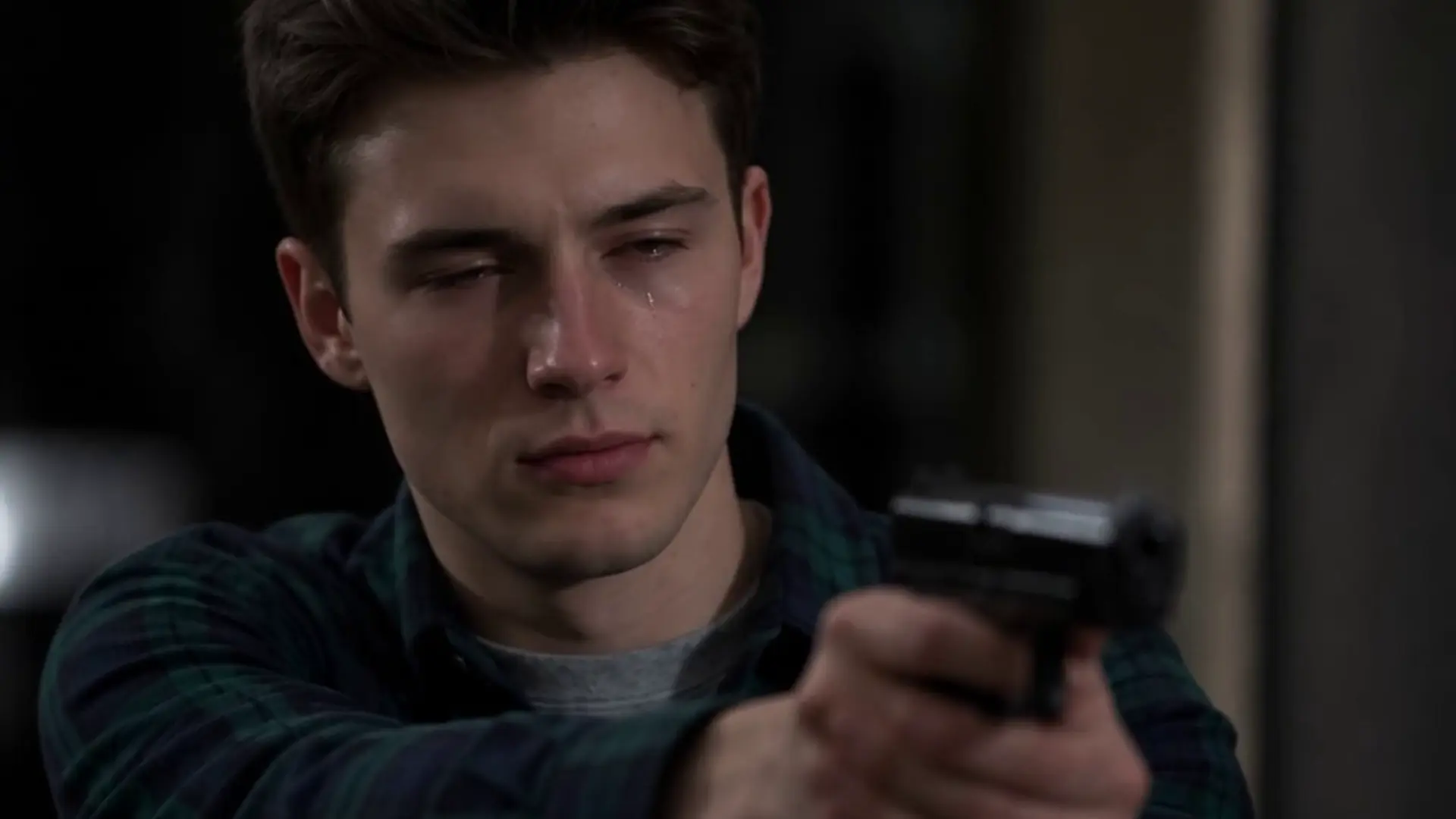
Impossible Choice, Acting. That is the official prompt for PixVerse’s Tearful Gunman template — a single-photo V6 effect that casts your subject into an emotionally charged cinematic acting scene.
The official preview shows a gripping movie moment where a conflicted character points a weapon with trembling hands, tears rolling down their cheek as they face a heartbreaking dilemma.
See It In Action
What Is the Tearful Gunman Template?
Tearful Gunman is a cinematic acting and drama template powered by PixVerse V6. Upload one portrait photo to generate a widescreen 8-second video featuring high-stakes movie drama and emotional expression.
Template details
| Template details | Output |
|---|---|
| Template name | Tearful Gunman |
| Template ID | 417036060957568 |
| Output | Video |
| Model | PixVerse V6 |
| Input | 1 photo |
| Duration | 8 seconds |
| Quality | 360p / 540p / 720p / 1080p |
| Audio | Included |
| Custom prompt | Off |
| Launched | Aug 03 2026 |
How it works
- Upload 1 photo — a clear photo works best
- Select Tearful Gunman — search the name in PixVerse templates, or use Template ID
417036060957568 - Generate — PixVerse V6 applies the effect automatically
- Download and share — export the 8-second clip for TikTok, Reels, or Shorts
What’s in the Official Preview
The template preview showcases a polished, cohesive scene built around the official theme:
- Widescreen 16:9 cinematic composition and dramatic lighting
- Trembling emotion, tearful eyes, and high-stakes acting tension
- Suspenseful cinematic soundtrack accentuating the dilemma
- Lifelike character rendering and expressive facial micro-movements
How to Create Your Tearful Gunman Video
Step 1: Choose an expressive portrait photo
Choose a dramatic or neutral close-up portrait with clear facial lighting to emphasize emotional depth.
Step 2: Open PixVerse
Visit PixVerse on web or in the app, then open the template library.
Step 3: Find Tearful Gunman
Search Tearful Gunman or look under newly launched templates. Confirm Template ID 417036060957568.
Step 4: Generate
Upload the photo and generate. The template does not accept a custom prompt, so you do not need to describe the scene.
Tips
- Close-up portraits highlight subtle facial expressions and tear effects best
- Moody, dramatic lighting in the original photo enhances the cinematic atmosphere
- Works brilliantly with cosplay, movie fanart, or dramatic portraits
- Export at 1080p for full widescreen cinematic clarity
Frequently Asked Questions (FAQ)
Q: Do I need to write a prompt? A: No. Tearful Gunman has custom prompts turned off. Upload your photo and generate.
Q: How long is the video? A: 8 seconds, generated with PixVerse V6.
Q: What quality is available? A: 360p / 540p / 720p / 1080p.
Q: How many photos do I upload? A: 1 photo. This template creates the full animation from your uploaded image.
Q: What aspect ratio and tone does this template have? A: It produces a widescreen 16:9 cinematic drama scene filled with emotional tension, dramatic lighting, and gripping acting.
Ready to create your video? Open PixVerse, search Tearful Gunman, and generate from 1 photo.
Related templates:
- Red Carpet Moment — step into the celebrity spotlight
- Street Art Awakening — vibrant graffiti urban illustration
- Muscle Ultra: Born to Flex — explosive muscular body transformation
- Little Gymnast — miniature gymnast on the rings