Super Handsome Dance: Turn Photos into a Viral Dance Video
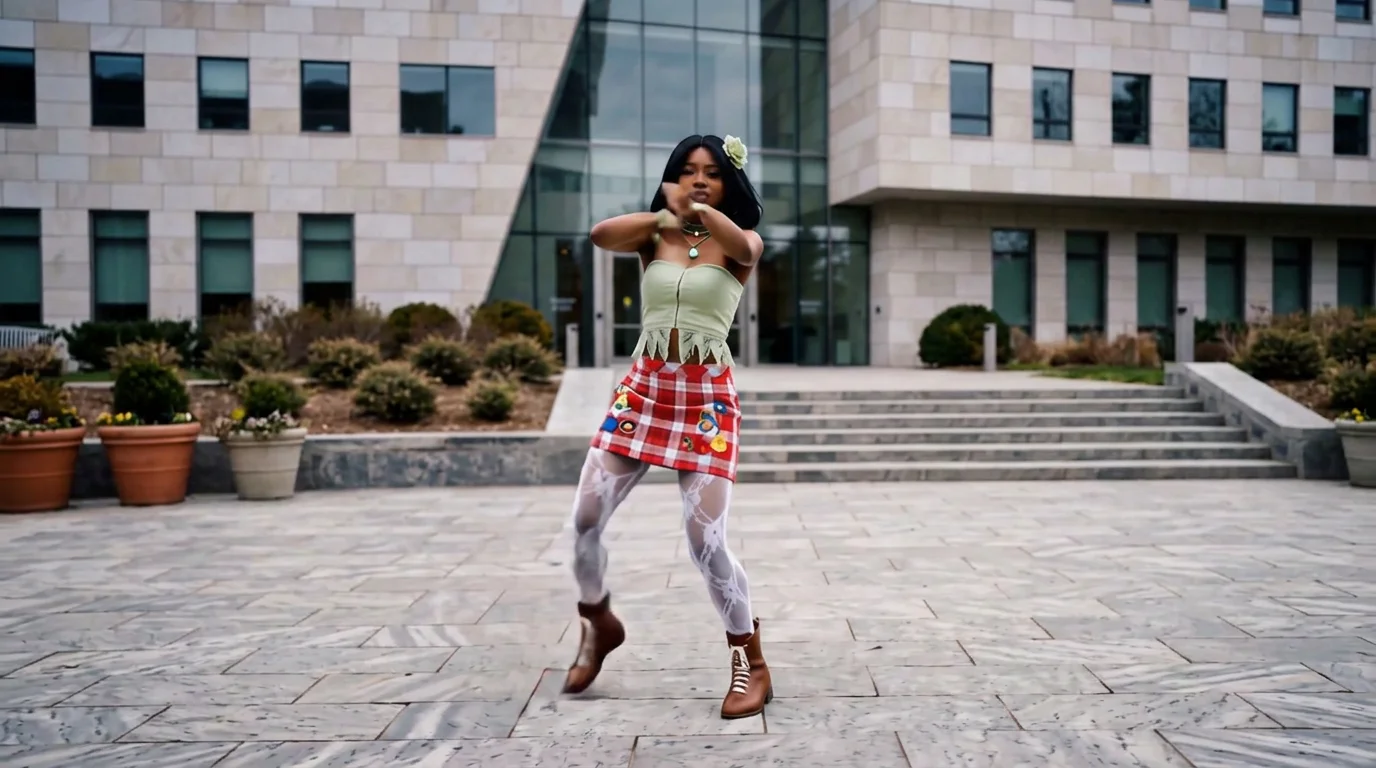
Upload your own beautiful photos and get the same dance video with just one click. That is the official prompt for PixVerse’s newly launched Super Handsome Dance template — a one-photo V6 effect that turns your uploaded picture into a slick, confident dance performance.
The same one-click flow works with a portrait of you, a friend, or a pet: upload one photo, generate, and share.
See It In Action
What Is the Super Handsome Dance Template?
Super Handsome Dance is a new PixVerse image-to-video template. You upload one photo; PixVerse V6 generates a 10-second vertical video. You do not write a prompt — the template prompt is locked, so the effect stays consistent.
Template details
| Field | Value |
|---|---|
| Template name | Super Handsome Dance |
| Template ID | 422328317801728 |
| Output | Video |
| Model | PixVerse V6 |
| Input | 1 photo |
| Duration | 10 seconds |
| Quality | 360p, 540p, 720p, 1080p |
| Audio | Yes (built-in) |
| Custom prompt | Off |
| Launched | Sep 02 2026 |
How it works
- Upload one photo — a clear portrait or full-body shot works best
- Select Super Handsome Dance — search the name in PixVerse templates, or use Template ID
422328317801728 - Generate — PixVerse V6 applies the effect automatically
- Download and share — export the 10-second clip for TikTok, Reels, or Shorts
What is in the Official Preview
The template preview is staged around the official effect, not a simple overlay:
- Your uploaded face leading a confident dance routine
- Smooth full-body dance moves synced to the built-in track
- A stage-style scene built around the dancer
- A vertical clip cut for TikTok, Reels, and Shorts
The effect is built for one-click sharing: your uploaded face stays recognizable while the template stages the scene around it.
How to Create Your Super Handsome Dance Video
Step 1: Choose a photo
Use a well-lit shot where the face is clear. Front-facing portraits and pet photos both work well.
Step 2: Open PixVerse
Visit PixVerse on web or in the app, then open the template library.
Step 3: Find Super Handsome Dance
Search Super Handsome Dance or look under newly launched templates. Confirm Template ID 422328317801728.
Step 4: Generate
Upload the photo and generate. The template does not accept a custom prompt, so you do not need to describe the scene.
Tips
- Use one subject per photo for a cleaner result
- High-resolution images keep facial features sharper
- Front-facing, well-lit photos match the preview best
- The output is vertical, ready for short-form platforms
Frequently Asked Questions (FAQ)
Q: Do I need to write a prompt? A: No. Super Handsome Dance has custom prompts turned off. Upload one photo and generate.
Q: How long is the video? A: 10 seconds, generated with PixVerse V6.
Q: What quality is available? A: 360p, 540p, 720p, 1080p.
Q: How many photos do I upload? A: One. This is a single-image template.
Q: Does it include audio? A: Yes, the template ships with built-in audio.
Ready to try Super Handsome Dance? Open PixVerse, search Super Handsome Dance, and generate from one photo.
Related templates: