Sugar on My Lips: Dance Like Popping Candy with PixVerse
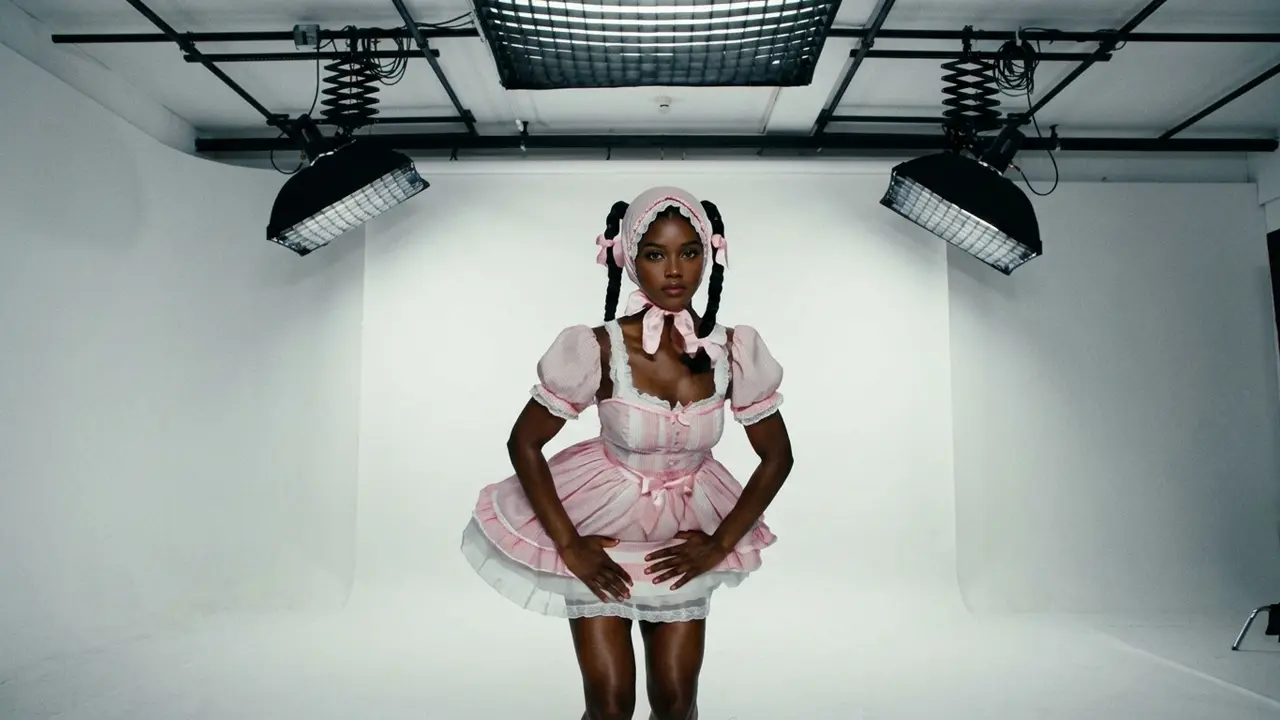
Let your body dance like popping candy! That is the official prompt for PixVerse’s Sugar on My Lips! template — a single-photo V6 effect that brings your subject to life.
The official preview showcases a lively performer bouncing and grooving with infectious energy, embodying the fizz and pop of candy to an upbeat musical track. The same one-click flow works with a portrait of you, a friend, or an avatar.
See It In Action
What Is the Sugar on My Lips! Template?
Sugar on My Lips! is a high-energy dance template powered by PixVerse V6. You upload one photo; PixVerse V6 creates a 12-second vertical video where your subject moves with snappy, bouncing candy-pop choreography. You do not write a prompt — the motion is locked to guarantee a perfectly timed rhythm.
Template details
| Field | Value |
|---|---|
| Template name | Sugar on My Lips! |
| Template ID | 418400321639488 |
| Output | Video |
| Model | PixVerse V6 |
| Input | 1 photo |
| Duration | 12 seconds |
| Quality | 360p / 540p / 720p / 1080p |
| Audio | Included |
| Custom prompt | Off |
| Launched | Aug 11 2026 |
How it works
- Upload one photo — a clear portrait or well-lit photo works best
- Select Sugar on My Lips! — search the name in PixVerse templates, or use Template ID
418400321639488 - Generate — PixVerse V6 applies the effect automatically
- Download and share — export the 12-second clip for TikTok, Reels, or Shorts
What’s in the Official Preview
The template preview showcases a polished, cohesive scene built around the official prompt:
- Bouncy popping-candy dance moves synchronized to an upbeat tempo
- Playful facial expressions and energetic rhythm-driven gestures
- Vibrant modern atmosphere enhancing the sweet pop aesthetic
- Smooth character animation maintaining natural proportions and styling
This effect taps straight into cheerful social dance trends: your uploaded portrait instantly transforms into a fun, spirited dance performance.
How to Create Your Sugar on My Lips! Video
Step 1: Choose a photo
Choose a clear full-body or half-body portrait with casual or colorful outfits that match the playful pop theme.
Step 2: Open PixVerse
Visit PixVerse on web or in the app, then open the template library.
Step 3: Find Sugar on My Lips!
Search Sugar on My Lips! or browse newly launched templates. Confirm Template ID 418400321639488.
Step 4: Generate
Upload the photo and generate. The template does not accept a custom prompt, so you do not need to describe the scene.
Tips
- Full-body standing photos give the bouncing steps maximum room for expression
- Bright, colorful clothing pairs wonderfully with the sweet popping-candy vibe
- Clear facial features keep your subject recognizable through every twist and turn
- Render at 1080p for crystal-clear playback on TikTok, Reels, and Shorts feeds
Frequently Asked Questions (FAQ)
Q: Do I need to write a prompt? A: No. Sugar on My Lips! has custom prompts turned off. Upload one photo and generate.
Q: How long is the video? A: 12 seconds, generated with PixVerse V6.
Q: What quality is available? A: 360p / 540p / 720p / 1080p.
Q: How many photos do I upload? A: One. This is a single-image template.
Q: Does the video include sound or music? A: Yes. A vibrant pop soundtrack is built right into the template.
Ready to pop into the rhythm? Open PixVerse, search Sugar on My Lips!, and generate from one photo.
Related templates:
- Birthday on Fire — blow out candles in a burst of flame
- Skeleton Beat — shake it like the viral meme skeleton
- Scuba Dance — casual cool gestures and snappy rhythm
- Little Gymnast — tiny gymnast on the rings