Subject 3 Fever: Catch the Global Dance Trend on PixVerse AI
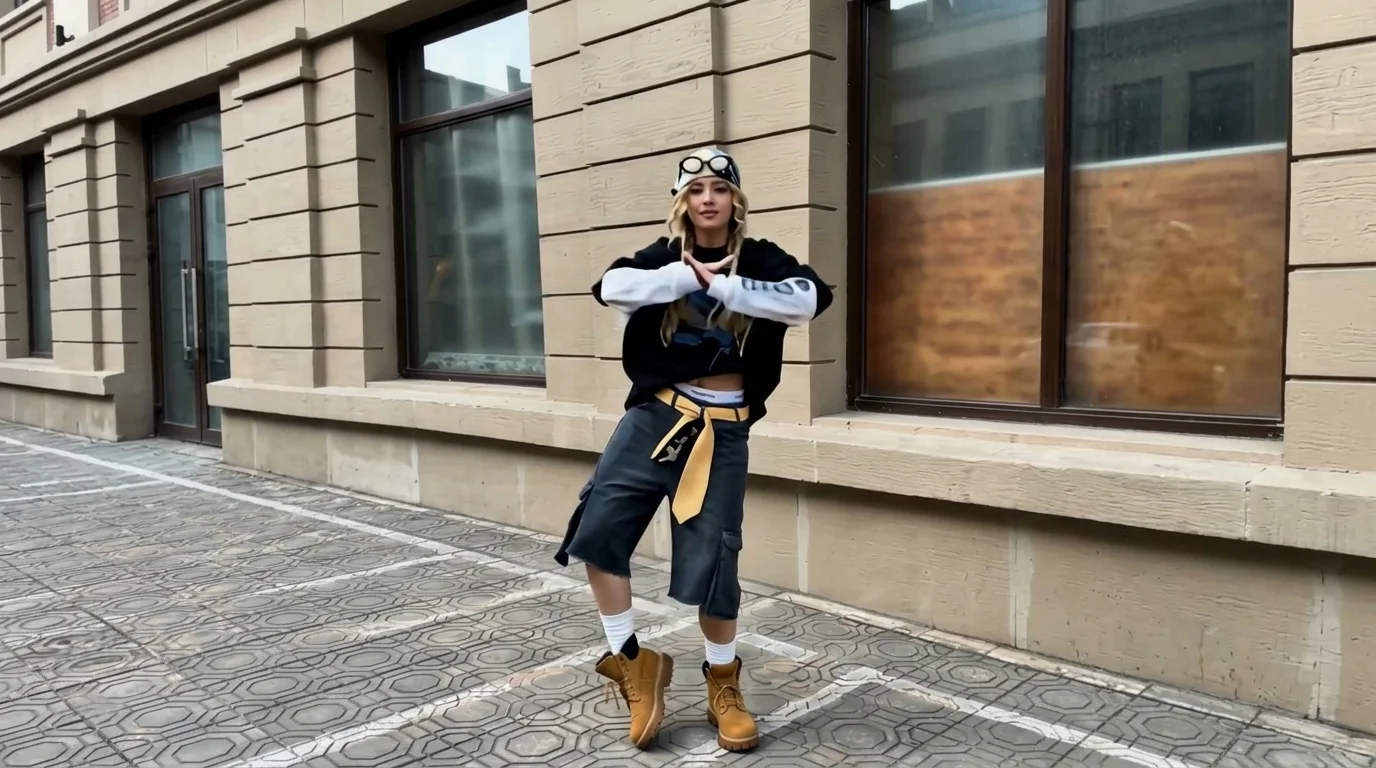
Subject 3 dance takes the world by storm! That is the official prompt for PixVerse’s Subject 3 Fever! template — an infectious 15-second V6 dance video effect that lets anyone perform the worldwide dance sensation with zero dance experience.
The official preview showcases the unmistakable foot-twisting, hip-swaying choreography that made Subject 3 (Kemusan) a global phenomenon. Upload one full-body shot to see yourself dance in perfect sync with the famous beat.
See It In Action
What Is the Subject 3 Fever! Template?
Subject 3 Fever! is a viral dance generator built on PixVerse V6. Upload one photo and receive a full 15-second vertical dance video complete with the signature arm gestures, foot twists, and high-energy music up to 1080p resolution.
Template details
| Field | Value |
|---|---|
| Template name | Subject 3 Fever! |
| Template ID | 419671115476288 |
| Output | Video |
| Model | PixVerse V6 |
| Input | 1 photo |
| Duration | 15 seconds |
| Quality | 360p / 540p / 720p / 1080p |
| Custom prompt | Off |
| Launched | Aug 18 2026 |
How it works
- Upload one photo — a clear portrait or full-body shot works best
- Select Subject 3 Fever! — search the name in PixVerse templates, or use Template ID
419671115476288 - Generate — PixVerse V6 applies the effect automatically
- Download and share — export the 15-second clip for TikTok, Reels, or Shorts
What’s in the Official Preview
The template preview brings the official concept to life:
- Signature Subject 3 ankle twists, wrist spins, and dynamic arm rolls
- 15-second extended routine providing a complete dance performance
- Precise beat-syncing with the authentic high-tempo viral melody
- Flawless body tracking keeping your clothing style and face distinct
The effect preserves facial identity while generating fluid, coherent animation matching the prompt.
How to Create Your Subject 3 Fever! Video
Step 1: Choose a photo
Use a clear, full-body portrait taken from the front. Ensure legs and feet are visible so the ankle-twisting footwork animates properly.
Step 2: Open PixVerse
Visit PixVerse on web or in the app, then open the template library.
Step 3: Find Subject 3 Fever!
Search Subject 3 Fever! or look under newly launched templates. Confirm Template ID 419671115476288.
Step 4: Generate
Upload the photo and generate. The template does not accept a custom prompt, so you do not need to describe the scene.
Tips
- Full-length standing photos guarantee the best footwork precision
- Both casual street outfits and traditional suits look great on the dance floor
- Export at 1080p for crystal-clear clarity across all social platforms
- Try friends, colleagues, or pets for endless viral entertainment
Frequently Asked Questions (FAQ)
Q: Do I need to write a prompt? A: No. Subject 3 Fever! has custom prompts turned off. Upload one photo and generate.
Q: How long is the video? A: 15 seconds, generated with PixVerse V6.
Q: What quality is available? A: 360p / 540p / 720p / 1080p.
Q: How many photos do I upload? A: One. This is a single-image template.
Q: How long is the dance performance? A: Subject 3 Fever! generates a full 15-second video, the longest duration among standard dance templates.
Join the global dance sensation! Open PixVerse, search Subject 3 Fever!, and show off your moves today.
Related templates:
- Two Dance — trendy beat-synced dance challenge
- Michico Dance Challenge — playful rhythm and stylish groove
- this and that — popular social media routine
- Little Gymnast — miniature gymnast on rings