Street Time Freeze: Freeze Time on the Street with PixVerse AI
Upload your photo and freeze time on the street. Street Time Freeze is a newly launched PixVerse V6 template: one still becomes a 14-second city-sidewalk video where the crowd keeps moving and your subject holds the frozen beat.
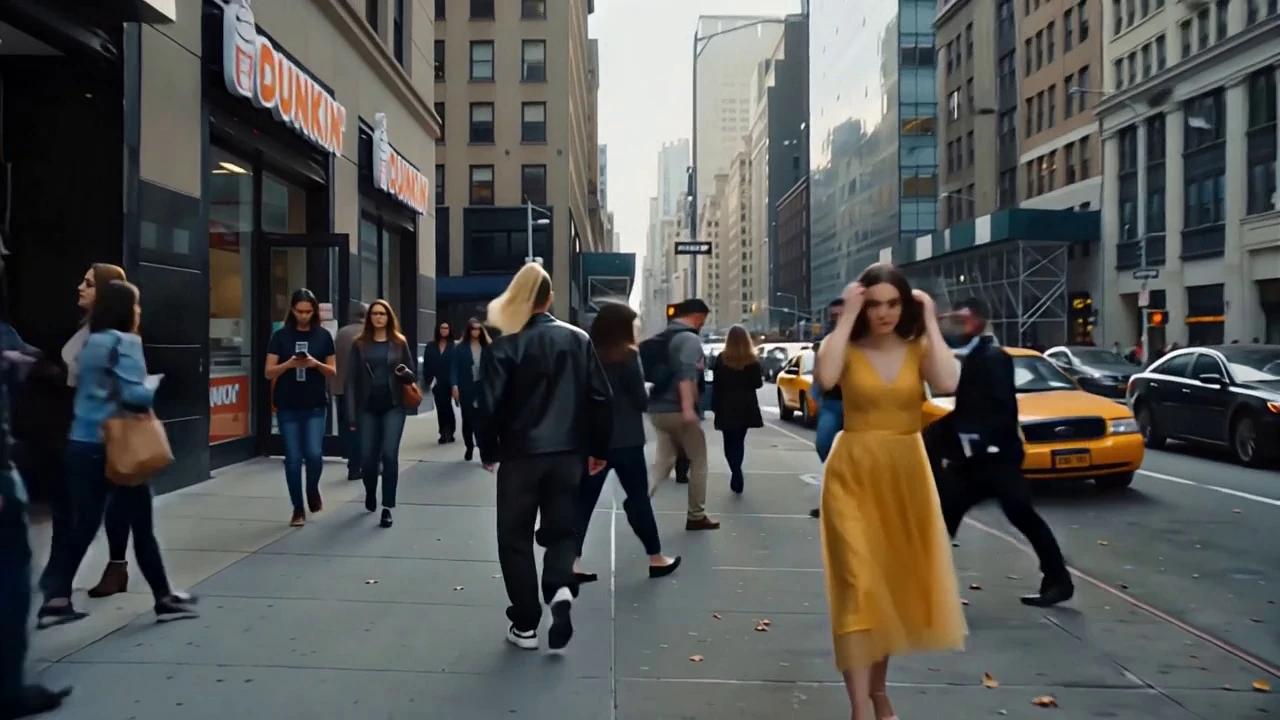
The official preview is a wide New York-style street: Dunkin’ storefront, yellow cabs, commuters on the sidewalk, and a woman in a yellow dress walking toward camera with both hands in her hair. The output is landscape 1280×720 — the only 16:9 template in this launch set.
See It In Action
What Is the Street Time Freeze Template?
This is a single-image cinematic effect. You do not shoot a crowd or lock a camera on a busy street. PixVerse V6 generates the city, the extras, and the freeze-time performance from one photo, with template audio included.
Template details
| Field | Value |
|---|---|
| Template name | Street Time Freeze |
| Template ID | 422335383477888 |
| Output | Video |
| Model | PixVerse V6 |
| Input | 1 photo |
| Duration | 14 seconds |
| Quality | 360p / 540p / 720p / 1080p |
| Aspect | 16:9 (1280×720 preview) |
| Audio | Included |
| Custom prompt | Off |
| Launched | Sep 02 2026 |
How it works
- Upload one photo
- Select Street Time Freeze — Template ID
422335383477888 - Generate
- Download up to 1080p
What’s in the Official Preview
The sample is a full street tableau, not a studio portrait:
- A busy sidewalk with pedestrians walking both ways
- Storefronts, including a Dunkin’ sign on the left
- Yellow taxis and traffic on a one-way street
- Tall city buildings receding in the haze
- A foreground subject in a yellow dress, hands in hair, moving against the crowd
Most of the other new templates in this drop are vertical 9:16 miniature scenes. Street Time Freeze is the widescreen, real-scale city clip — closer to a short film beat than a toy-world gag.
How to Create Your Street Time Freeze Video
Step 1: Choose a photo
Use a clear, well-lit portrait. Full-body photos help because the preview frames the subject walking on a sidewalk.
Step 2: Open PixVerse
Visit PixVerse.
Step 3: Find the template
Search Street Time Freeze.
Step 4: Generate
Upload and generate. Custom prompts are off, so the street freeze setup stays locked.
Tips
- One main subject per photo
- A standing or walking pose matches the official framing
- Export 1080p — this one is landscape, so it also works on YouTube and X
- If you want vertical instead, use Never-Fading Dance or Wishing You and I Both a Good Time
Frequently Asked Questions (FAQ)
Q: What does the template do? A: It places your photo subject on a busy street and plays a freeze-time beat around them.
Q: How long is the video? A: 14 seconds.
Q: Is it vertical? A: The official preview is 1280×720 landscape. The other new templates in this set are 9:16.
Q: Is audio included? A: Yes.
Q: How many photos do I upload? A: One.
Ready to freeze the street? Open PixVerse and search Street Time Freeze.
Related templates:
- Never-Fading Dance — 14-second dance
- Wishing You and I Both a Good Time — mall dance
- Fly to the Sun — cinematic space flight
- Become an Astronaut