Skyline Rescue Mission: Turn Any Photo into a Superhero Flying Scene
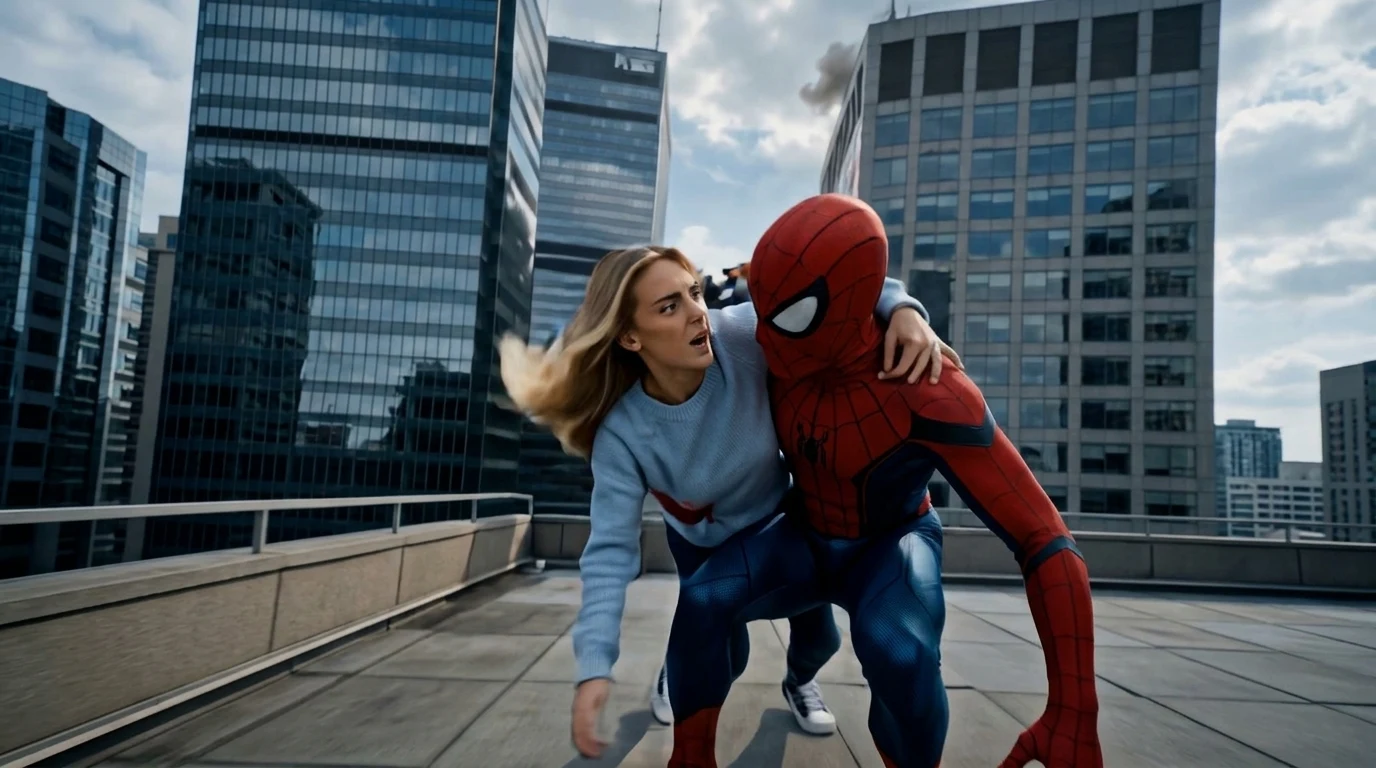
When danger strikes, your hero arrives to take you above the city. That is the official prompt for PixVerse’s Skyline Rescue Mission template — a dramatic one-photo V6 effect that swoops your subject out of a high-rise emergency and takes them soaring through the metropolitan skyline.
The official preview captures high-altitude cinematic action with sweeping skyscraper views, smoke effects, and a heroic rescue flight. The same one-click flow works with a portrait of you, a friend, or anyone who deserves a superhero escape.
See It In Action
What Is the Skyline Rescue Mission Template?
Template details
| Field | Value |
|---|---|
| Template name | Skyline Rescue Mission |
| Template ID | 416160320712192 |
| Output | Video |
| Model | PixVerse V6 |
| Input | 1 photo |
| Duration | 8 seconds |
| Quality | 360p, 540p, 720p, 1080p |
| Audio | Included |
| Custom prompt | Off |
| Launched | Jul 29 2026 |
How it works
- Upload one photo — a clear portrait or full-body shot works best
- Select Skyline Rescue Mission — search the name in PixVerse templates, or use Template ID
416160320712192 - Generate — PixVerse V6 applies the effect automatically
- Download and share — export the clip for TikTok, Reels, or Shorts
What’s in the Official Preview
- A dramatic high-rise window scene with smoke and intense lighting
- A heroic savior arriving right on time to carry the subject to safety
- A sweeping aerial flight soaring high above modern skyscrapers and clouds
- Cinematic lighting, dynamic motion blur, and an epic musical score
How to Create Your Skyline Rescue Mission Video
Step 1: Choose a photo
Use a well-lit shot where the face is clear. Front-facing portraits match the official style best.
Step 2: Open PixVerse
Visit PixVerse on web or in the app, then open the template library.
Step 3: Find Skyline Rescue Mission
Search Skyline Rescue Mission or look under newly launched templates. Confirm Template ID 416160320712192.
Step 4: Generate
Upload the photo and generate. The template does not accept a custom prompt, so you do not need to describe the scene.
Tips
- Use a clear front-facing portrait so facial features remain recognizable during flight
- High-resolution photos yield sharper skyline textures and cleaner lighting transitions
- Works great with friends, kids, or anyone you want to cast in an action movie scene
- Export in 1080p for crisp social sharing on TikTok, Reels, or YouTube Shorts
Frequently Asked Questions (FAQ)
Q: Do I need to write a prompt? A: No. Skyline Rescue Mission has custom prompts turned off. Upload one photo and generate.
Q: How long is the video? A: 8 seconds, generated with PixVerse V6.
Q: What quality is available? A: 360p, 540p, 720p, and 1080p.
Q: How many photos do I upload? A: One. This is a single-image template.
Q: Can I customize the hero or city in the prompt? A: No. Custom prompts are disabled to guarantee consistent cinematic quality across all generations.
Ready to try Skyline Rescue Mission? Open PixVerse, search Skyline Rescue Mission, and generate from one photo.
Related templates: