Shatter the Meteor and Save the Earth with PixVerse AI Video
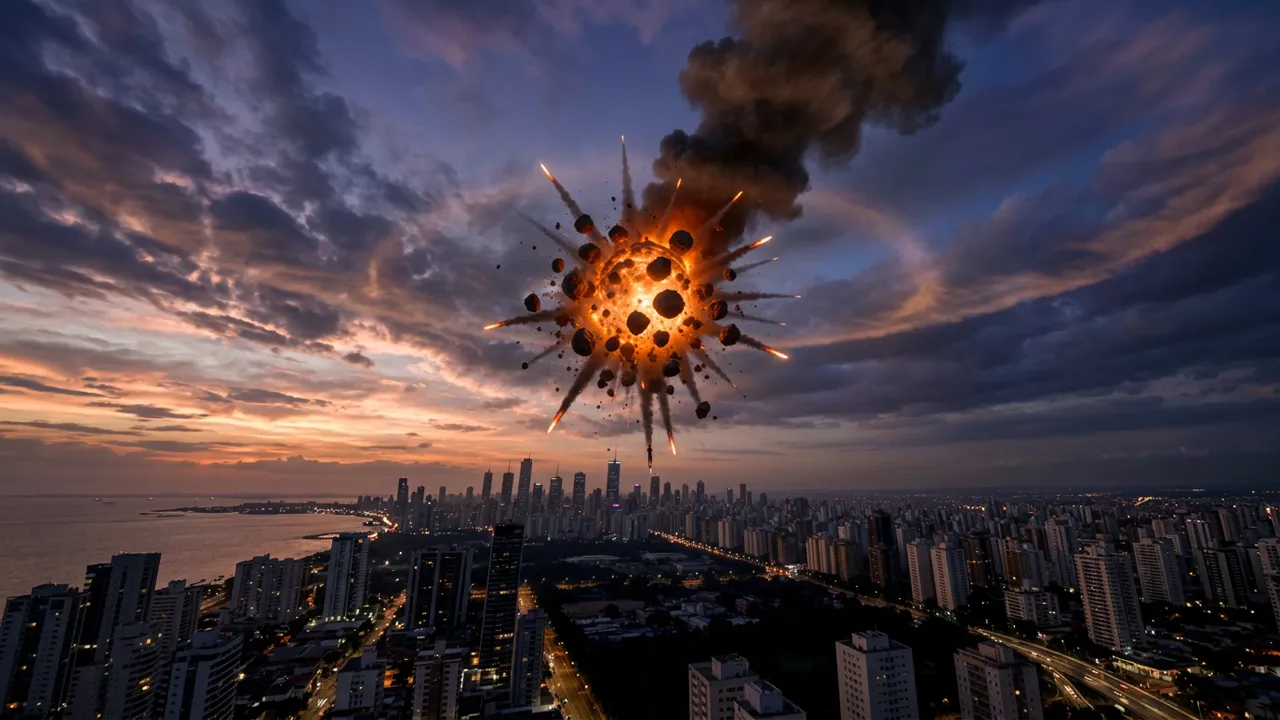
Upload your photo, and you can shatter the meteor to save the Earth. That is the official prompt for Shatter the Meteor and Save the Earth — a one-photo PixVerse V6 effect that casts your subject as the hero behind a sky-filling meteor explosion over a city skyline.
The official preview is a disaster-movie money shot: a giant flaming meteor bursting apart over a coastal city at dusk, glowing fragments and smoke trails scattering across the skyline.
See It In Action
What Is the Shatter the Meteor and Save the Earth Template?
Shatter the Meteor and Save the Earth is a new PixVerse image-to-video hero template. You upload one photo; PixVerse V6 generates a 10-second vertical video. You do not write a prompt — the template prompt is locked, so the meteor-shattering climax stays consistent.
Template details
| Field | Value |
|---|---|
| Template name | Shatter the Meteor and Save the Earth |
| Template ID | 419834010207552 |
| Output | Video |
| Model | PixVerse V6 |
| Input | 1 photo |
| Duration | 10 seconds |
| Quality | 720p |
| Audio | Included |
| Custom prompt | Off |
| Launched | Aug 19 2026 |
How it works
- Upload one photo — a clear portrait or full-body shot works best
- Select Shatter the Meteor and Save the Earth — search the name in PixVerse templates, or use Template ID
419834010207552 - Generate — PixVerse V6 applies the effect automatically
- Download and share — export the clip up to 720p for TikTok, Reels, or Shorts
What’s in the Official Preview
The sample frames the end of the world — and its rescue:
- A giant meteor bursting into glowing fragments
- A coastal city skyline silhouetted at dusk
- Fire trails and dark smoke spreading across the sky
- A slow-motion disaster-movie scale
- A 10-second hero moment built for dramatic captions
It is the save-the-world fantasy in one clip — upload your face, take credit for the rescue.
How to Create Your Shatter the Meteor and Save the Earth Video
Step 1: Choose a photo
Use a well-lit shot where the face is clear. Front-facing portraits match the official preview best.
Step 2: Open PixVerse
Visit PixVerse on web or in the app, then open the template library.
Step 3: Find Shatter the Meteor and Save the Earth
Search Shatter the Meteor and Save the Earth under newly launched templates. Confirm the Template ID from the details table above.
Step 4: Generate
Upload the photo and generate. The template does not accept a custom prompt, so you do not need to describe the scene.
Tips
- Use a clear portrait so the hero framing centers on you
- Dramatic or confident expressions match the rescue theme
- The output is vertical 720p, ready for short-form platforms
- Add a heroic caption or trending epic audio for extra impact
Frequently Asked Questions (FAQ)
Q: Do I need to write a prompt? A: No. This template has custom prompts turned off. Upload one photo and generate.
Q: How long is the video? A: 10 seconds, generated with PixVerse V6.
Q: What quality is available? A: 720p.
Q: How many photos do I upload? A: One. This is a single-image template.
Q: Is there audio? A: Yes. The template ships with its own soundtrack.
Ready to save the Earth? Open PixVerse, search Shatter the Meteor and Save the Earth, and generate from one photo.
Related templates:
- Skyfall Mecha Assembly — freefall mech assembly over the ocean
- Become the Final Boss of the Game with One Click — game-boss transformation
- Summon the Frying Pan — zombie-killer pan gag
- Little Gymnast — tiny gymnastics portrait