Seven Move Challenge: Own Every Move with PixVerse V6
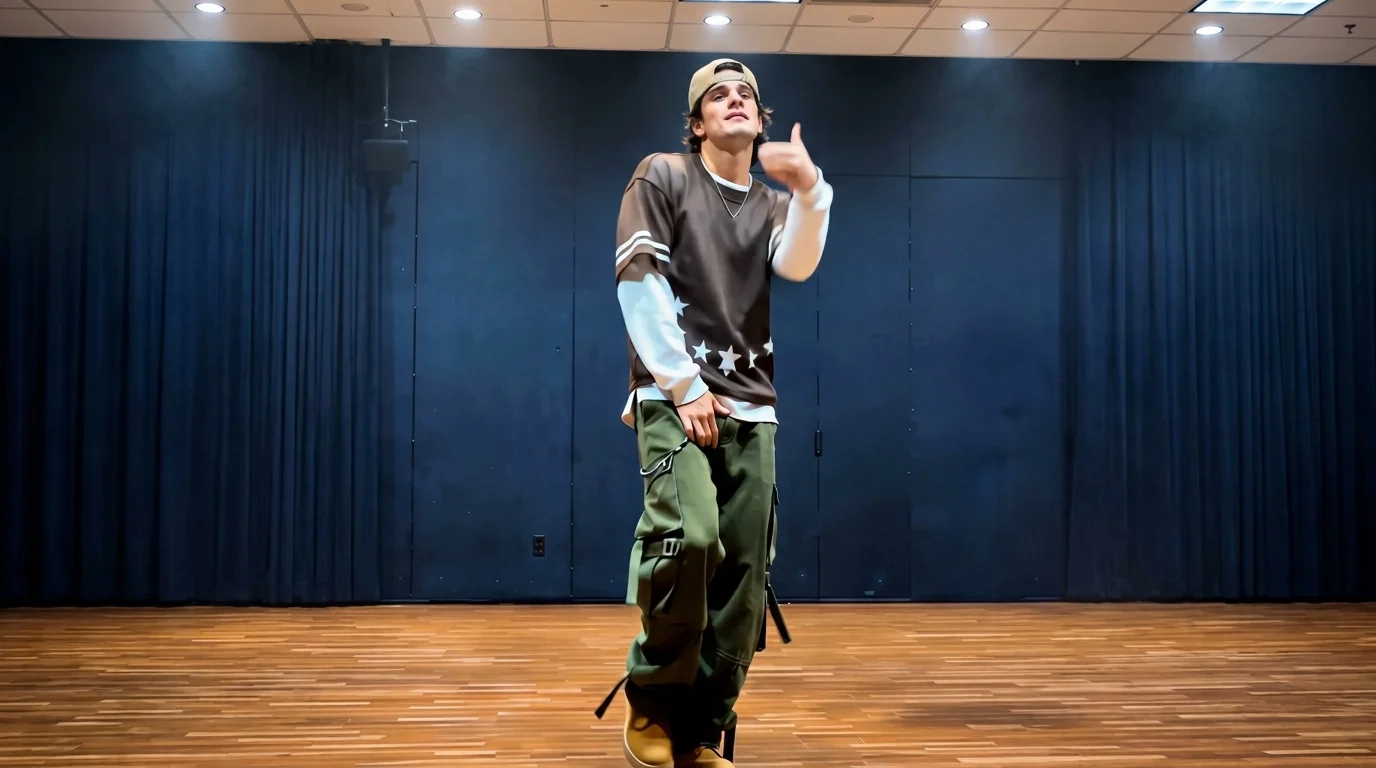
Your turn. Own every move. That is the official prompt for PixVerse’s Seven Move Challenge template — a dynamic V6 choreography effect that animates your photo through seven crisp, synchronized dance moves.
The official preview showcases a confident performer executing a sequence of sharp, rhythmic steps and gestures in an indoor dance space, accompanied by a driving beat. Uploading a single image lets you step directly into the spotlight.
See It In Action
What Is the Seven Move Challenge Template?
Seven Move Challenge is an AI image-to-video dance routine template. Upload one photo, and PixVerse V6 produces a 15-second vertical choreography video complete with soundtrack. The motion pattern is locked to maintain clean, professional timing.
Template details
| Field | Value |
|---|---|
| Template name | Seven Move Challenge |
| Template ID | 419495334797504 |
| Output | Video |
| Model | PixVerse V6 |
| Input | 1 photo |
| Duration | 15 seconds |
| Quality | 360p / 540p / 720p / 1080p |
| Audio | Included |
| Custom prompt | Off |
| Launched | Aug 17 2026 |
How it works
- Upload one photo — a clear portrait or full-body shot works best
- Select Seven Move Challenge — search the name in PixVerse templates, or use Template ID
419495334797504 - Generate — PixVerse V6 applies the effect automatically
- Download and share — export the clip for TikTok, Reels, or Shorts
What’s in the Official Preview
The official preview showcases the key elements of the template:
- Seven distinct dance movements delivered in continuous rhythmic sequence
- Crisp hand gestures, stylish turns, and confident stage presence
- Polished indoor studio lighting that highlights movement contours
- Precise facial consistency that keeps your character recognizable across every beat
The template is engineered for short-form dance trend lovers: you get a complete seven-step choreography routine without ever stepping onto a dance floor.
How to Create Your Seven Move Challenge Video
Step 1: Choose a photo
A well-lit standing portrait or mid-length shot works best. Standing poses with visible shoulders and hands yield optimal choreographic precision.
Step 2: Open PixVerse
Visit PixVerse on web or in the app, then open the template library.
Step 3: Find Seven Move Challenge
Search Seven Move Challenge or look under newly launched templates. Confirm Template ID 419495334797504.
Step 4: Generate
Upload the photo and generate. The template does not accept a custom prompt, so you do not need to describe the scene.
Tips
- Standing portraits give the seven movements the widest dynamic range
- High-contrast lighting helps the dancer pop against the studio background
- Athletic or urban dancewear complements the sharp choreography style
- Render at 1080p for crystal-clear playback on social feeds
Frequently Asked Questions (FAQ)
Q: Do I need to write a prompt? A: No. Seven Move Challenge has custom prompts turned off. Upload one photo and generate.
Q: How long is the video? A: 15 seconds, generated with PixVerse V6.
Q: What quality is available? A: 360p / 540p / 720p / 1080p.
Q: How many photos do I upload? A: One. This is a single-image template.
Q: Does the template support multiple people in one photo? A: Single-subject photos work best so the AI focuses the choreography on one central dancer.
Ready to own every move? Open PixVerse, search Seven Move Challenge, and generate your routine today.
Related templates:
- Bathroom Hot Dance — spontaneous mirror dance party
- 60s Dance Night — retro cinema twist dance in 16:9
- Trip on Stage, Keep Singing — viral stage tumble and performance
- Little Gymnast — miniature gymnastics showcase