Sand Monument: Turn a Beach Photo into a Titanic Sand Statue Video
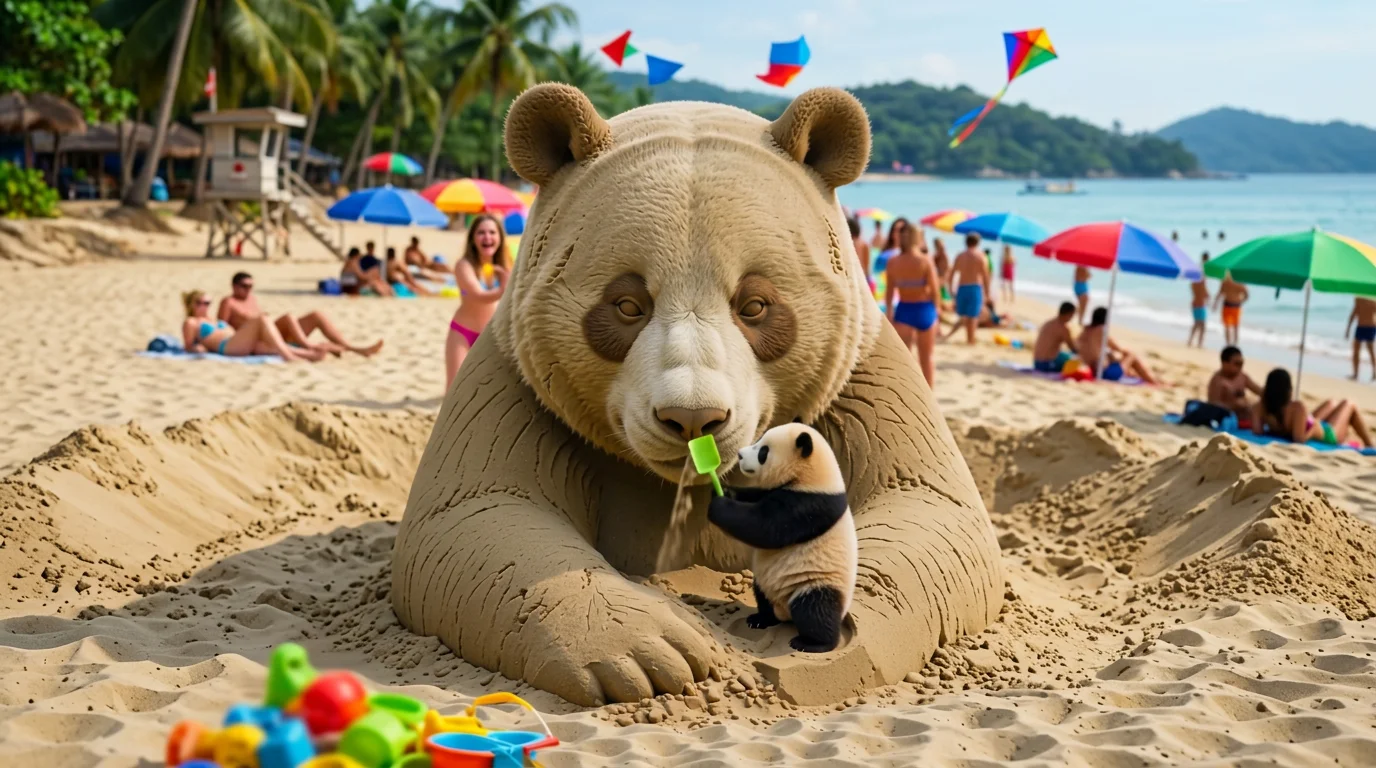
Building a summer legacy! A hilarious reverse zoom revealing your titanic beach statue. That is the official prompt for PixVerse’s newly launched Sand Monument template — a one-photo V6 effect that pulls back from building a humble sandcastle to reveal a titanic, colossal beach monument sculpted in your exact likeness.
The official preview starts focused closely on someone working with sand by the water, before a dramatic reverse zoom pulls back to reveal a gigantic, towering sand sculpture towering over the entire beach. The same one-click flow works with any portrait.
See It In Action
What Is the Sand Monument Template?
Sand Monument is a new PixVerse image-to-video template. You upload one photo; PixVerse V6 generates a 7-second vertical video. You do not write a prompt — the template prompt is locked, so the effect stays consistent.
Template details
| Field | Value |
|---|---|
| Template name | Sand Monument |
| Template ID | 414587782453715 |
| Output | Video |
| Model | PixVerse V6 |
| Input | 1 photo |
| Duration | 7 seconds |
| Quality | 360p / 540p / 720p / 1080p |
| Audio | Included |
| Custom prompt | Off |
| Launched | Jul 29 2026 |
How it works
- Upload one photo — a clear portrait or photo works best
- Select Sand Monument — search the name in PixVerse templates, or use Template ID
414587782453715 - Generate — PixVerse V6 applies the effect automatically
- Download and share — export the 7-second clip for TikTok, Reels, or Shorts
What’s in the Official Preview
The template preview showcases a unique scene:
- Close-up beginning on the beach sand near the crashing waves
- Dramatic high-altitude reverse camera zoom pulling up and away
- A colossal titanic sand sculpture carved in the subject’s likeness
- Epic comedic reveal soundtrack and ocean wave audio included
The effect combines scale humor and cinematic grandeur: your face is immortalized as a giant beach statue monument.
How to Create Your Sand Monument Video
Step 1: Choose a photo
Use a well-lit portrait or casual photo with clear facial features. Distinct expressions make the giant statue look even more impressive.
Step 2: Open PixVerse
Visit PixVerse on web or in the app, then open the template library.
Step 3: Find Sand Monument
Search Sand Monument or look under newly launched templates. Confirm Template ID 414587782453715.
Step 4: Generate
Upload the photo and generate. The template does not accept a custom prompt, so you do not need to describe the scene.
Tips
- Use one main subject per photo for a cleaner result
- High-resolution images keep facial features and textures sharper
- High-contrast photos allow the AI to carve sharper facial details into the colossal sand statue
- The output is vertical, ready for short-form platforms
Frequently Asked Questions (FAQ)
Q: Do I need to write a prompt? A: No. Sand Monument has custom prompts turned off. Upload one photo and generate.
Q: How long is the video? A: 7 seconds, generated with PixVerse V6.
Q: What quality is available? A: 360p, 540p, 720p, and 1080p.
Q: How many photos do I upload? A: One. This is a single-image template.
Q: Does the statue look like the person in the photo? A: Yes. PixVerse V6 captures the facial structure and likeness from your upload and sculpts it into the sand monument.
Ready to build your titanic sand monument? Open PixVerse, search Sand Monument, and generate from one photo.
Related templates:
- Beach Toy — hilarious miniature scale twist on the beach lounger
- Umbrella Launch — windy beach umbrella launch soaring through the summer sky
- Surprise Kick — explosive martial arts spinning kick with impact and waves
- PUBG Winner Hit! — battle royale victory dance celebrate a chicken dinner
- Little Gymnast — tiny gymnast athlete reaching for the rings