Rose Gunslinger: Unleash a Storm of Roses with PixVerse Cowboy AI
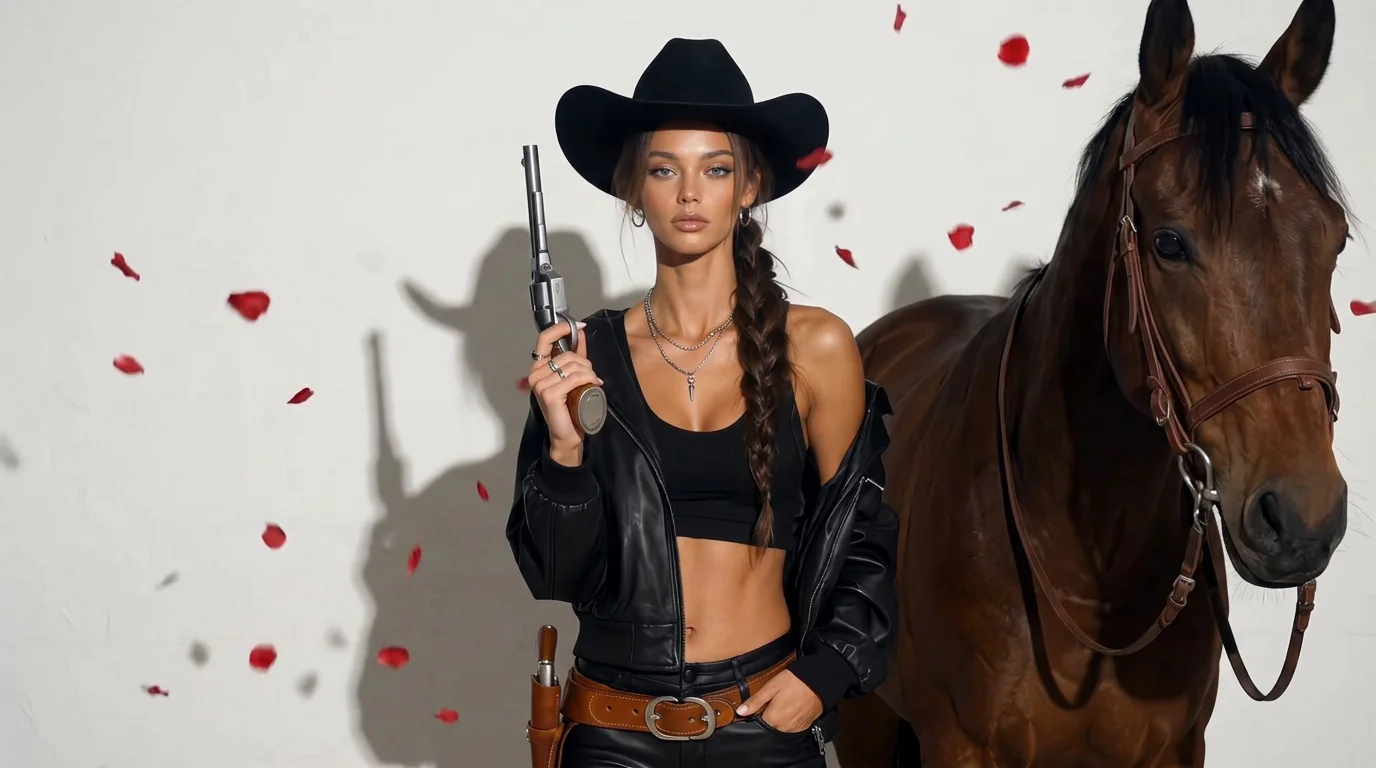
One shot, a storm of roses, pure cowboy cool. That is the official prompt for PixVerse’s Rose Gunslinger template — a stylish V6 effect that transforms your photo into a cinematic western shootout blooming with crimson roses.
See It In Action
What Is the Rose Gunslinger Template?
Rose Gunslinger is a cinematic western image-to-video template on PixVerse V6. Upload one photo to produce a 5-second dramatic action sequence featuring gunslinging flair and an explosion of flying rose petals, with audio included.
Template details
| Field | Value |
|---|---|
| Template name | Rose Gunslinger |
| Template ID | 419869447251264 |
| Output | Video |
| Model | PixVerse V6 |
| Input | 1 photo |
| Duration | 5 seconds |
| Quality | 360p / 540p / 720p / 1080p |
| Audio | Included |
| Custom prompt | Off |
| Launched | Aug 19 2026 |
How it works
- Upload one photo — a clear photo works best
- Select Rose Gunslinger — search the name in PixVerse templates, or use Template ID
419869447251264 - Generate — PixVerse V6 applies the effect automatically
- Download and share — export your video for TikTok, Reels, or Shorts
What’s in the Official Preview
- A cool cowboy gunslinger raising and firing a classic revolver
- A muzzle flash that explodes into a swirling vortex of scarlet rose petals
- Rich cinematic lighting with warm sunset tones and dramatic lens flare
- Crisp sound design featuring gunshot impact and atmospheric western score
How to Create Your Rose Gunslinger Video
Step 1: Choose a photo
Use a photo with a strong, confident gaze or side-profile portrait. Cowboy hats, jackets, or dramatic poses enhance the western gunslinger aesthetic.
Step 2: Open PixVerse
Visit PixVerse on web or in the app, then open the template library.
Step 3: Find Rose Gunslinger
Search Rose Gunslinger or look under newly launched templates. Confirm Template ID 419869447251264.
Step 4: Generate
Upload the photo and generate. The template does not accept a custom prompt, so you do not need to describe the scene.
Tips
- Portraits with serious or fierce facial expressions amplify the cinematic drama
- Warm backlighting in your original picture blends well with the desert sunset aesthetic
- Export in 1080p to enjoy sharp rose petal particle physics
- Perfect for character concepts, cosplay showcases, and action avatar intros
Frequently Asked Questions (FAQ)
Q: Do I need to write a prompt? A: No. Rose Gunslinger has custom prompts turned off. Upload one photo and generate.
Q: How long is the video? A: 5 seconds, generated with PixVerse V6.
Q: What quality is available? A: 360p / 540p / 720p / 1080p.
Q: How many photos do I upload? A: One. This is a single-image template.
Q: Do I need cowboy attire in my photo? A: No. PixVerse automatically incorporates the gunslinger aesthetic around your subject.
Ready to draw your revolver? Open PixVerse, search Rose Gunslinger, and create your cowboy showdown.
Related templates:
- Romantic Sword — sword swing into blooming flowers
- Tiny World Explorer — storybook mini Earth explorer
- Jazz Dance: Positions — stylish rhythm choreography
- Little Gymnast — mini gymnast athlete on rings