Redance Dance Imitation: Dance with Friends Video
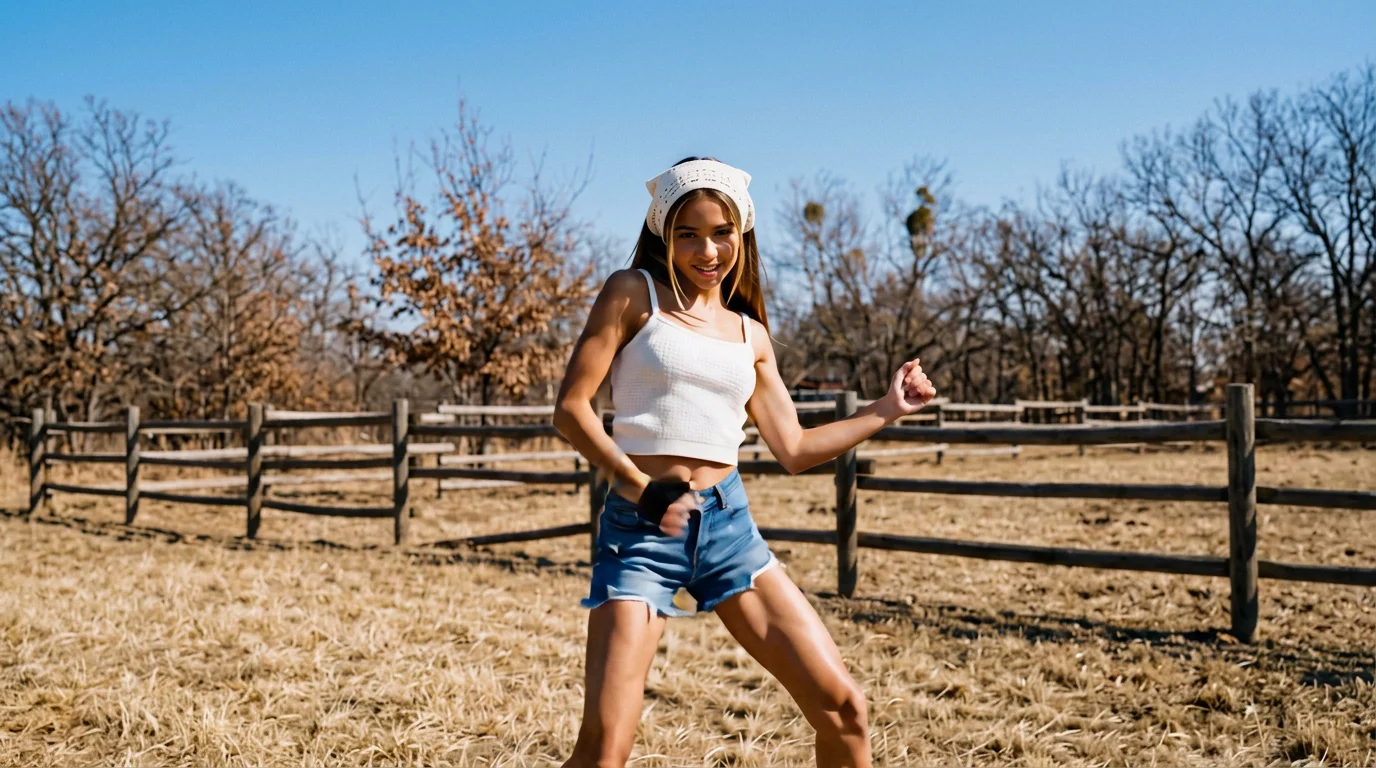
Upload your photo and try Redance Dance Imitation. That is the official prompt for PixVerse’s newly launched Redance Dance Imitation effect — Call your friends to play together and upload photos to get the same product.
The official preview is a group activity: call your friends to play together, upload photos, and get the same dance result. An 11-second vertical clip built for sharing with the crew.
See It In Action
What Is the Redance Dance Imitation Template?
Redance Dance Imitation is a new PixVerse image-to-video template. You upload photos of the crew; PixVerse V6 generates a 11 seconds vertical video. You do not write a prompt — the template prompt is locked, so the effect stays consistent.
Template details
| Field | Value |
|---|---|
| Template name | Redance Dance Imitation |
| Template ID | 421224037978624 |
| Output | Video |
| Model | PixVerse V6 |
| Input | photos of friends |
| Duration | 11 seconds |
| Quality | 360p / 540p / 720p / 1080p |
| Audio | Included |
| Custom prompt | Off |
| Launched | Aug 27 2026 |
How it works
- Gather photos — clear, well-lit shots of each friend work best
- Select Redance Dance Imitation — search the name in PixVerse templates, or use Template ID
421224037978624 - Generate — PixVerse V6 applies the effect automatically
- Download and share — export the group clip for TikTok, Reels, or Shorts
What’s in the Official Preview
- A group dance imitation made for friends to try together
- Multi-photo upload so everyone joins the same result
- A vertical 11-second clip with a built-in audio track
- Choreography matched to the official preview
- Up to 1080p output ready to tag your friends
How to Create Your Redance Dance Imitation Video
Step 1: Gather photos of the crew
Ask each friend for a clear, well-lit photo with the face visible. Matching portrait orientations help the group result.
Step 2: Open PixVerse
Visit PixVerse on web or in the app, then open the template library.
Step 3: Find Redance Dance Imitation
Search Redance Dance Imitation or look under newly launched templates. Confirm Template ID 421224037978624.
Step 4: Generate
Upload the photos and generate. The template does not accept a custom prompt, so you do not need to describe the scene.
Tips
- Gather clear, well-lit photos of each friend
- Keep faces visible and unobstructed in every shot
- Match portrait orientations across the group
- Export at 1080p and tag everyone when you post
Frequently Asked Questions (FAQ)
Q: Do I need to write a prompt? A: No. Redance Dance Imitation has custom prompts turned off. Upload photos and generate.
Q: How long is the video? A: 11 seconds, generated with PixVerse V6.
Q: What quality is available? A: 360p, 540p, 720p, and 1080p.
Q: How many photos do I upload? A: One per person — bring your friends.
Q: Where do I find this template?
A: Search Redance Dance Imitation in the PixVerse template library, or use Template ID 421224037978624.
Ready to try Redance Dance Imitation? Open PixVerse, search Redance Dance Imitation, and generate from photos.
Related templates:
- Hot Dance Moment — high-energy dance moment
- Rampage Dance — chaotic blow-up parody dance
- MeigaMind Dance — beat-driven moment dance
- Little Gymnast — tiny gymnast miniature trend