Reasons to Get a Bob: Chic Haircut Transformation Video
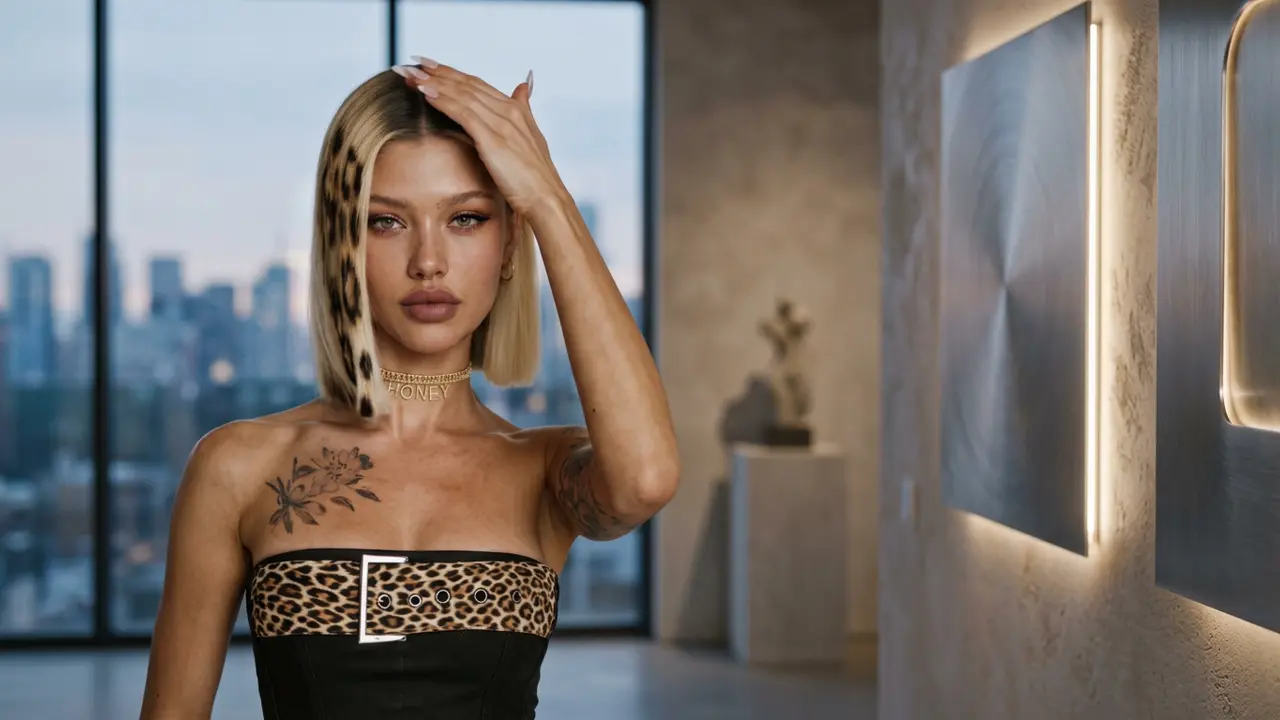
Bob now. Regret never. That is the official prompt for PixVerse’s Reasons to get a bob template — a single-photo V6 effect that brings your subject to life.
The official preview showcases a confident haircut makeover: fluid movement, sleek styling, and a modern bob cut that highlights facial structure with effortless elegance. The same one-click flow works with your photo, friends, or style inspiration shots.
See It In Action
What Is the Reasons to get a bob Template?
Reasons to get a bob is a beauty and hairstyle transformation template powered by PixVerse V6. You upload one photo; PixVerse V6 generates a 13-second vertical video showing off a chic, salon-fresh bob haircut with smooth motion and soundtrack. You do not write a prompt — the makeover styling is locked for consistent beauty.
Template details
| Field | Value |
|---|---|
| Template name | Reasons to get a bob |
| Template ID | 417746921534592 |
| Output | Video |
| Model | PixVerse V6 |
| Input | 1 photo |
| Duration | 13 seconds |
| Quality | 360p / 540p / 720p / 1080p |
| Audio | Included |
| Custom prompt | Off |
| Launched | Aug 07 2026 |
How it works
- Upload one photo — a clear portrait or well-lit photo works best
- Select Reasons to get a bob — search the name in PixVerse templates, or use Template ID
417746921534592 - Generate — PixVerse V6 applies the effect automatically
- Download and share — export the 13-second clip for TikTok, Reels, or Shorts
What’s in the Official Preview
The template preview showcases a polished, cohesive scene built around the official prompt:
- Sleek and flattering bob hairstyle tailored to facial contours
- Confident styling poses showcasing hair texture, volume, and bounce
- Soft salon-quality lighting that accentuates facial features
- Catchy background music highlighting the exciting haircut reveal
The template is ideal for beauty lovers and anyone contemplating a fresh hairstyle: see how great a modern bob looks before making the cut in real life.
How to Create Your Reasons to get a bob Video
Step 1: Choose a photo
A front-facing, high-resolution portrait with hair visible around the face produces the most convincing and stylish haircut result.
Step 2: Open PixVerse
Visit PixVerse on web or in the app, then open the template library.
Step 3: Find Reasons to get a bob
Search Reasons to get a bob or browse newly launched templates. Confirm Template ID 417746921534592.
Step 4: Generate
Upload the photo and generate. The template does not accept a custom prompt, so you do not need to describe the scene.
Tips
- Clear lighting helps the AI accurately shape the bob hair strands
- Try both smiling and neutral facial expressions to explore different vibes
- Great for sharing makeover ideas with friends or your hairstylist
- Export at 1080p to view hair texture and shine with salon-level clarity
Frequently Asked Questions (FAQ)
Q: Do I need to write a prompt? A: No. Reasons to get a bob has custom prompts turned off. Upload one photo and generate.
Q: How long is the video? A: 13 seconds, generated with PixVerse V6.
Q: What quality is available? A: 360p / 540p / 720p / 1080p.
Q: How many photos do I upload? A: One. This is a single-image template.
Q: Does the video include sound or music? A: Yes. A stylish, upbeat musical track accompanies the hairstyle showcase.
Ready to preview your new bob hairstyle? Open PixVerse, search Reasons to get a bob, and generate from one photo.
Related templates:
- Cavalona Dance — bring your flair to the spotlight
- Sugar on My Lips! — dance like popping candy
- Obsession — iconic psychological horror scene
- Little Gymnast — tiny gymnast on the rings