Quick Outfit Change: Instant Wardrobe Switch on PixVerse
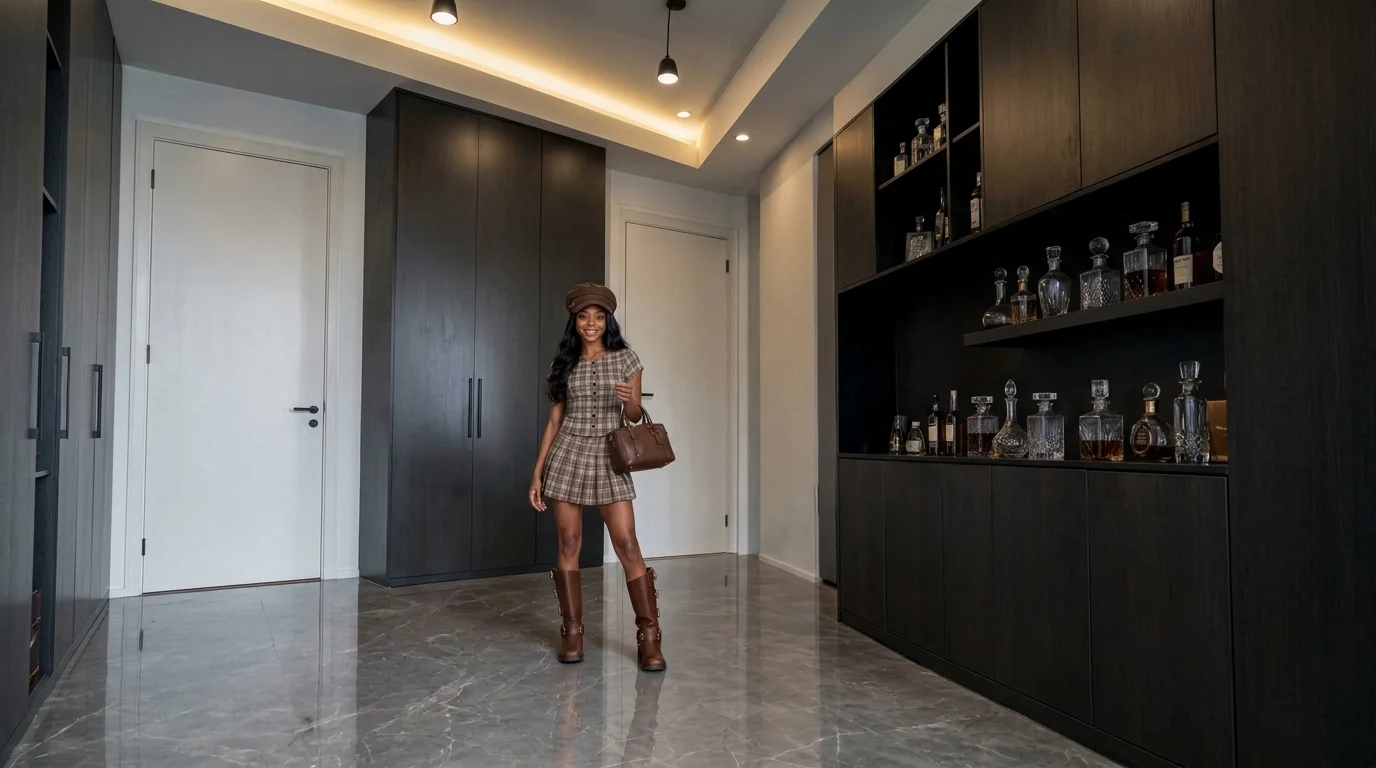
Upload a photo of yourself, and you can change outfits instantly. That is the official prompt for PixVerse’s Quick Outfit Change template — a seamless fashion transformation effect that switches your look in the blink of an eye.
The official preview shows a smooth, continuous camera shot where the subject transitions fluidly through chic wardrobe ensembles without awkward cuts, set to a stylish rhythmic fashion beat.
See It In Action
What Is the Quick Outfit Change Template?
Quick Outfit Change is an AI fashion transition template. Upload one photo of yourself, and PixVerse V6 generates a 10-second vertical video showcasing instant outfit switches while preserving your facial features and body pose.
Template details
| Field | Value |
|---|---|
| Template name | Quick Outfit Change |
| Template ID | 418973992442048 |
| Output | Video |
| Model | PixVerse V6 |
| Input | 1 photo |
| Duration | 10 seconds |
| Quality | 720p |
| Audio | Included |
| Custom prompt | Off |
| Launched | Aug 14 2026 |
How it works
- Upload one photo — a clear portrait or full-body shot works best
- Select Quick Outfit Change — search the name in PixVerse templates, or use Template ID
418973992442048 - Generate — PixVerse V6 applies the effect automatically
- Download and share — export the clip for TikTok, Reels, or Shorts
What’s in the Official Preview
The official preview showcases the key elements of the template:
- Seamless instantaneous wardrobe transition without jarring visual cuts
- Multiple complementary fashion styles rendered with realistic fabric textures
- Flattering studio lighting and smooth camera momentum throughout
- Rhythmic fashion-beat audio track timed to each outfit reveal
Popular among fashion bloggers, stylists, and OOTD creators, this template delivers a virtual fashion runway experience with zero wardrobe hassle.
How to Create Your Quick Outfit Change Video
Step 1: Choose a photo
A front-facing standing or half-body portrait with clean posture works best. Neutral lighting allows the new outfits to render with vibrant color accuracy.
Step 2: Open PixVerse
Visit PixVerse on web or in the app, then open the template library.
Step 3: Find Quick Outfit Change
Search Quick Outfit Change or look under newly launched templates. Confirm Template ID 418973992442048.
Step 4: Generate
Upload the photo and generate. The template does not accept a custom prompt, so you do not need to describe the scene.
Tips
- Standing portraits with arms relaxed at your sides allow optimal clothing draping
- Clear, high-resolution faces ensure your identity stays consistent across every look
- Perfect for ‘Get Ready With Me’ (GRWM) hooks and seasonal outfit teasers
- Share directly to TikTok and Instagram Reels for high lifestyle engagement
Frequently Asked Questions (FAQ)
Q: Do I need to write a prompt? A: No. Quick Outfit Change has custom prompts turned off. Upload one photo and generate.
Q: How long is the video? A: 10 seconds, generated with PixVerse V6.
Q: What quality is available? A: 720p.
Q: How many photos do I upload? A: One. This is a single-image template.
Q: Can I choose which outfits appear in the video? A: No. The template automatically generates a curated selection of stylish outfits designed to complement your photo.
Ready for an instant wardrobe switch? Open PixVerse, search Quick Outfit Change, and transform your look in seconds.
Related templates:
- Train on the Ceiling — gravity-defying upside-down workout
- Since NY, I’ve Been Like — chic New York street lifestyle
- Pet Editorial — pampered pet luxury magazine shoot
- Little Gymnast — miniature acrobatics on rings