Pet Editorial: Pamper Your Pet in a Stylish Video
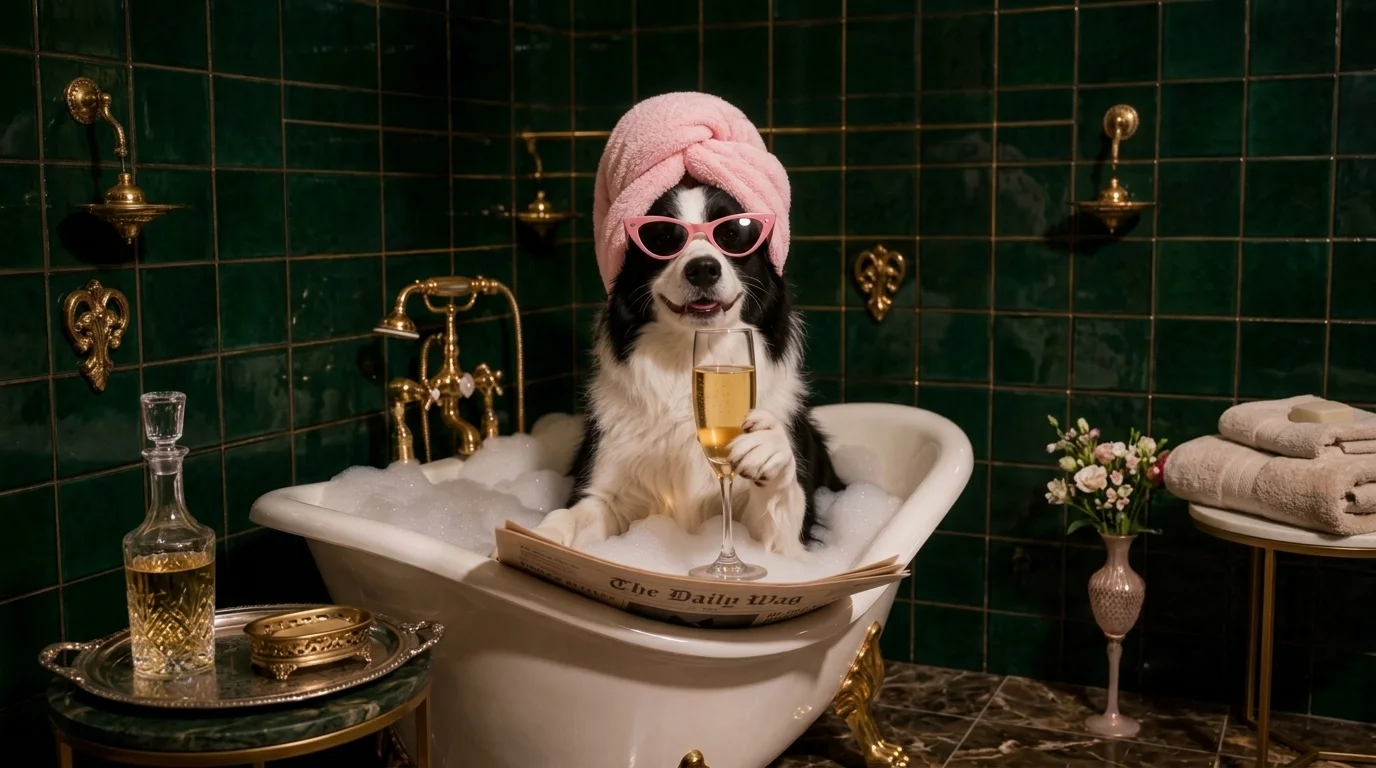
Bubbles & Leisure, Pamper Your Pet. That is the official prompt for PixVerse’s Pet Editorial template — an opulent V6 lifestyle visualizer that turns your furry companion into the glamorous star of a high-end luxury magazine shoot.
The official preview showcases a serene pet surrounded by delicate floating bubbles, bathed in soft studio illumination, exuding tranquil luxury and sophisticated spa vibes in an 8-second vertical clip.
See It In Action
What Is the Pet Editorial Template?
Pet Editorial is a premier pet-glamour image-to-video template. Upload a single photo of your pet, and PixVerse V6 crafts an 8-second editorial-grade video highlighting pampering luxury, bubbles, and soothing visual grace.
Template details
| Field | Value |
|---|---|
| Template name | Pet Editorial |
| Template ID | 419113983637696 |
| Output | Video |
| Model | PixVerse V6 |
| Input | 1 photo |
| Duration | 8 seconds |
| Quality | 720p |
| Audio | None |
| Custom prompt | Off |
| Launched | Aug 15 2026 |
How it works
- Upload one photo — a clear portrait or full-body shot works best
- Select Pet Editorial — search the name in PixVerse templates, or use Template ID
419113983637696 - Generate — PixVerse V6 applies the effect automatically
- Download and share — export the clip for TikTok, Reels, or Shorts
What’s in the Official Preview
The official preview showcases the key elements of the template:
- Delicate floating translucent bubbles drifting gracefully around your pet
- Soft-focus studio lighting and pastel-toned luxury spa background setting
- Gentle head tilts, breathing motion, and serene blinking animations
- High-definition fur texture rendering that preserves natural markings
Whether celebrating your pet’s birthday or creating an upscale social media reel, Pet Editorial elevates everyday pet photos into magazine cover quality.
How to Create Your Pet Editorial Video
Step 1: Choose a photo
Use a clear, close-up portrait of your dog, cat, or other pet in bright natural light. A calm, seated or resting posture blends best with the spa aesthetic.
Step 2: Open PixVerse
Visit PixVerse on web or in the app, then open the template library.
Step 3: Find Pet Editorial
Search Pet Editorial or look under newly launched templates. Confirm Template ID 419113983637696.
Step 4: Generate
Upload the photo and generate. The template does not accept a custom prompt, so you do not need to describe the scene.
Tips
- Close-up face shots highlight eyes and whisker details amidst floating bubbles
- Clean backgrounds before upload produce the purest studio aesthetic
- Works beautifully for dogs, cats, rabbits, and other domestic pets
- Add your favorite soothing music track when posting to Instagram or TikTok
Frequently Asked Questions (FAQ)
Q: Do I need to write a prompt? A: No. Pet Editorial has custom prompts turned off. Upload one photo and generate.
Q: How long is the video? A: 8 seconds, generated with PixVerse V6.
Q: What quality is available? A: 720p.
Q: How many photos do I upload? A: One. This is a single-image template.
Q: Can I use human photos with Pet Editorial? A: While optimized for pets, the gentle bubble and spa lighting effect can also create a dreamy portrait of humans.
Ready to pamper your pet? Open PixVerse, search Pet Editorial, and give your pet a luxury cover shoot.
Related templates:
- The reason for the rotation of the Earth — cute spinning planet animation
- Quick Outfit Change — instant fashion style change
- Bathroom Hot Dance — fun mirror dance celebration
- Little Gymnast — miniature gymnast on rings