Party Takeover: Turn Any Photo into a Summer Festival Video
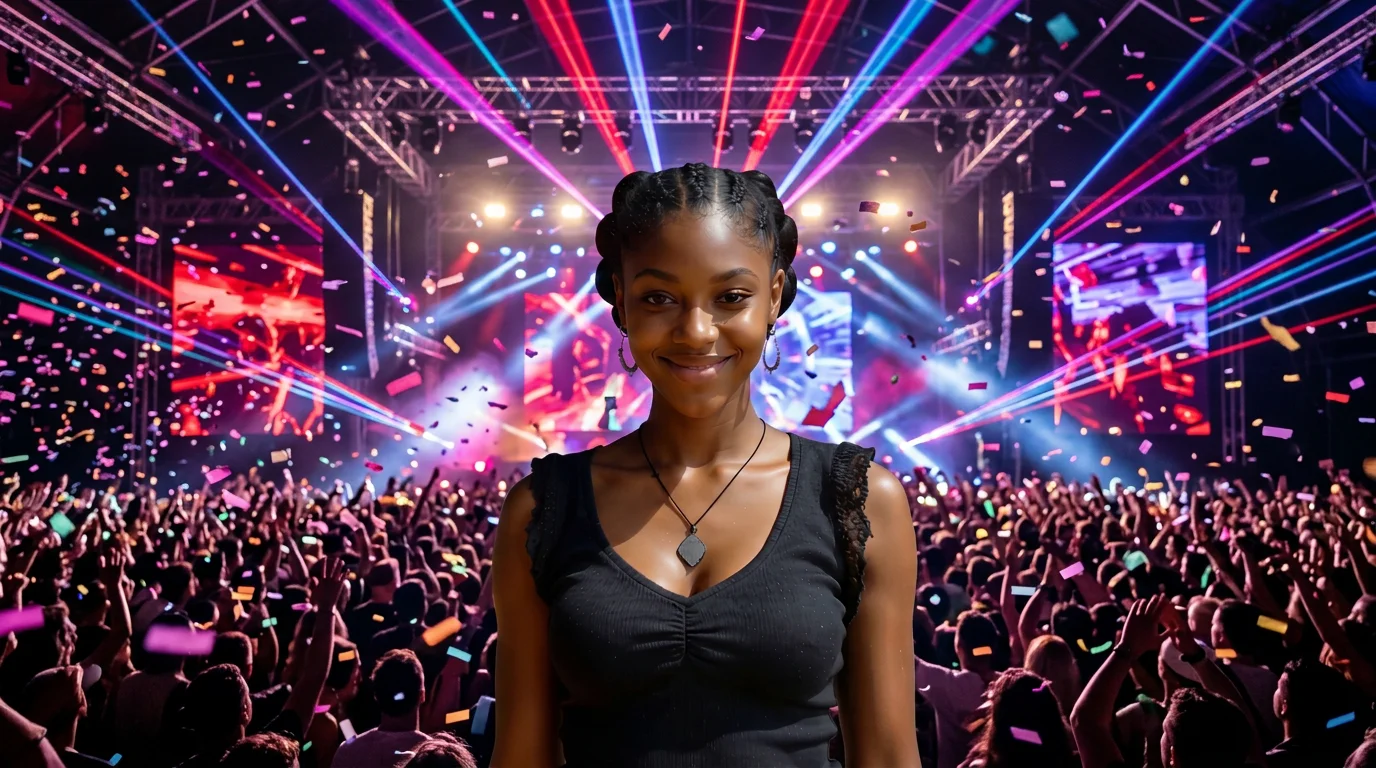
When you’re striving to remain calm but the summer festival bass hits too hard. That is the official prompt for PixVerse’s newly launched Party Takeover template — an explosive V6 image-to-video effect that turns your quiet scene into an epic summer festival rave.
The official preview captures the hilarious tension of staying composed until the heavy bass drops, triggering pulsing lights, festival crowds, and an irresistible dance takeover. The same one-click flow works with selfies, group shots, or pet portraits.
See It In Action
What Is the Party Takeover Template?
Party Takeover is a dynamic PixVerse image-to-video template powered by PixVerse V6. You upload one photo; PixVerse V6 generates a 5-second vertical video. You do not write a prompt — the template prompt is locked, so the effect stays consistent.
Template details
| Field | Value |
|---|---|
| Template name | Party Takeover |
| Template ID | 414584630081985 |
| Output | Video |
| Model | PixVerse V6 |
| Input | 1 photo |
| Duration | 5 seconds |
| Quality | 360p, 540p, 720p, 1080p |
| Audio | Included |
| Custom prompt | Off |
| Launched | Jul 29 2026 |
How it works
- Upload one photo — a clear portrait or well-lit photo works best
- Select Party Takeover — search the name in PixVerse templates, or use Template ID
414584630081985 - Generate — PixVerse V6 applies the effect automatically
- Download and share — export your clip for TikTok, Reels, or Shorts
What’s in the Official Preview
- A composed subject attempting to stay calm in a normal setting
- A sudden powerful summer festival bass drop that ignites the room
- Vibrant pulsing strobe lights, party crowd silhouettes, and festival energy
- Synchronized EDM festival soundtrack with deep bass beats
How to Create Your Party Takeover Video
Step 1: Choose a photo
Use a clear, well-lit photo with a neutral or calm expression for maximum comedic contrast.
Step 2: Open PixVerse
Visit PixVerse on web or in the app, then open the template library.
Step 3: Find Party Takeover
Search Party Takeover or look under newly launched templates. Confirm Template ID 414584630081985.
Step 4: Generate
Upload the photo and generate. The template does not accept a custom prompt, so you do not need to describe the scene.
Tips
- Calm or serious portraits produce the funniest contrast when the beat drops
- High-resolution photos maintain crisp facial expressions during the rave transformation
- Pets and group photos work brilliantly with the party atmosphere
- Output is vertical up to 1080p, perfectly formatted for TikTok, Reels, and Shorts
Frequently Asked Questions (FAQ)
Q: Do I need to write a prompt? A: No. Party Takeover has custom prompts turned off. Upload one photo and generate.
Q: How long is the video? A: 5 seconds, generated with PixVerse V6.
Q: What quality is available? A: 360p, 540p, 720p, and 1080p.
Q: How many photos do I upload? A: One. This is a single-image template.
Q: Does it include audio? A: Yes. A high-energy summer festival EDM bass track is included automatically.
Ready to get the party started? Open PixVerse, search Party Takeover, and generate from one photo.
Related templates:
- Tiny Trouble Studio — handcrafted puppet adventure
- Farming Summer Aura — iconic summer agricultural glow
- Tropical Serenade — tropical banjo music and Hawaiian clothing morph
- Little Gymnast — tiny gymnast on gym rings