Obsession: Create an Iconic Psychological Horror Scene
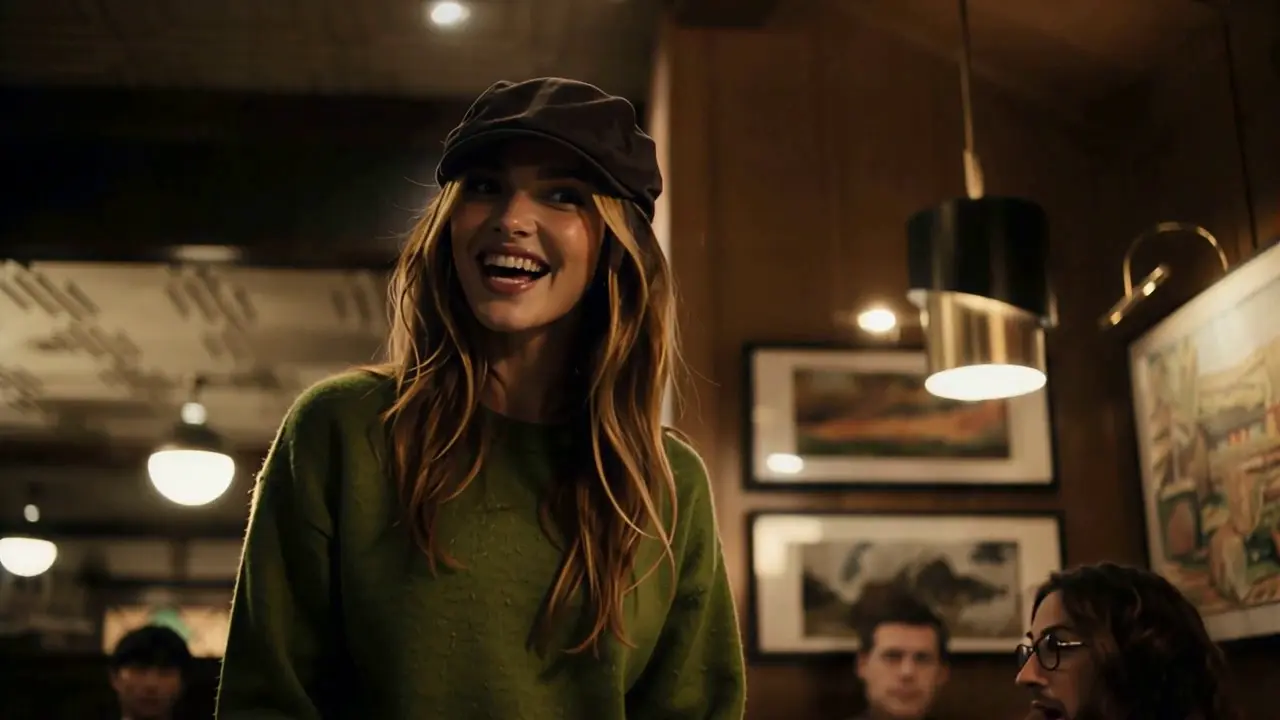
Iconic Moment, Obsession, Psychological Horror. That is the official prompt for PixVerse’s Obsession template — a single-photo V6 effect that brings your subject to life.
The official preview recreates a chilling, haunting cinematic atmosphere: dark moody lighting, intense psychological focus, and gripping suspense reminiscent of iconic psychological horror thrillers. The same one-click flow works with your portrait, character concept art, or dramatic portraits.
See It In Action
What Is the Obsession Template?
Obsession is a cinematic widescreen horror template powered by PixVerse V6. You upload one photo; PixVerse V6 generates a 12-second landscape video steeped in psychological horror and tension. You do not write a prompt — the cinematic mood and framing are locked for maximum dramatic suspense.
Template details
| Field | Value |
|---|---|
| Template name | Obsession |
| Template ID | 417750777246848 |
| Output | Video |
| Model | PixVerse V6 |
| Input | 1 photo |
| Duration | 12 seconds |
| Quality | 360p / 540p / 720p / 1080p |
| Audio | None |
| Custom prompt | Off |
| Launched | Aug 07 2026 |
How it works
- Upload one photo — a clear portrait or well-lit photo works best
- Select Obsession — search the name in PixVerse templates, or use Template ID
417750777246848 - Generate — PixVerse V6 applies the effect automatically
- Download and share — export the 12-second clip for TikTok, Reels, or Shorts
What’s in the Official Preview
The template preview showcases a polished, cohesive scene built around the official prompt:
- Chilling psychological horror mood with deep shadows and evocative lighting
- Cinematic 16:9 widescreen composition inspired by thriller masterpieces
- Subtle, tense character micro-expressions that heighten suspense
- Atmospheric visual grading creating an unsettling, unforgettable tone
This template turns ordinary portraits into spine-tingling movie frames, giving creators an easy way to produce high-end psychological thriller visuals.
How to Create Your Obsession Video
Step 1: Choose a photo
Choose a portrait with intense eye contact, serious expression, or dramatic lighting to match the psychological tone.
Step 2: Open PixVerse
Visit PixVerse on web or in the app, then open the template library.
Step 3: Find Obsession
Search Obsession or browse newly launched templates. Confirm Template ID 417750777246848.
Step 4: Generate
Upload the photo and generate. The template does not accept a custom prompt, so you do not need to describe the scene.
Tips
- Portraits with moody or low-key lighting blend seamlessly into the horror style
- Expressive eyes and solemn expressions heighten the feeling of obsession
- Landscape 16:9 framing fits cinematic presentations and desktop video edits
- Add your own suspenseful soundtrack or eerie audio for a complete horror short
Frequently Asked Questions (FAQ)
Q: Do I need to write a prompt? A: No. Obsession has custom prompts turned off. Upload one photo and generate.
Q: How long is the video? A: 12 seconds, generated with PixVerse V6.
Q: What quality is available? A: 360p / 540p / 720p / 1080p.
Q: How many photos do I upload? A: One. This is a single-image template.
Q: Does the video include sound or music? A: No. The video is generated without sound so you can pair it with your own eerie score.
Ready to enter the world of psychological horror? Open PixVerse, search Obsession, and generate from one photo.
Related templates:
- Revealing My Divinity — walk toward the giant monster
- Reasons to get a bob — chic haircut transformation
- Birthday on Fire — blow out candles in a fiery burst
- Little Gymnast — tiny gymnast on the rings