My Little Perler Charm: Turn Photos into Chibi Bead Keychains
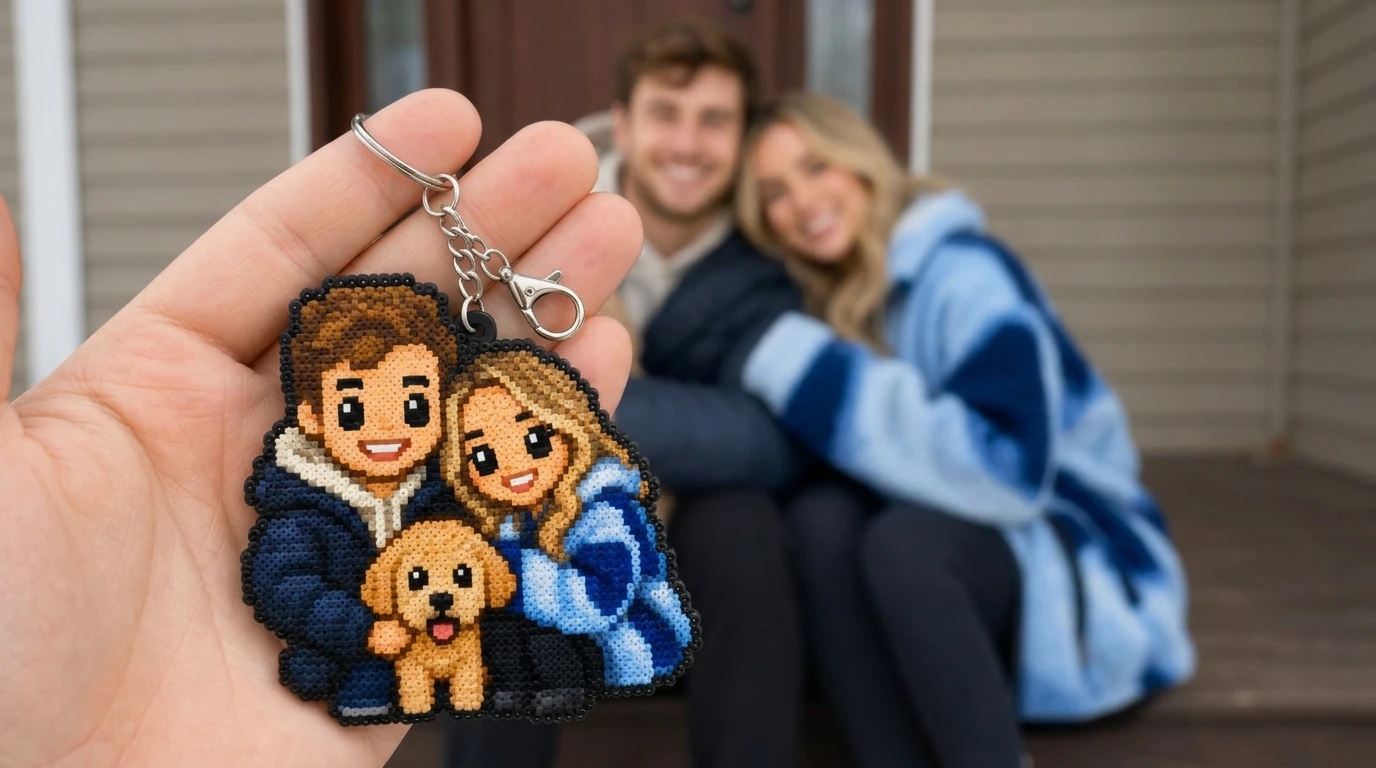
Turn your photo into Perler beads — a chibi charm right in your hand, so cute you’ll want a whole batch.. That is the official prompt for PixVerse’s newly launched My Little Perler Charm template — a one-photo V6 effect that brings this vision to life with fluid motion and stunning detail.
The official preview shows an open palm cradling an adorable handmade Perler bead charm, featuring a colorful chibi rendition of the uploaded character resting gently in hand. The same one-click flow works with a portrait of you, a friend, a beloved pet, or an illustration.
See It In Action
What Is the My Little Perler Charm Template?
My Little Perler Charm is a new PixVerse image-to-video template. You upload one photo; PixVerse V6 generates a 5-second vertical video showing a realistic handcrafted pixel bead keychain resting in your palm. You do not write a prompt — the template prompt is locked, so the charming craft effect stays consistent.
Template details
| Field | Value |
|---|---|
| Template name | My Little Perler Charm |
| Template ID | 418815439392256 |
| Output | Video |
| Model | PixVerse V6 |
| Input | 1 photo |
| Duration | 5 seconds |
| Quality | 360p / 540p / 720p / 1080p |
| Audio | None |
| Custom prompt | Off |
| Launched | Aug 13 2026 |
How it works
- Upload one photo — a clear portrait or well-lit photo works best
- Select My Little Perler Charm — search the name in PixVerse templates, or use Template ID
418815439392256 - Generate — PixVerse V6 applies the effect automatically
- Download and share — export the 5-second clip for TikTok, Reels, or Shorts
What’s in the Official Preview
The template preview showcases a polished, cohesive scene built around the official prompt:
- Handcrafted fuse bead texture with distinct plastic cylinder bead highlights
- Cute stylized chibi proportions turning any subject into a collectible keychain
- Realistic human hand perspective holding and showcasing the completed charm
- Subtle camera depth of field and soft craft-table indoor lighting
This effect taps directly into the DIY craft and gaming pixel-art aesthetic, converting realistic photos into tactile collectible keepsakes.
How to Create Your My Little Perler Charm Video
Step 1: Choose a photo
Portraits with distinct features, vibrant colors, or recognizable hairstyles translate exceptionally well into bead patterns.
Step 2: Open PixVerse
Visit PixVerse on web or in the app, then open the template library.
Step 3: Find My Little Perler Charm
Search My Little Perler Charm or browse newly launched templates. Confirm Template ID 418815439392256.
Step 4: Generate
Upload the photo and generate. The template does not accept a custom prompt, so you do not need to describe the scene.
Tips
- High-contrast photos help the AI delineate color sections in the bead layout
- Pet photos yield extraordinarily cute miniature animal charms
- Avoid busy backgrounds so the subject contours remain crisp and well-defined
- Export in 1080p to appreciate the individual plastic fuse bead reflections
Frequently Asked Questions (FAQ)
Q: Do I need to write a prompt? A: No. My Little Perler Charm has custom prompts turned off. Upload one photo and generate.
Q: How long is the video? A: 5 seconds, generated with PixVerse V6.
Q: What quality is available? A: 360p / 540p / 720p / 1080p.
Q: How many photos do I upload? A: One. This is a single-image template.
Q: Does the video include sound or music? A: No. The video is rendered without sound, making it ideal for layering trending craft audio.
Ready to craft your own bead charm? Open PixVerse, search My Little Perler Charm, and generate from one photo.
Related templates:
- Beat-Cut Beauty Transformation — beat-synced glam reveal
- Where Did This Cobweb Come From? — funny spiderweb prank clip
- Bark for Me — playful puppy reaction effect
- Little Gymnast — tiny gymnast on the rings