Monkeys Grab Water to Drink: Funny Monkey Video Template
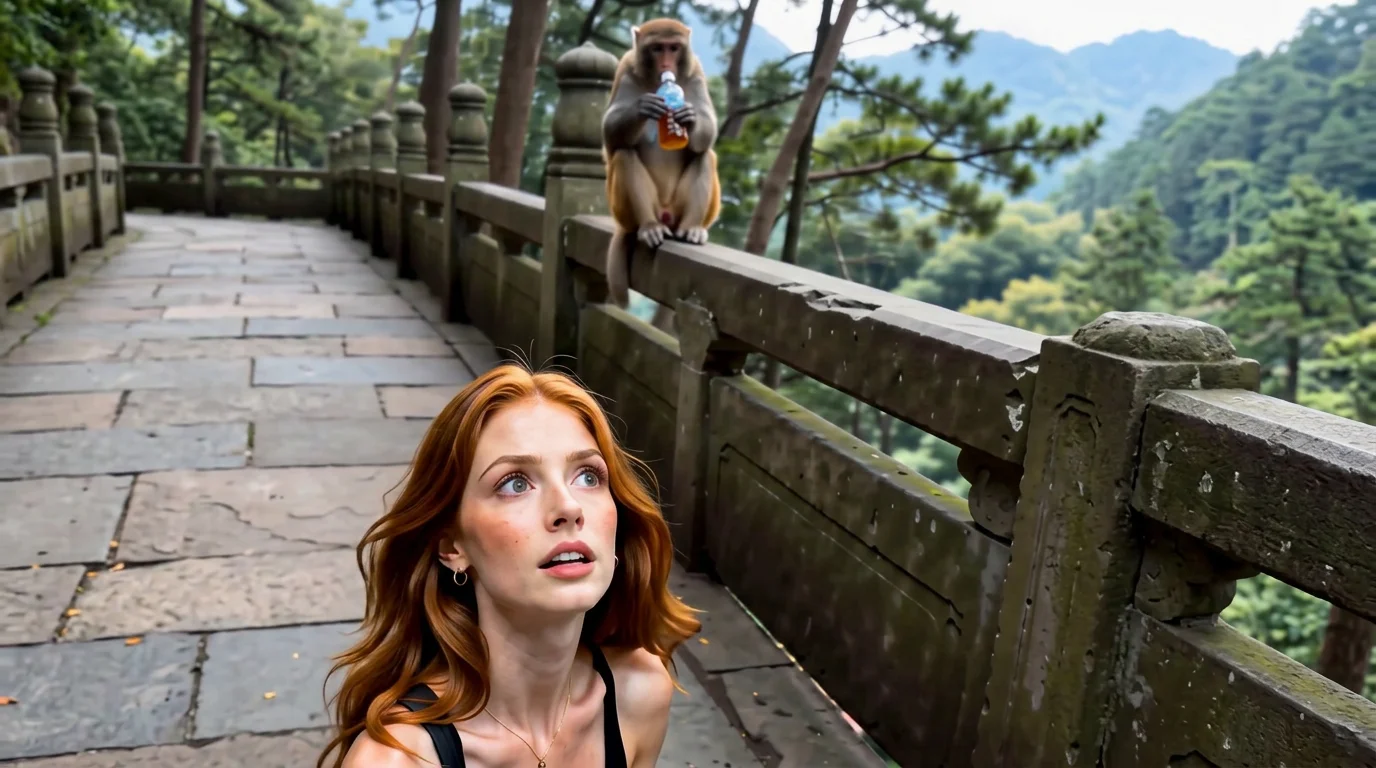
One monkey failed to grab water to drink, while another powerful monkey snatched the water away. That is the official prompt for PixVerse’s newly launched Monkeys grab water to drink template — a one-photo V6 effect built around that two-monkey water gag.
The official preview follows the prompt directly: one monkey missing its grab at the water, then a stronger monkey barging in to snatch it away. The same one-click flow works with your portrait, a friend, or a pet photo dropped into the scene.
See It In Action
What Is the Monkeys Grab Water to Drink Template?
Monkeys grab water to drink is a new PixVerse image-to-video template. You upload one photo; PixVerse V6 generates a 15-second vertical video. You do not write a prompt — the template prompt is locked, so the gag stays consistent.
Template details
| Field | Value |
|---|---|
| Template name | Monkeys grab water to drink |
| Template ID | 420515013795264 |
| Output | Video |
| Model | PixVerse V6 |
| Input | 1 photo |
| Duration | 15 seconds |
| Quality | 360p / 540p / 720p / 1080p |
| Audio | Included |
| Custom prompt | Off |
| Launched | Aug 23 2026 |
How it works
- Upload one photo — a clear portrait or pet photo works best
- Select Monkeys grab water to drink — search the name in PixVerse templates, or use Template ID
420515013795264 - Generate — PixVerse V6 applies the effect automatically
- Download and share — export the 15-second clip for TikTok, Reels, or Shorts
What’s in the Official Preview
The preview plays the prompt beat by beat — a failed grab, then a snatch:
- One monkey reaching for water and missing
- A second, more powerful monkey barging in
- The water snatched away mid-grab
- Vertical portrait-ish framing at 816x1104 with soundtrack included
The comedy is all in the timing: the first monkey fails, the second one takes, and your uploaded subject is staged right in the middle of it.
How to Create Your Monkeys Grab Water to Drink Video
Step 1: Choose a photo
Use a well-lit shot where the face is clear. Front-facing portraits and pet photos both fit the gag.
Step 2: Open PixVerse
Visit PixVerse on web or in the app, then open the template library.
Step 3: Find Monkeys grab water to drink
Search Monkeys grab water to drink or look under newly launched templates. Confirm Template ID 420515013795264.
Step 4: Generate
Upload the photo and generate. The template does not accept a custom prompt, so you do not need to describe the scene.
Tips
- One subject per photo keeps the water gag readable
- High-resolution images keep faces sharp beside the monkeys
- Pet photos blend naturally into the animal scene
- Export 1080p to keep water and fur detail crisp
Frequently Asked Questions (FAQ)
Q: Do I need to write a prompt? A: No. Custom prompts are off. Upload one photo and generate.
Q: How long is the video? A: 15 seconds, generated with PixVerse V6.
Q: What quality is available? A: 360p, 540p, 720p, and 1080p.
Q: How many photos do I upload? A: One. This is a single-image template.
Q: Is there audio? A: Yes. Audio is included in the output.
Ready for the water-grab showdown? Open PixVerse, search Monkeys grab water to drink, and generate from one photo.
Related templates:
- Welcome to My Magical World — step into a magic realm from a full-body photo
- Orchestra Day with Cats — perform on stage with a cat orchestra
- Wash Dishes in the Toilet — funny pet toilet gag
- Thirsty Monkey Showdown — alternate cut of the same monkey water gag
- Little Gymnast — turn any photo into a tiny gymnast video