Thirsty Monkey Showdown: Snatched Water Gag Video Template
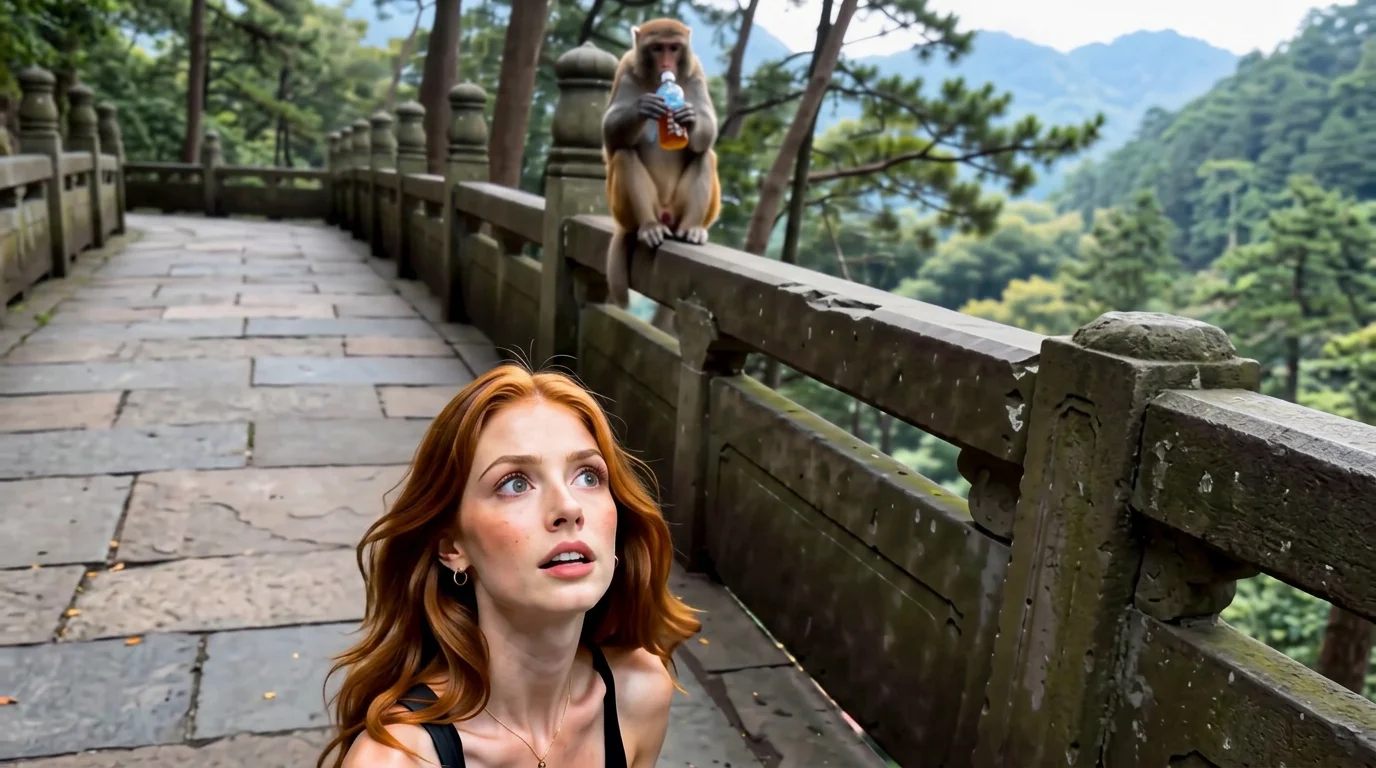
A thirsty monkey reaches for water, misses — and a mightier monkey swipes it away. That is the official gag behind PixVerse’s Monkeys grab water to drink template (Template ID 420515013795264): one failed grab, one power move, fifteen seconds of primate slapstick from a single photo.
The official preview sticks to the prompt: the first monkey comes up empty at the water, then the powerful second monkey barges through and claims the drink. Upload your portrait or pet photo and you land right in the middle of the showdown.
See It In Action
What Is the Thirsty Monkey Showdown Template?
Thirsty Monkey Showdown is our alternate guide to the official Monkeys grab water to drink PixVerse image-to-video template. You upload one photo; PixVerse V6 generates a 15-second vertical video. You do not write a prompt — the template prompt is locked, so every generation keeps the same failed-grab-then-snatch structure.
Template details
| Field | Value |
|---|---|
| Template name | Monkeys grab water to drink |
| Template ID | 420515013795264 |
| Output | Video |
| Model | PixVerse V6 |
| Input | 1 photo |
| Duration | 15 seconds |
| Quality | 360p / 540p / 720p / 1080p |
| Audio | Included |
| Custom prompt | Off |
| Launched | Aug 23 2026 |
How it works
- Upload one photo — a front-facing portrait or pet close-up fits best
- Select Monkeys grab water to drink — search the name in PixVerse templates, or use Template ID
420515013795264 - Generate — PixVerse V6 stages the failed grab and the snatch automatically
- Download and share — export the 15-second clip for TikTok, Reels, or Shorts
What’s in the Official Preview
The preview is a two-beat water joke, exactly as the prompt describes:
- A thirsty first monkey lunging at the water — and failing
- A stronger second monkey cutting in to seize the drink
- The rivalry playing out around your uploaded subject
- Vertical portrait-ish framing at 816x1104 with soundtrack included
Nothing else crowds the frame: the whole fifteen seconds serve the grab-versus-snatch rivalry.
How to Create Your Thirsty Monkey Showdown Video
Step 1: Choose a photo
Pick a bright, sharp shot with the face fully visible. Reaction-style expressions pair well with the snatch moment.
Step 2: Open PixVerse
Visit PixVerse on web or in the app, then open the template library.
Step 3: Find Monkeys grab water to drink
Search Monkeys grab water to drink or look under newly launched templates. Confirm Template ID 420515013795264.
Step 4: Generate
Upload the photo and generate. The template does not accept a custom prompt, so there is nothing to type.
Tips
- Keep it to one subject so the rivalry stays readable
- Sharp, high-resolution uploads survive the animal-scene restaging best
- Try a pet photo — animals blend straight into the monkey scene
- Pick 1080p on export for the crispest water and fur detail
Frequently Asked Questions (FAQ)
Q: Is this the same template as Monkeys Grab Water to Drink?
A: Yes. Same Template ID 420515013795264, same prompt and assets — this page is a separately written guide to it.
Q: How long is the video? A: 15 seconds, generated with PixVerse V6.
Q: What quality is available? A: 360p, 540p, 720p, and 1080p.
Q: How many photos do I upload? A: One. This is a single-image template.
Q: Is there audio? A: Yes. Audio is included in the output.
Ready for the thirstiest showdown on your feed? Open PixVerse, search Monkeys grab water to drink, and generate from one photo.
Related templates:
- Monkeys Grab Water to Drink — the main guide to the same water-snatching gag
- Welcome to My Magical World — step into a magic realm from a full-body photo
- Orchestra Day with Cats — perform on stage with a cat orchestra
- Wash Dishes in the Toilet — funny pet toilet gag
- Little Gymnast — turn any photo into a tiny gymnast video