MJ Dance: Generate MJ Dance Style Videos from One Photo
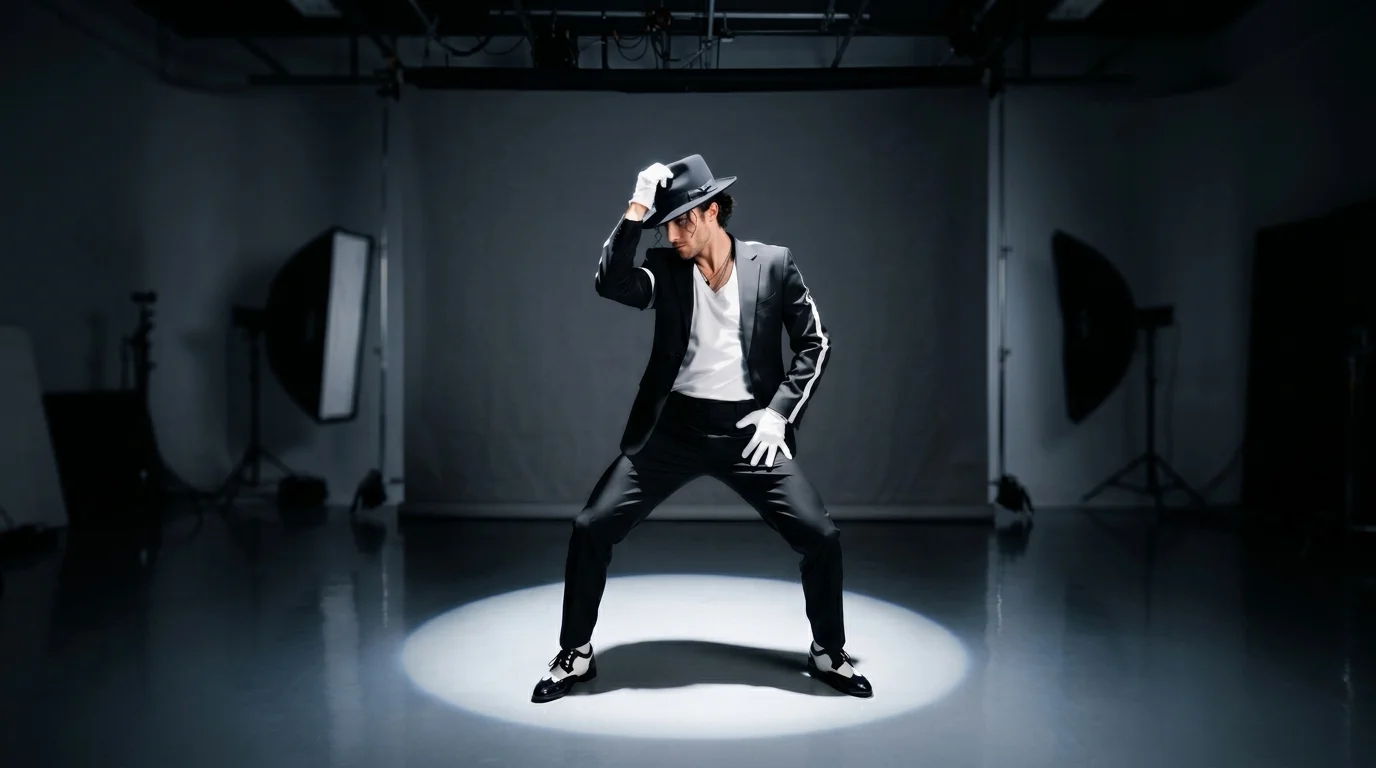
Upload photos to generate MJ dance style videos! That is the official prompt for PixVerse’s MJ Dance template — a V6 image-to-video effect that restages your subject in a spotlight dance performance look.
The official preview shows a full-body dancer under a circular stage light: black fedora, black jacket with white sleeve stripe, white gloves, black pants, and black-and-white shoes on a dark studio floor.
See It In Action
What Is the MJ Dance Template?
MJ Dance is a PixVerse image-to-video template. Upload one photo; PixVerse V6 generates a 10-second vertical video. Custom prompts are off.
Template details
| Field | Value |
|---|---|
| Template name | MJ Dance |
| Template ID | 415265487980480 |
| Output | Video |
| Model | PixVerse V6 |
| Input | 1 photo |
| Duration | 10 seconds |
| Quality | 360p / 540p / 720p / 1080p |
| Audio | Included |
| Custom prompt | Off |
| Launched | Jul 24 2026 |
How it works
- Upload one photo
- Select MJ Dance — Template ID
415265487980480 - Generate
- Download up to 1080p
What’s in the Official Preview
The sample is a spotlight dance stage:
- Classic performance pose with hat brim grip and hand on hip
- Black jacket, white gloves, and two-tone dance shoes
- Strong overhead spotlight circle on a dark studio floor
- Clean grey backdrop with theatrical contrast
It is built for dance challenges, stage-look edits, and short-form performance clips.
How to Create Your MJ Dance Video
Step 1: Choose a photo
Use a well-lit portrait or full-body shot where the face and body silhouette are clear.
Step 2: Open PixVerse
Visit PixVerse.
Step 3: Find MJ Dance
Search MJ Dance. Confirm Template ID 415265487980480. The Chinese title is MJ 舞姿.
Step 4: Generate
Upload and generate. You do not write a custom prompt.
Tips
- One subject per photo
- Standing poses translate cleanly into the dance stance
- Export 1080p to keep glove and shoe detail sharp
- Pair with Selfie in the basement for a second performance-style clip
Frequently Asked Questions (FAQ)
Q: Do I need to write a prompt? A: No. Custom prompts are off.
Q: How long is the video? A: 10 seconds.
Q: Is audio included? A: Yes.
Q: How many photos do I upload? A: One.
Q: What resolutions are available? A: 360p, 540p, 720p, and 1080p.
Ready to try MJ Dance? Open PixVerse, search MJ Dance, and generate from one photo.
Related templates:
- Selfie in the basement — superpower selfie in an empty corner
- Hat Off, Hero Rise — person or pet becomes a superhero
- Kiss me — heart-fluttering cuddle in one tap
- Little Gymnast — tiny gymnast on the rings