Mini Me Unboxed: Turn Any Photo into a Collectible Figure
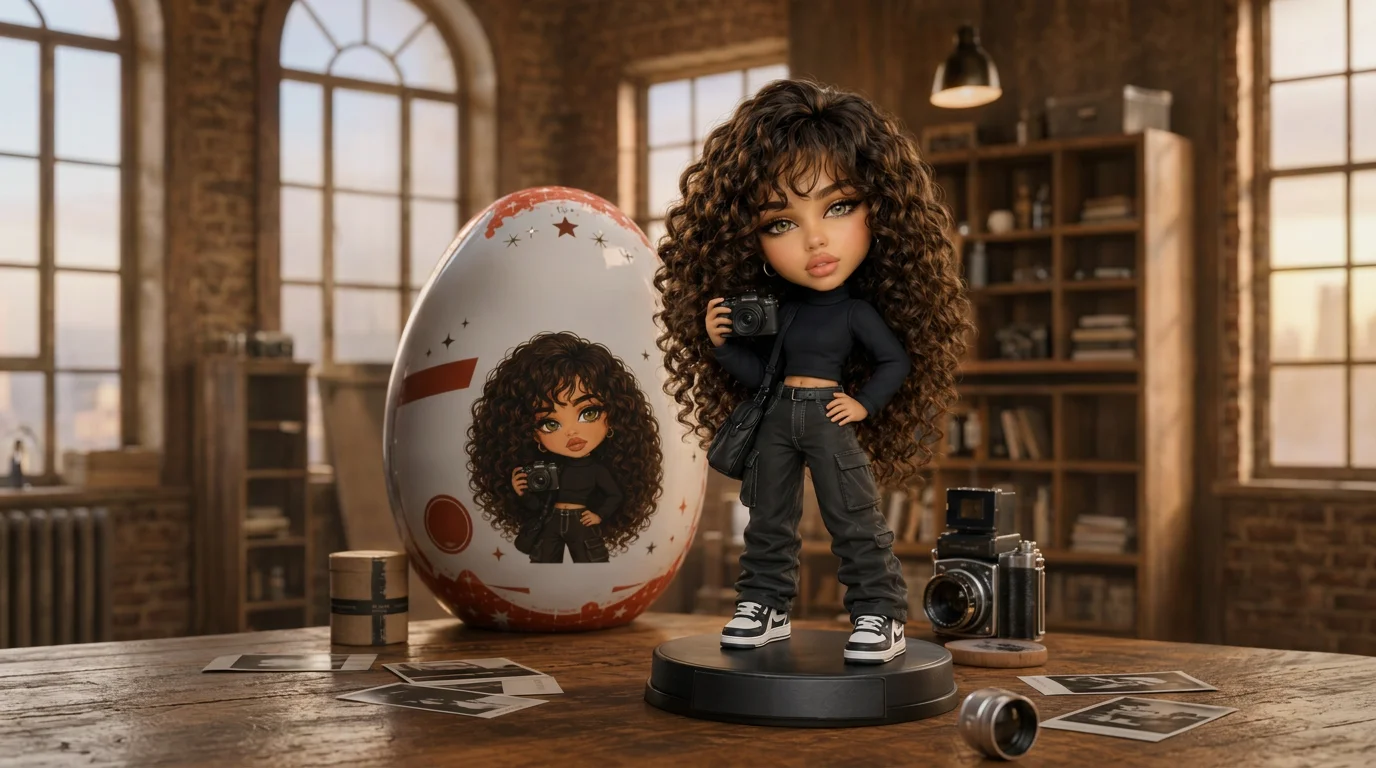
Upload a photo to create your own collectible surprise figure. That is the official prompt for PixVerse’s Mini Me Unboxed template — a viral 5-second V6 effect that unboxes a personalized miniature designer figure.
The official preview shows hands opening a metallic foil blind-bag packaging to reveal a cute, detailed 3D miniature figurine that replicates the subject’s outfit, hairstyle, and expression.
See It In Action
What Is the Mini Me Unboxed Template?
Mini Me Unboxed is an engaging PixVerse image-to-video template powered by PixVerse V6. You upload one photo; PixVerse V6 generates a 5-second vertical unboxing video. Custom prompts are locked to keep the blind-box unboxing sequence consistent.
Template details
| Field | Value |
|---|---|
| Template name | Mini Me Unboxed |
| Template ID | 414714760096768 |
| Output | Video |
| Model | PixVerse V6 |
| Input | 1 photo |
| Duration | 5 seconds |
| Quality | 360p / 540p / 720p / 1080p |
| Audio | Included |
| Custom prompt | Off |
| Launched | Jul 21 2026 |
How it works
- Upload one photo — a clear portrait or well-lit shot works best
- Select Mini Me Unboxed — search the name in PixVerse templates, or use Template ID
414714760096768 - Generate — PixVerse V6 applies the effect automatically
- Download and share — export the clip for TikTok, Reels, or Shorts
What’s in the Official Preview
- Exciting blind-box foil bag tear-open animation with realistic hand interaction
- Customized 3D collectible designer figure capturing your unique look
- Smooth plastic and resin figurine finishes with vivid colors and glossy eyes
- Short, punchy 5-second video format optimized for viral TikTok and Reels shares
How to Create Your Mini Me Unboxed Video
Step 1: Choose a photo
Use a clear, front-facing portrait. Expressive facial features and recognizable outfits produce the most charming toy replica.
Step 2: Open PixVerse
Visit PixVerse on web or in the app, then open the template library.
Step 3: Find Mini Me Unboxed
Search Mini Me Unboxed or look under newly launched templates. Confirm Template ID 414714760096768.
Step 4: Generate
Upload your photo and generate. The blind-box unboxing animation is created automatically.
Tips
- Well-lit portraits keep facial features accurate on the miniature toy
- Distinctive accessories like glasses, hats, or jewelry carry over beautifully
- Great for toy collectors, birthday surprise videos, and avatar reveals
- Download in 1080p for crisp unboxing foil reflections and toy details
Frequently Asked Questions (FAQ)
Q: Do I need to write a prompt? A: No. Mini Me Unboxed has custom prompts turned off. Upload one photo and generate.
Q: How long is the video? A: 5 seconds, generated with PixVerse V6.
Q: What quality is available? A: 360p, 540p, 720p, and 1080p.
Q: How many photos do I upload? A: One photo. This is a single-image template.
Q: Can I use photos of children or friends? A: Yes, it creates a wonderful personalized surprise gift video for friends and family.
Ready to unbox your miniature surprise? Open PixVerse, search Mini Me Unboxed, and generate from one photo.
Related templates:
- Blocky Mini-Me — collectible block-twin miniature figurine
- Cat Studio Director — whimsical movie director fantasy with kitten crew
- The Infinite Trampoline — surreal plunge into an endless coral reef
- Little Gymnast — tiny gymnast on the rings