Mini Home Run: Hit a Tiny Baseball Shot with PixVerse AI
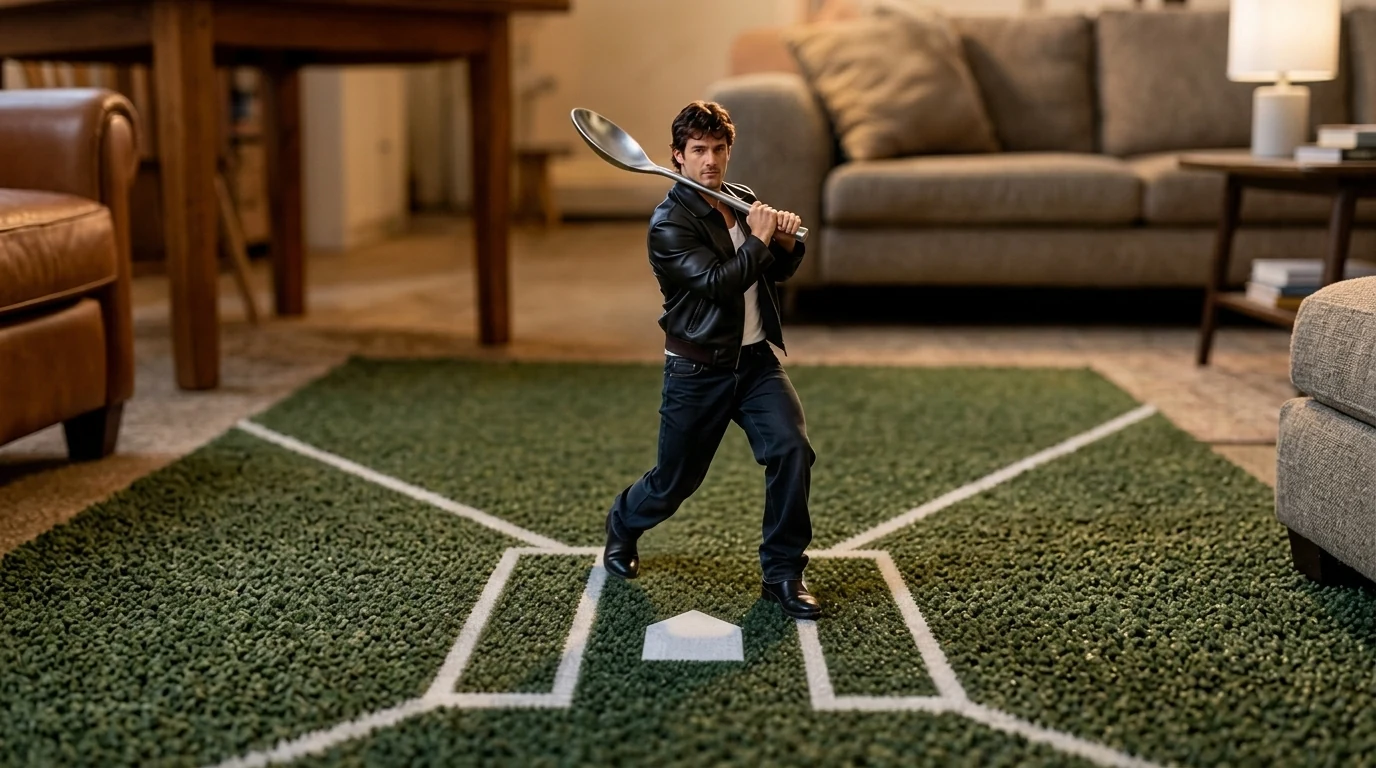
Upload your photo and hit a mini home run. Mini Home Run is a newly launched PixVerse V6 template that drops a tiny version of you into a living room turned baseball field — carpet for grass, a spoon for a bat, a sugar cube for the ball.
The official preview starts on a close portrait, then cuts to the swing: the subject in a leather jacket, standing in a batting stance on a green rug marked like a batter’s box, spoon cocked as a bat. One photo, 8 seconds, soundtrack included.
See It In Action
What Is the Mini Home Run Template?
This is a miniature sports effect, not a stadium overlay. PixVerse V6 keeps your face and restages the body at toy scale inside a normal room.
Template details
| Field | Value |
|---|---|
| Template name | Mini Home Run |
| Template ID | 422336456343168 |
| Output | Video |
| Model | PixVerse V6 |
| Input | 1 photo |
| Duration | 8 seconds |
| Quality | 360p / 540p / 720p / 1080p |
| Audio | Included |
| Custom prompt | Off |
| Launched | Sep 02 2026 |
How it works
- Upload one photo
- Select Mini Home Run — Template ID
422336456343168 - Generate
- Download up to 1080p
What’s in the Official Preview
The sample is a living-room at-bat:
- Close-up of the uploaded face, then a pull-back to tiny scale
- Green carpet painted like a baseball batter’s box and home plate
- A metal spoon used as a bat
- A white cube (sugar / marshmallow) as the ball in flight
- Sofa, coffee table, and indoor lighting in the background
It is the baseball entry in the same miniature-sports wave as Toothpick Labels, Little Gymnast, and Little Fencer.
How to Create Your Mini Home Run Video
Step 1: Choose a photo
Use a well-lit portrait. The template holds a close-up of the face, then shrinks the full body for the swing, so both identity and silhouette matter.
Step 2: Open PixVerse
Visit PixVerse.
Step 3: Find the template
Search Mini Home Run. The Chinese title is 迷你本垒打.
Step 4: Generate
Upload and generate. You cannot rewrite the scene with a custom prompt.
Tips
- One person per photo
- A visible torso helps the batting stance
- Export 1080p to keep carpet and spoon detail
- Pair with Toothpick Labels for a two-clip tabletop sports set
Frequently Asked Questions (FAQ)
Q: What do I upload? A: One photo. The template is a single-image effect.
Q: How long is the clip? A: 8 seconds.
Q: Is there audio? A: Yes.
Q: Can I set the ballpark in a prompt? A: No. Custom prompts are off. The living-room mini field is fixed.
Q: What resolutions are available? A: 360p, 540p, 720p, and 1080p.
Ready to hit a mini home run? Open PixVerse and search Mini Home Run.
Related templates:
- Toothpick Labels — tabletop lane and fruit
- Little Fencer — tiny fencing portrait
- Curling in the Sink — kitchen-sink sport
- Little Gymnast