Milkshake: Relive a 1950s Summer Diner Scene with AI
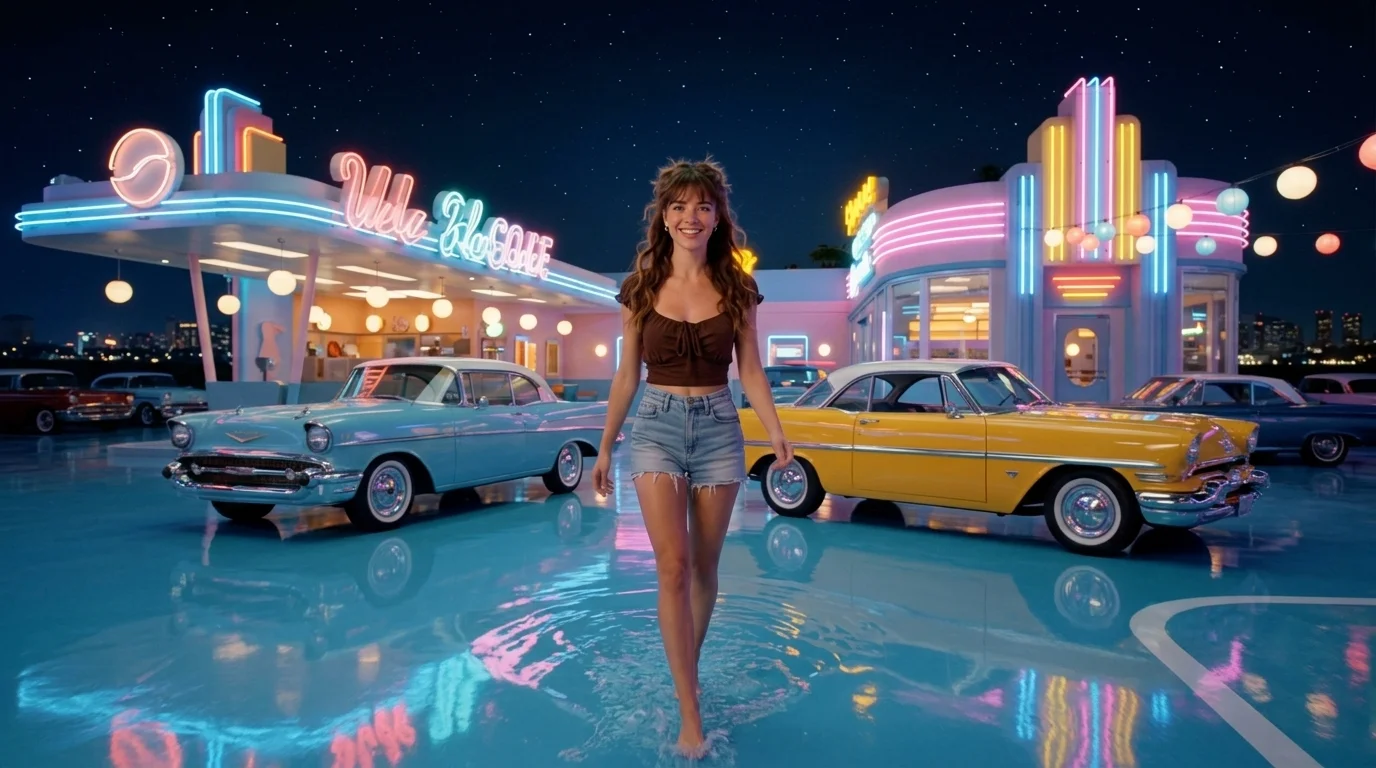
Experience your summer in the 1950s with a milkshake. That is the official prompt for PixVerse’s newly launched Milkshake template — a single-photo PixVerse V6 video effect that brings your subject to life.
The official preview showcases a vivid scene rendered in full motion, delivering crisp visuals and engaging pacing. The same one-click creation flow works seamlessly with a portrait of you, a friend, family member, or a pet.
See It In Action
What Is the Milkshake Template?
Milkshake is a new PixVerse image-to-video template. You upload one photo; PixVerse PixVerse V6 generates a 12-second video clip. You do not need to write a prompt — the template prompt is locked so the resulting effect stays consistent.
Template details
| Field | Value |
|---|---|
| Template name | Milkshake |
| Template ID | 406211721077228 |
| Output | Video |
| Model | PixVerse V6 |
| Input | 1 photo |
| Duration | 12 seconds |
| Quality | 360p / 540p / 720p / 1080p |
| Audio | Included |
| Custom prompt | Off |
| Launched | Jul 28 2026 |
How it works
- Upload one photo — a clear portrait or well-lit shot works best
- Select Milkshake — search the name in PixVerse templates, or use Template ID
406211721077228 - Generate — PixVerse PixVerse V6 applies the effect automatically
- Download and share — export your 12-second clip ready for TikTok, Reels, or Shorts
What’s in the Official Preview
The official template preview delivers a rich visual experience with dedicated motion styling:
- Dynamic subject staging that preserves the character of your uploaded photo
- Thematic background environment aligned with the official scene
- Fluid camera work and motion tailored for short-form video feeds
- High-fidelity textures, lighting, and color grading
The effect is optimized for high visual impact: your original photo retains its identity while transforming into a polished AI video.
How to Create Your Milkshake Video
Step 1: Choose a photo
Use a well-lit image where the subject is clear and in focus. Front-facing portraits, full-body shots, and pet photos all match the template style.
Step 2: Open PixVerse
Visit PixVerse on web or open the mobile app, then go to the template library.
Step 3: Find Milkshake
Search Milkshake in the template search bar or find it under recently launched templates. Confirm Template ID 406211721077228.
Step 4: Generate
Upload your selected photo and click generate. The template does not require a custom prompt, making the process fast and effortless.
Tips
- Use one main subject per photo for the cleanest output
- High-resolution source images ensure sharper details in the final video
- Try different subjects (portraits, pets, or cosplay) for creative variations
- Export in 1080p for the best quality across social platforms
Frequently Asked Questions (FAQ)
Q: Do I need to write a prompt? A: No. Milkshake has custom prompts turned off. Upload one photo and generate.
Q: How long is the video? A: 12 seconds, generated with PixVerse V6.
Q: What qualities are available? A: 360p, 540p, 720p, and 1080p.
Q: How many photos do I upload? A: One photo. This is a single-image template.
Q: Can I use a pet photo? A: Yes. The template works well with both human portraits and pets.
Ready to try Milkshake? Open PixVerse, search Milkshake, and generate from one photo.
Related templates:
- Ice Paradise — step into a colorful candy and ice cream fantasy
- Frozen Treasure — discover icy tropical treats and frozen treasures in the jungle
- WATER SKIING LAKE — glide across a sunny summer lake on water skis
- Little Gymnast — tiny gymnast on the rings