Love Scenario Hand Dance: Copy the Viral Gesture Dance
Come and imitate this gesture dance. That is the official prompt for PixVerse’s newly launched Love Scenario hand dance template — a one-photo V6 effect that drops you into the viral hand-gesture routine.
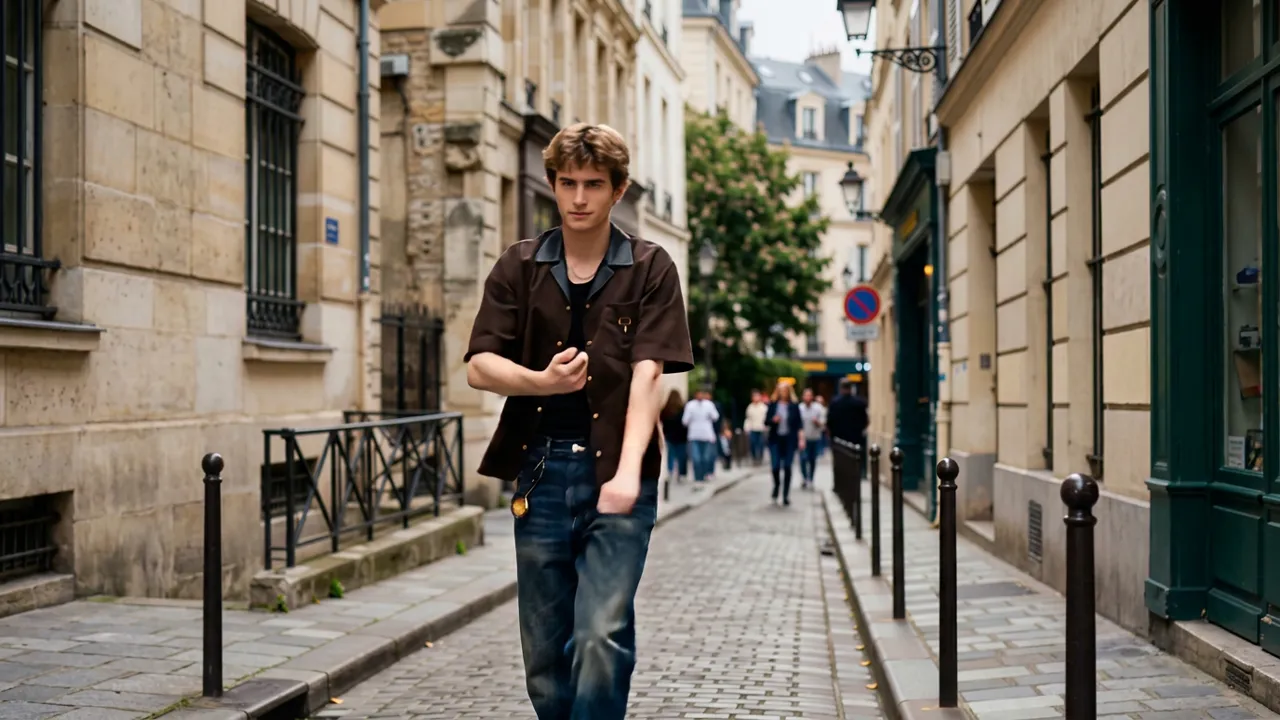
The official preview shows a young man mid-routine on a cobblestone street lined with classic European buildings, hands flowing through the signature gestures. The same one-click flow works with a photo of you or a friend.
See It In Action
What Is the Love Scenario hand dance Template?
Love Scenario hand dance is a new PixVerse image-to-video template. You upload one photo; PixVerse V6 generates a 9-second vertical video with built-in music. You do not write a prompt — the template prompt is locked, so the effect stays consistent.
Template details
| Field | Value |
|---|---|
| Template name | Love Scenario hand dance |
| Template ID | 420012242736448 |
| Output | Video |
| Model | PixVerse V6 |
| Input | 1 photo |
| Duration | 9 seconds |
| Quality | 360p, 540p, 720p, 1080p |
| Audio | Built-in music |
| Custom prompt | Off |
| Launched | Aug 20 2026 |
How it works
- Upload one photo — a clear full-body or upper-body shot works best
- Select Love Scenario hand dance — search the name in PixVerse templates, or use Template ID
420012242736448 - Generate — PixVerse V6 applies the effect automatically
- Download and share — export the 9-second clip for TikTok, Reels, or Shorts
What’s in the Official Preview
The template preview is a street-style dance cover:
- A dancer flowing through crisp hand gestures mid-routine
- A cobblestone street with classic European facades behind
- Casual streetwear styling that fits the viral trend
- Your uploaded face stays recognizable while the scene gives you the choreography
No dance skills required — the template supplies the moves.
How to Create Your Love Scenario hand dance Video
Step 1: Choose a photo
Use a well-lit shot where your face and hands are clear. Full-body shots match the street-dance staging best.
Step 2: Open PixVerse
Visit PixVerse on web or in the app, then open the template library.
Step 3: Find Love Scenario hand dance
Search Love Scenario hand dance or look under newly launched templates. Confirm Template ID 420012242736448.
Step 4: Generate
Upload the photo and generate. The template does not accept a custom prompt, so you do not need to describe the scene.
Tips
- Use one subject per photo for the cleanest choreography
- A plain background keeps the hand gestures crisp
- High-resolution images keep facial features sharp while dancing
- The output is vertical with music, ready for short-form platforms
Frequently Asked Questions (FAQ)
Q: Do I need to write a prompt? A: No. Love Scenario hand dance has custom prompts turned off. Upload one photo and generate.
Q: How long is the video? A: 9 seconds, generated with PixVerse V6.
Q: What quality is available? A: 360p, 540p, 720p, and 1080p.
Q: How many photos do I upload? A: One. This is a single-image template.
Q: Do I need to know the dance? A: No. The template choreographs the gesture routine for you — just upload a clear photo and generate.
Ready to join the gesture-dance trend? Open PixVerse, search Love Scenario hand dance, and generate from one photo.
Related templates:
- Pet Dance Trainee — your furry baby as a dance trainee
- Eating and Drinking in Slow Motion — slow-motion eating and drinking moments
- Hercules Strength — split bricks with bare hands
- Little Gymnast — tiny gymnastics counterpart