Little Fencer: Turn Any Photo into a Tiny Fencing Video
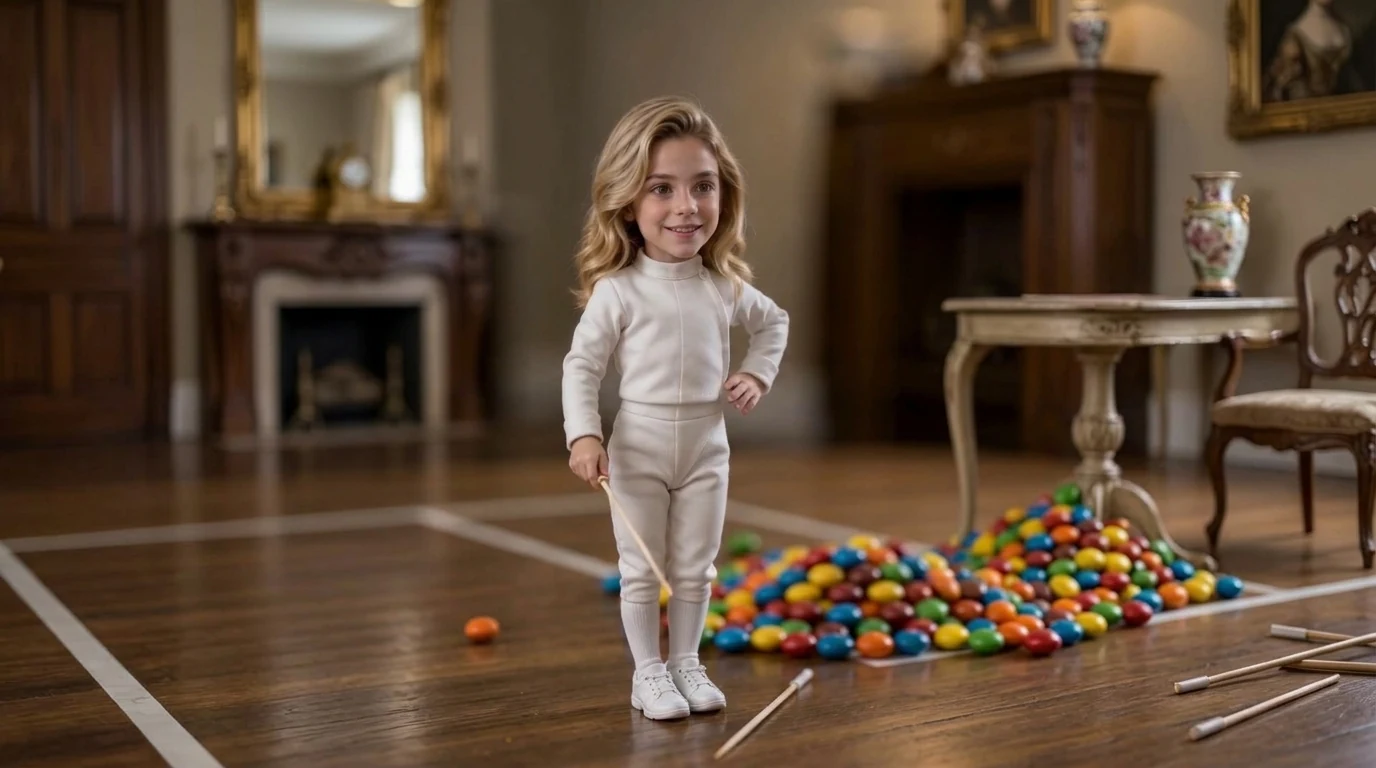
Upload your photo and become a little fencer. PixVerse’s new Little Fencer template takes a single portrait and returns a 9-second V6 video of your subject as a tiny fencer — white suit, foil in hand, standing on a wooden floor that reads like a miniature piste.
The official preview shows a small fencer in a full white uniform and sneakers, smiling at camera, with a second foil on the floor and a pile of colorful candy-like balls behind them. One photo is enough. No prompt writing required.
See It In Action
What Is the Little Fencer Template?
Little Fencer is a newly launched PixVerse image-to-video template. It is the fencing counterpart to Little Gymnast: upload one photo, keep the face, and restage the body as a tiny athlete.
Template details
| Field | Value |
|---|---|
| Template name | Little Fencer |
| Template ID | 422341539767936 |
| Output | Video |
| Model | PixVerse V6 |
| Input | 1 photo |
| Duration | 9 seconds |
| Quality | 720p |
| Custom prompt | Off |
| Launched | Sep 02 2026 |
How it works
- Upload one photo — a clear face is the most important input
- Select Little Fencer — search the name, or use Template ID
422341539767936 - Generate — PixVerse V6 builds the tiny fencing scene
- Share — the clip is vertical 720p, sized for short-form video
What’s in the Official Preview
The sample is a miniature fencing portrait, not a live bout overlay:
- White fencing jacket, pants, socks, and sneakers
- A thin foil held in the right hand
- A second foil lying on the wooden floor
- A pile of bright, candy-colored balls in the background
- A warm indoor setting with a marked floor line
Your uploaded features stay on a tiny body dressed for fencing. The template is built for the same miniature-world series as Little Gymnast, Mini Home Run, and Toothpick Labels.
How to Create Your Little Fencer Video
Step 1: Choose a photo
Pick a well-lit portrait. Front-facing shots keep the smile and eyes readable after the shrink.
Step 2: Open PixVerse
Go to PixVerse and open the template library.
Step 3: Find Little Fencer
Search Little Fencer among new templates, or match Template ID 422341539767936.
Step 4: Generate
Upload and generate. Custom prompts are disabled, so the fencing look stays on-template.
Tips
- One subject per frame gives a cleaner tiny-fencer result
- High-resolution portraits preserve face identity
- Pair it with Little Gymnast for a two-sport series
- Output is 9 seconds at 720p
Frequently Asked Questions (FAQ)
Q: Do I write my own prompt? A: No. Little Fencer has custom prompts turned off.
Q: How long is the clip? A: 9 seconds, on PixVerse V6.
Q: What quality can I export? A: 720p.
Q: How many images are required? A: One photo.
Q: Is this the same as Little Gymnast? A: Same miniature-athlete idea, different sport. Gymnast uses rings and a gym mat; Fencer uses a white suit and foil.
Ready to become a little fencer? Open PixVerse, search Little Fencer, and generate from one photo.
Related templates:
- Little Gymnast — tiny rings and gym mat
- Mini Home Run — miniature baseball swing
- Curling in the Sink — kitchen-sink winter sport
- Become an Astronaut — photorealistic suit transformation