La Tomatina: Join Spain's Flying Tomato Festival with AI
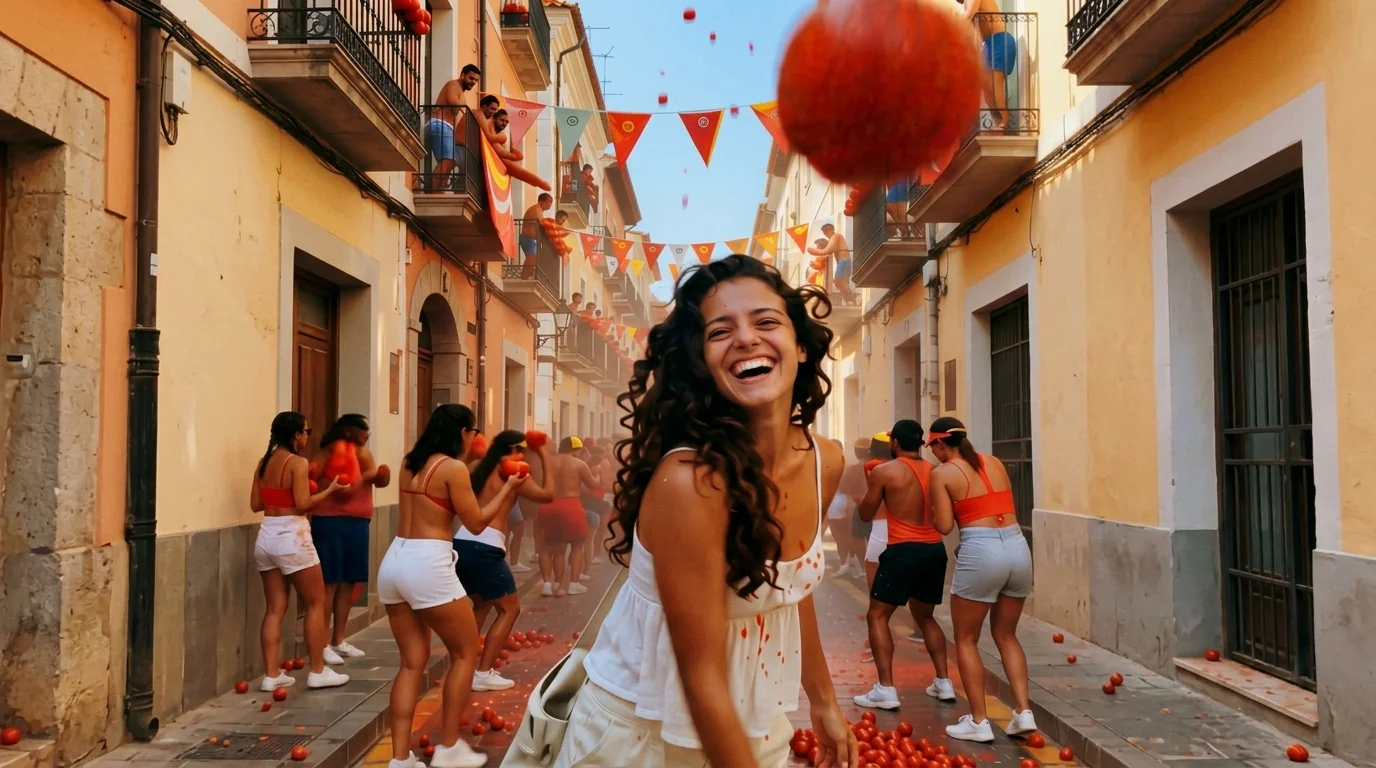
Celebrate Spain’s famous tomato festival as tomatoes fly everywhere in a chaotic and fun summer. That is the official prompt for PixVerse’s energetic LA TOMATINA template — a 15-second V6 effect that drops your subject directly into the legendary Buñol street battle of crushed red tomatoes.
The official preview captures a jubilant participant right in the middle of the famous Spanish town square as ripe red tomatoes whiz through the air, splattering playfully amidst cheering crowds. The same one-click flow works with your portrait, a picture of friends, or a fun group shot.
See It In Action
What Is the LA TOMATINA Template?
LA TOMATINA is an explosive festival celebration template powered by PixVerse V6. You upload one photo; PixVerse V6 generates a 15-second vertical video recreating the joyous chaos of Spain’s iconic tomato-throwing holiday. You do not write a prompt — the flying tomato trajectories and festive energy are locked for authentic festival fun.
Template details
| Field | Value |
|---|---|
| Template name | LA TOMATINA |
| Template ID | 414247793730016 |
| Output | Video |
| Model | PixVerse V6 |
| Input | 1 photo |
| Duration | 15 seconds |
| Quality | 360p / 540p / 720p / 1080p |
| Audio | Included |
| Custom prompt | Off |
| Launched | Jul 28 2026 |
How it works
- Upload one photo — a clear portrait or well-lit photo works best
- Select LA TOMATINA — search the name in PixVerse templates, or use Template ID
414247793730016 - Generate — PixVerse V6 applies the effect automatically
- Download and share — export the 15-second clip for TikTok, Reels, or Shorts
What’s in the Official Preview
The template preview showcases a polished, cohesive scene built around the official prompt:
- Crowded Spanish town square alive with cheering festivalgoers and flying tomatoes
- Dynamic red tomato splash effects, squishing impacts, and flying food particles
- Vibrant Mediterranean summer sunshine illuminating the festive street chaos
- Sharp facial preservation showing joyful reactions amidst the red splashes
The template brings the world’s messiest and most joyful cultural festival right to your photos: enjoy the thrill of La Tomatina with zero cleanup required.
How to Create Your LA TOMATINA Video
Step 1: Choose a photo
Use a front-facing portrait or upper-body photo with a bright smile or energetic expression. White T-shirts or casual summer tops fit the festival tradition.
Step 2: Open PixVerse
Visit PixVerse on web or in the app, then open the template library.
Step 3: Find LA TOMATINA
Search LA TOMATINA or browse newly launched templates. Confirm Template ID 414247793730016.
Step 4: Generate
Upload the photo and generate. The template does not accept a custom prompt, so you do not need to describe the scene.
Tips
- A white or light-colored shirt matches the traditional attire worn at La Tomatina
- An expressive, laughing face makes the flying tomato battle feel spontaneous and real
- High-resolution photos keep your eyes and smile sharp through flying tomato splashes
- Download in 1080p for vivid red colors and energetic motion on TikTok and Reels
Frequently Asked Questions (FAQ)
Q: Do I need to write a prompt? A: No. LA TOMATINA has custom prompts turned off. Upload one photo and generate.
Q: How long is the video? A: 15 seconds, generated with PixVerse V6.
Q: What quality is available? A: 360p / 540p / 720p / 1080p.
Q: How many photos do I upload? A: One. This is a single-image template.
Q: Does the video include sound or music? A: Yes. The video includes upbeat Spanish fiesta brass music and the cheering sounds of festival crowds.
Ready to join the tomato festival? Open PixVerse, search LA TOMATINA, and generate from one photo.
Related templates:
- Night Market — step into a glowing street food evening market
- Summer Combustion — ignite fiery energy as temperatures rise
- Paradise Jump — dive into sun-soaked summer ocean waters
- Little Gymnast — tiny gymnast on the rings