Hot Dance in Dance Studio: Turn Pets into Studio Dancers on PixVerse
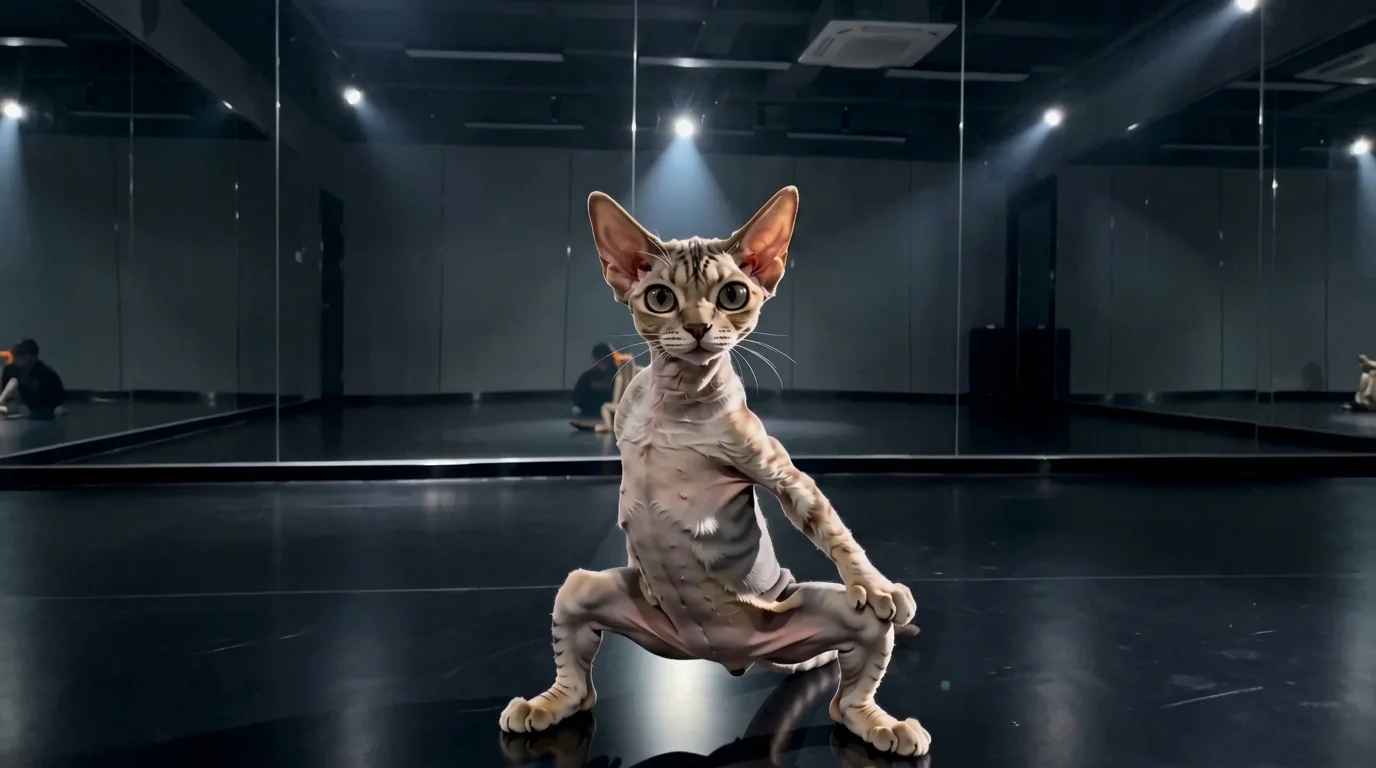
Upload a photo of your pet, and you can watch it dance hotly. That is the official prompt for PixVerse’s Hot Dance in Dance Studio template — an entertaining V6 effect that turns your pet into a dance studio sensation.
See It In Action
What Is the Hot Dance in Dance Studio Template?
Hot Dance in Dance Studio is an AI image-to-video template designed for pets. Upload a single photo to create an 11-second dance routine in a professional practice room, with upbeat audio included.
Template details
| Field | Value |
|---|---|
| Template name | Hot Dance in Dance Studio |
| Template ID | 420009645940032 |
| Output | Video |
| Model | PixVerse V6 |
| Input | 1 photo |
| Duration | 11 seconds |
| Quality | 360p / 540p / 720p / 1080p |
| Audio | Included |
| Custom prompt | Off |
| Launched | Aug 20 2026 |
How it works
- Upload one photo — a clear photo works best
- Select Hot Dance in Dance Studio — search the name in PixVerse templates, or use Template ID
420009645940032 - Generate — PixVerse V6 applies the effect automatically
- Download and share — export your video for TikTok, Reels, or Shorts
What’s in the Official Preview
- A pet standing on two legs performing enthusiastic, rhythmic hip-hop dance moves
- A mirror-lined dance studio backdrop with wooden floors and studio spotlights
- Precise motion tracking keeping pet facial characteristics hilarious and adorable
- Catchy, upbeat dance track perfectly timed to each dance beat
How to Create Your Hot Dance in Dance Studio Video
Step 1: Choose a photo
Full-body or sitting pet photos where the head and torso are clearly visible work best for generating upright dancing animations.
Step 2: Open PixVerse
Visit PixVerse on web or in the app, then open the template library.
Step 3: Find Hot Dance in Dance Studio
Search Hot Dance in Dance Studio or look under newly launched templates. Confirm Template ID 420009645940032.
Step 4: Generate
Upload the photo and generate. The template does not accept a custom prompt, so you do not need to describe the scene.
Tips
- Choose photos where your pet’s paws and facial features are unobscured
- Both cats and dogs yield hilarious and energetic dancing styles
- Contrasting backgrounds help isolate pet contours for smoother choreography
- Post the 11-second routine directly to TikTok or Reels for viral laughs
Frequently Asked Questions (FAQ)
Q: Do I need to write a prompt? A: No. Hot Dance in Dance Studio has custom prompts turned off. Upload one photo and generate.
Q: How long is the video? A: 11 seconds, generated with PixVerse V6.
Q: What quality is available? A: 360p / 540p / 720p / 1080p.
Q: How many photos do I upload? A: One. This is a single-image template.
Q: Can I use human photos instead of pets? A: While optimized for pets, you can upload human portraits or characters for equally funny dance results.
Ready to see your pet hit the dance floor? Open PixVerse, search Hot Dance in Dance Studio, and create your pet dance clip.
Related templates:
- Cute Makka Pakka Dance — adorable viral pet dance
- Don’t Take the Kitten’s Phone — hilarious pet phone tantrum
- Pet Perfume — luxury pet fragrance commercial
- Little Gymnast — miniature gymnast sports video