Heart Flutter Kiss: One Tap to Create a Kissing Moment
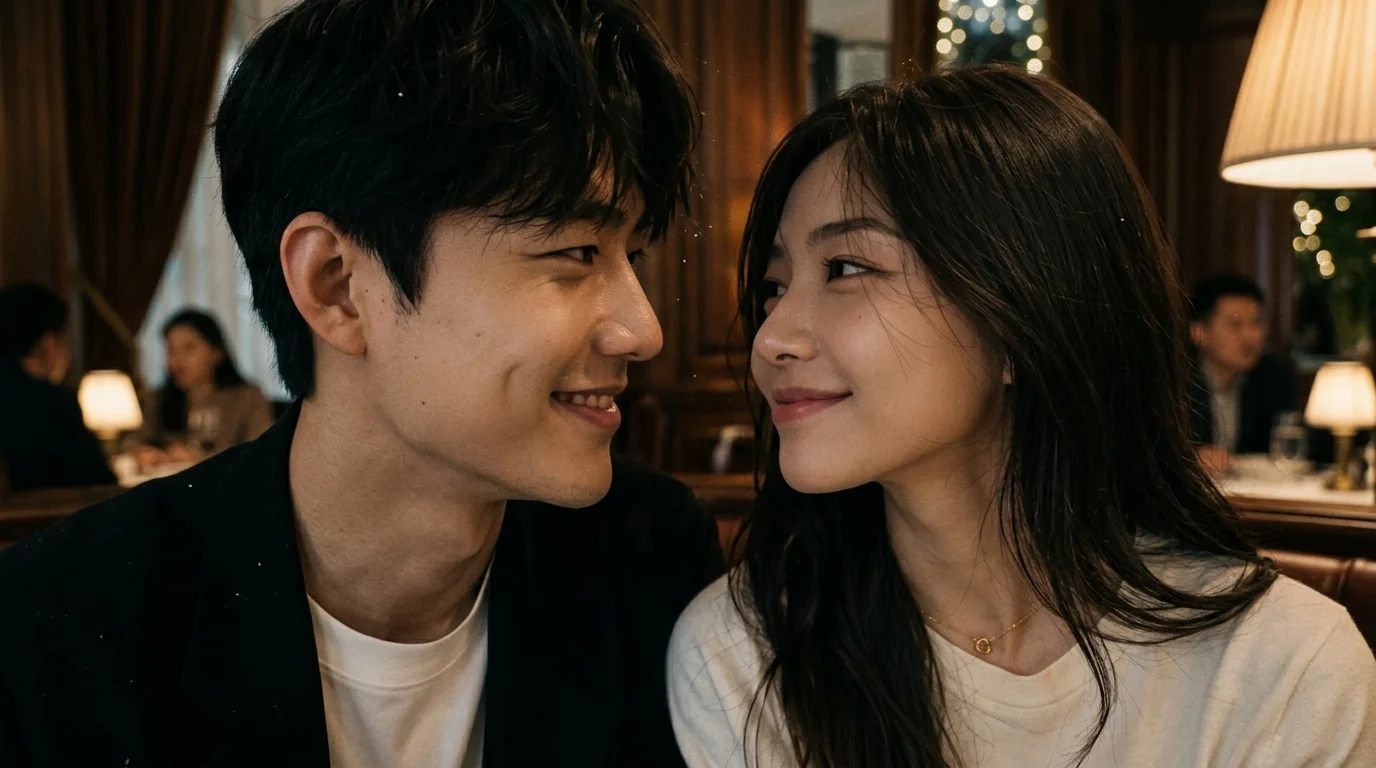
Two people in frame, one tap to create a kissing moment. That is the official prompt for PixVerse’s Heart Flutter Kiss template — a V6 image-to-video effect that turns a two-person photo into an 8-second romantic kiss clip.
The official preview shows a close couple facing each other in soft light: a man in a white tee under a dark jacket and a woman with long dark hair in a white top and a small heart pendant, foreheads nearly touching as they share a tender look.
See It In Action
What Is the Heart Flutter Kiss Template?
Heart Flutter Kiss is a PixVerse image-to-video template. You upload one photo with two people; PixVerse V6 generates an 8-second vertical video. Custom prompts are off, so the kissing-moment effect stays consistent.
Template details
| Field | Value |
|---|---|
| Template name | Heart Flutter Kiss |
| Template ID | 415619861650368 |
| Output | Video |
| Model | PixVerse V6 |
| Input | 1 photo |
| Duration | 8 seconds |
| Quality | 360p / 540p / 720p / 1080p |
| Audio | Included |
| Custom prompt | Off |
| Launched | Jul 26 2026 |
How it works
- Upload one photo — a clear two-person portrait works best
- Select Heart Flutter Kiss — search the name in PixVerse templates, or use Template ID
415619861650368 - Generate — PixVerse V6 applies the effect automatically
- Download and share — export up to 1080p for TikTok, Reels, or Shorts
What’s in the Official Preview
The sample is an intimate close-up kiss setup:
- Two people framed tightly, facing each other
- Soft neutral background and warm daylight
- Casual white tops with a small heart pendant detail
- A near-kiss / kissing-moment expression rather than a wide environment shot
The template is built for couple photos, duets, and romantic short-form posts.
How to Create Your Heart Flutter Kiss Video
Step 1: Choose a photo
Use a well-lit shot with two faces clearly visible and close together. Front-facing or three-quarter couple portraits match the official preview.
Step 2: Open PixVerse
Visit PixVerse on web or in the app, then open the template library.
Step 3: Find Heart Flutter Kiss
Search Heart Flutter Kiss or look under newly launched templates. Confirm Template ID 415619861650368. The Chinese title is 心动之吻.
Step 4: Generate
Upload the photo and generate. You cannot rewrite the scene with a custom prompt.
Tips
- Keep both faces unobstructed and similarly lit
- A tight crop of two people works better than a distant full-body shot
- Export 1080p if you want soft skin and pendant detail to stay sharp
- Pair with Kiss me for a second romantic clip in the same post
Frequently Asked Questions (FAQ)
Q: Do I need to write a prompt? A: No. Heart Flutter Kiss has custom prompts turned off. Upload one photo and generate.
Q: How long is the video? A: 8 seconds, generated with PixVerse V6.
Q: How many photos do I upload? A: One. The official prompt expects two people in that single frame.
Q: Is audio included? A: Yes.
Q: What resolutions are available? A: 360p, 540p, 720p, and 1080p.
Ready to create a kissing moment? Open PixVerse, search Heart Flutter Kiss, and generate from one photo.
Related templates:
- Kiss me — heart-fluttering cuddle in one tap
- Mini Social Recharge — mini-me recharged by social likes
- NPC, ME:MULTIPLIED — clone-crowd NPC multiplication clip
- Little Gymnast — tiny gymnast on the rings