GOALS Rush: Catch the Groove and Claim the Crown
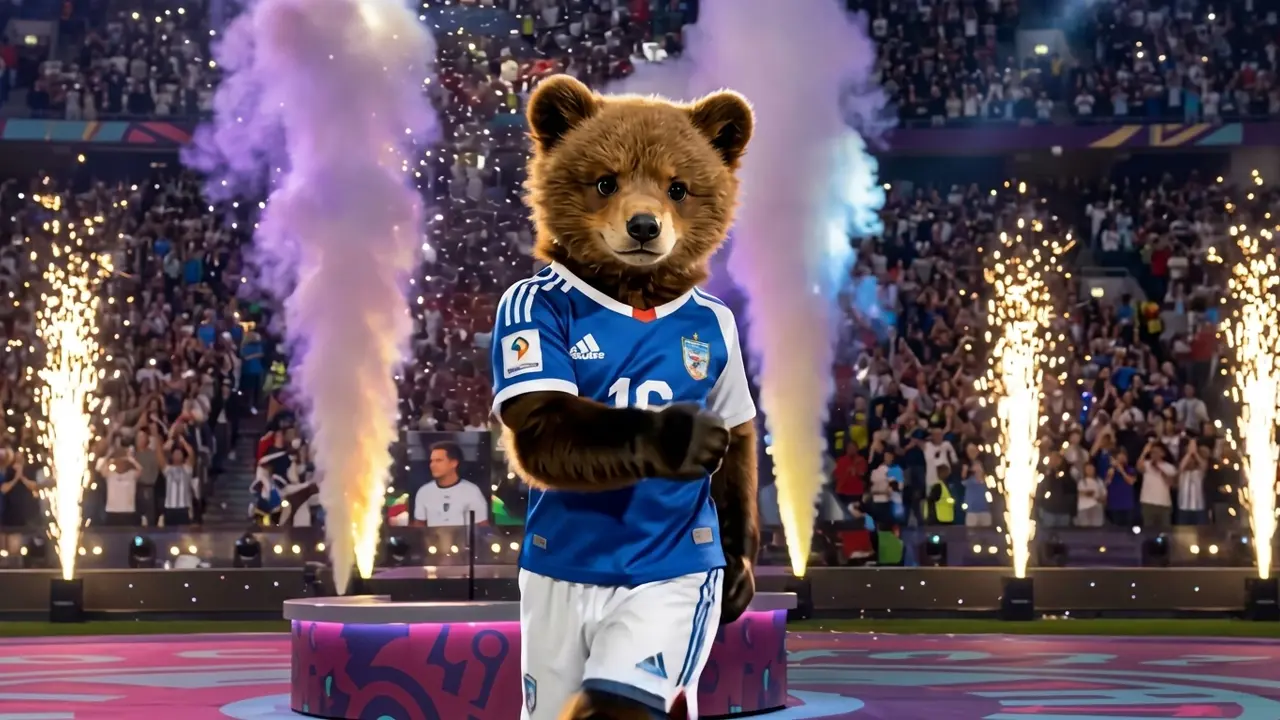
Catch the groove, claim the crown. Welcome to the GOALS Rush. That is the official prompt for PixVerse’s GOALS Rush! template — a single-photo V6 effect that brings your subject to life.
The official preview showcases a magnetic dancer owning the spotlight, delivering authoritative, rhythmic choreography that exudes championship energy. The same one-click flow works with your portrait, an athlete photo, or an avatar.
See It In Action
What Is the GOALS Rush! Template?
GOALS Rush! is an empowering choreography template powered by PixVerse V6. You upload one photo; PixVerse V6 generates a 15-second vertical video packed with confident dance sequences and celebratory rhythm. You do not write a prompt — the choreography is locked to provide a champion-worthy performance.
Template details
| Field | Value |
|---|---|
| Template name | GOALS Rush! |
| Template ID | 418081170308224 |
| Output | Video |
| Model | PixVerse V6 |
| Input | 1 photo |
| Duration | 15 seconds |
| Quality | 360p / 540p / 720p / 1080p |
| Audio | Included |
| Custom prompt | Off |
| Launched | Aug 09 2026 |
How it works
- Upload one photo — a clear portrait or well-lit photo works best
- Select GOALS Rush! — search the name in PixVerse templates, or use Template ID
418081170308224 - Generate — PixVerse V6 applies the effect automatically
- Download and share — export the 15-second clip for TikTok, Reels, or Shorts
What’s in the Official Preview
The template preview showcases a polished, cohesive scene built around the official prompt:
- Authoritative, high-energy dance choreography exuding winner confidence
- Full 15-second progression with dynamic body movements and turns
- Driving urban beat perfectly timed to powerful dance accents
- Consistent subject features preserved under vibrant stage lighting
The template gives your photos an undeniable aura of triumph: you step into the shoes of a superstar performer who owns every beat.
How to Create Your GOALS Rush! Video
Step 1: Choose a photo
Use a confident standing portrait with bold posture to amplify the championship feel of the choreography.
Step 2: Open PixVerse
Visit PixVerse on web or in the app, then open the template library.
Step 3: Find GOALS Rush!
Search GOALS Rush! or browse newly launched templates. Confirm Template ID 418081170308224.
Step 4: Generate
Upload the photo and generate. The template does not accept a custom prompt, so you do not need to describe the scene.
Tips
- Full-length photos ensure the full choreography and footwork look natural
- Sporty or glamorous attire elevates the winning aesthetic
- Strong lighting helps maintain sharp facial expressions during rapid moves
- Export at 1080p for pristine quality across all major social networks
Frequently Asked Questions (FAQ)
Q: Do I need to write a prompt? A: No. GOALS Rush! has custom prompts turned off. Upload one photo and generate.
Q: How long is the video? A: 15 seconds, generated with PixVerse V6.
Q: What quality is available? A: 360p / 540p / 720p / 1080p.
Q: How many photos do I upload? A: One. This is a single-image template.
Q: Does the video include sound or music? A: Yes. A driving high-energy soundtrack is integrated into the 15-second clip.
Ready to claim your crown on the dance floor? Open PixVerse, search GOALS Rush!, and generate from one photo.
Related templates:
- Scuba Dance — casual cool gestures and snappy rhythm
- Cavalona Dance — bring your flair to the spotlight
- K-Baseball Sprint — join the viral Korean baseball cheer
- Little Gymnast — tiny gymnast on the rings