Frozen Climb in the Bathtub: Tiny Ice Climbing AI Template
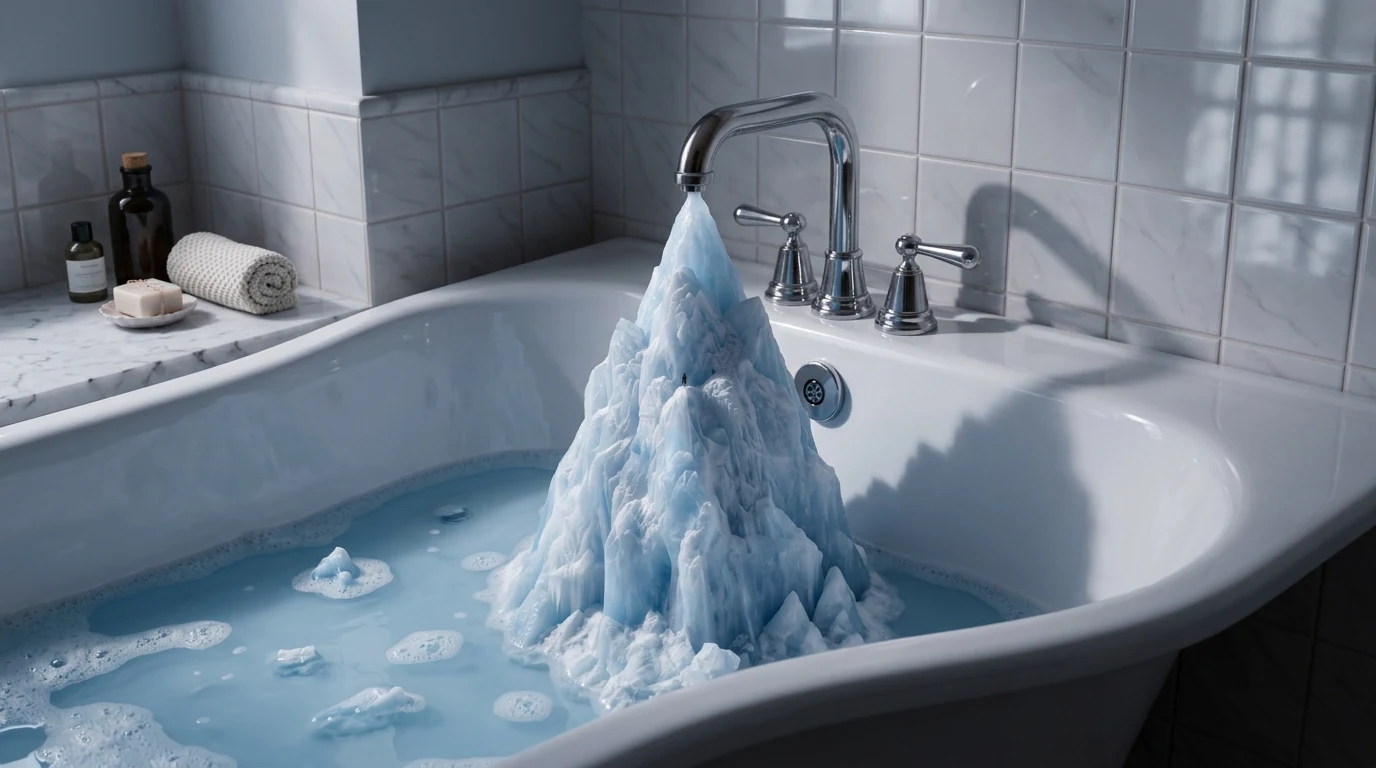
Upload your photo and take on a frozen climb inside the bathtub. Frozen Climb in the Bathtub is a new PixVerse V6 template that drops a tiny version of your subject onto an ice mountain growing out of a bathroom basin.
The official preview is a white tub, chrome faucet, and a jagged blue ice peak rising out of soapy water — with a tiny climber on the slope. One photo in, 9-second vertical video out, with the template soundtrack included.
See It In Action
What Is the Frozen Climb in the Bathtub Template?
This is a miniature-world image-to-video effect. PixVerse does not just freeze your portrait. It rebuilds the bathroom as a climbing wall: faucet, ice, bubbles, and a tiny climber that keeps your uploaded face.
Template details
| Field | Value |
|---|---|
| Template name | Frozen Climb in the Bathtub |
| Template ID | 422338046998144 |
| Output | Video |
| Model | PixVerse V6 |
| Input | 1 photo |
| Duration | 9 seconds |
| Quality | 360p / 540p / 720p / 1080p |
| Audio | Included |
| Custom prompt | Off |
| Launched | Sep 02 2026 |
How it works
- Upload one photo
- Select Frozen Climb in the Bathtub — or Template ID
422338046998144 - Generate on PixVerse V6
- Download up to 1080p
What’s in the Official Preview
The sample is a bathroom-scale alpine scene:
- A white bathtub with chrome faucet and handles
- A tall ice mountain forming under the tap
- Pale blue water and foam around the base
- A tiny climber on the ice face
- Cool daylight from a tiled wall behind the tub
It sits in the same newly launched miniature set as Toy Shark in the Bathtub, Curling in the Sink, and Toothpick Labels.
How to Create Your Frozen Climb Video
Step 1: Choose a photo
A clear face reads better at tiny scale. Full-body shots also work because the climber is seen from a distance.
Step 2: Open PixVerse
Go to PixVerse and open templates.
Step 3: Find the template
Search Frozen Climb in the Bathtub. The Chinese title is 浴缸冰雪奇缘.
Step 4: Generate
Upload and generate. You cannot override the prompt — the ice-mountain bathtub is fixed.
Tips
- Use one subject so the tiny climber stays readable
- Well-lit portraits survive the extreme shrink
- Export 1080p if you plan to post on Reels or TikTok
- Try Toy Shark in the Bathtub for a second bathroom-scale clip
Frequently Asked Questions (FAQ)
Q: What does the template do? A: It places a tiny version of your photo subject on an ice climb inside a bathtub.
Q: How long is the video? A: 9 seconds.
Q: Is there audio? A: Yes. The template includes a soundtrack.
Q: What quality can I pick? A: 360p, 540p, 720p, or 1080p.
Q: Do I need two images? A: No. One photo is enough.
Ready for a bathtub ice climb? Open PixVerse and search Frozen Climb in the Bathtub.
Related templates:
- Toy Shark in the Bathtub — bathtub play, same launch wave
- Curling in the Sink — winter sport in the kitchen
- Turn Into an Ice Sculpture — ice transformation
- Winter Sovereign — arctic ruler template