Fresh Graduation: Create with PixVerse AI
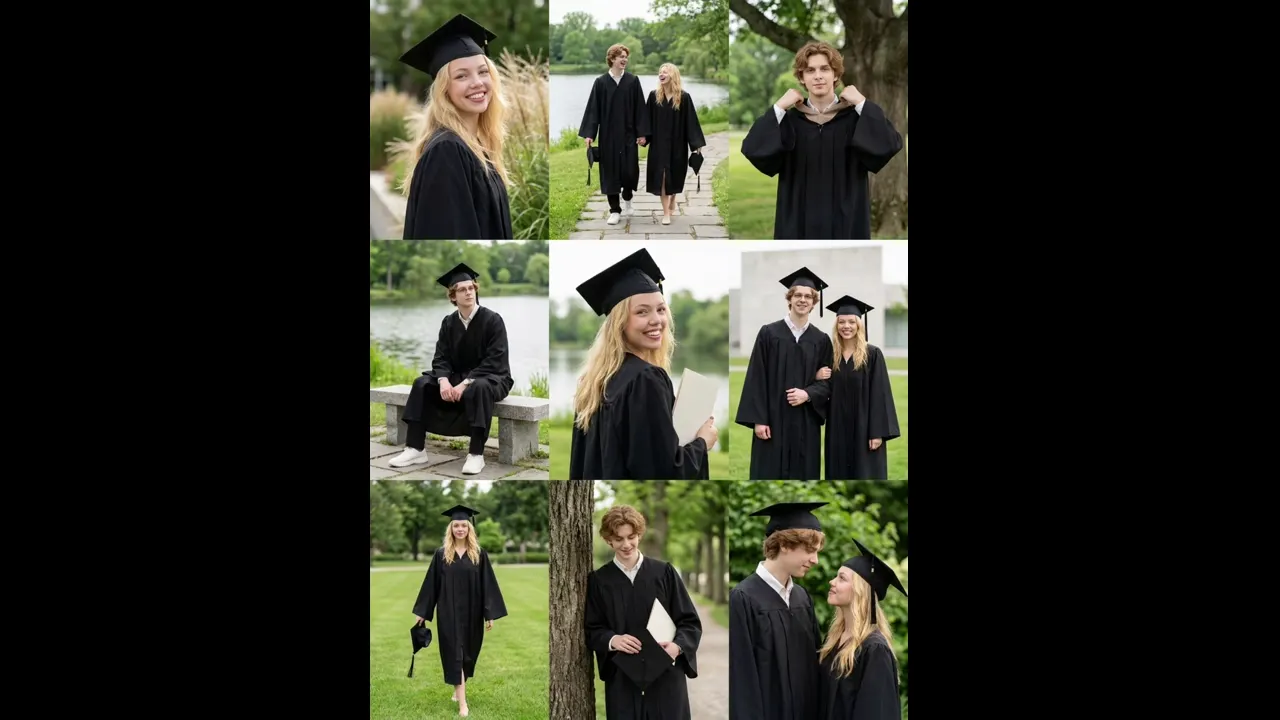
Use the official PixVerse prompt with your own source image and let the template do the styling. The published concept is kept intentionally clear so you can see what the effect is designed to create.
Fresh Graduation — Fresh Graduation
See It In Action
What Is the Fresh Graduation Template?
Upload the required source image or images, open PixVerse, choose the template, and generate. Custom prompts are off, so the official prompt controls the result.
Field Value
| Field | Value |
|---|---|
| Template name | Fresh Graduation |
| Template ID | 407827834641728 |
| Output | Image |
| Model | qwen-image |
| Input | 1–2 subjects in one photo |
| Duration | Single image |
| Quality | 360p / 540p / 720p / 1080p |
| Audio | Not applicable |
| Custom prompt | Off |
| Launched | Jun 12 2026 |
How the official prompt works
Fresh Graduation
What’s in the Official Preview
The preview presents the official bright graduation concept for one or two people.
How to Create
- Upload the source image or images described in the table.
- Open PixVerse and find Fresh Graduation.
- Confirm Template ID
407827834641728, then generate. - Download and share your image.
Tips
- Use a clear, well-lit source and keep the important subject visible. Download the highest available quality when you plan to share the result. - Keep the subject or product clearly visible in every source image. - The official prompt is fixed, so choose your source images carefully.
Frequently Asked Questions (FAQ)
Do I need a custom prompt? No. The template uses its official prompt.
What do I upload? Use the number and type of source images listed above.
Where can I use it? Open PixVerse to generate, download, and share the result.
Open PixVerse to try Fresh Graduation.
Related templates: