Forever Us: Create a Romantic AI Wedding Video with Two Photos
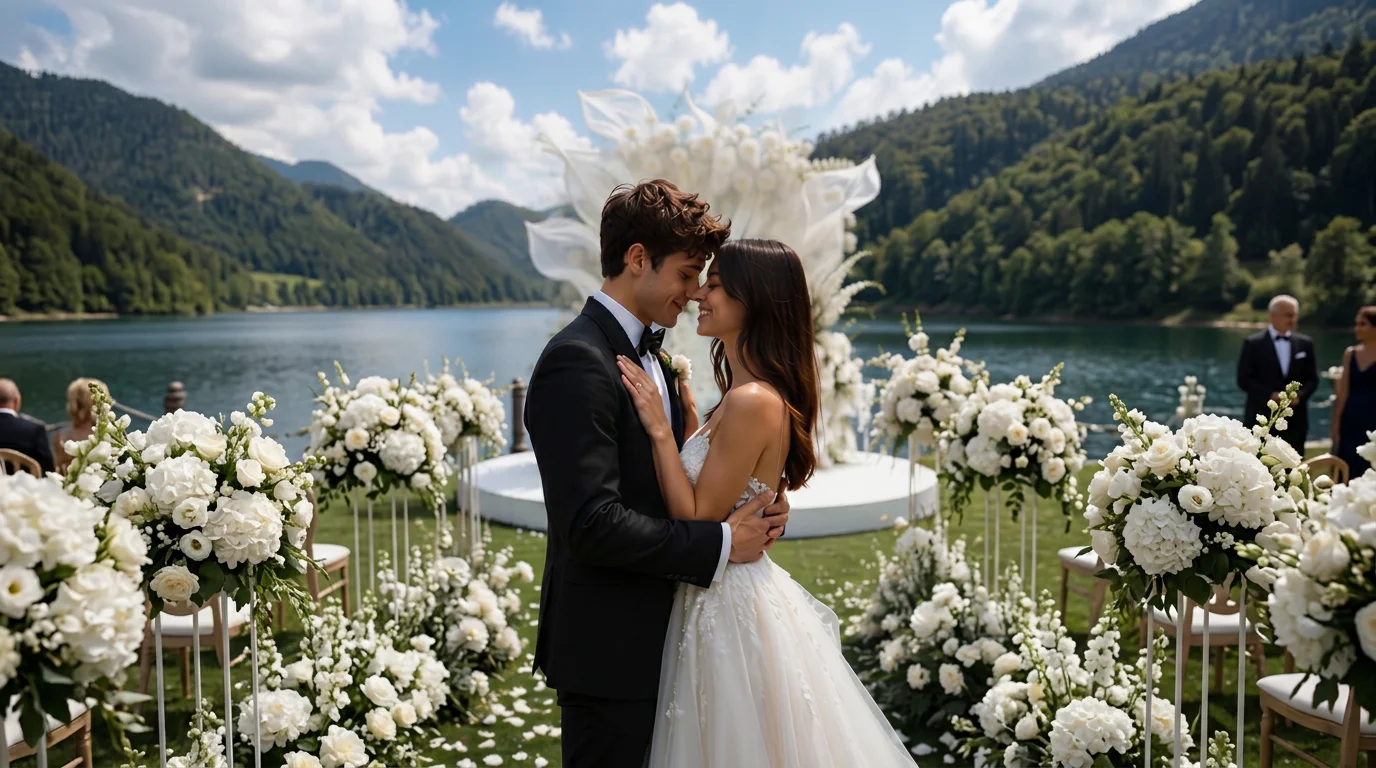
Enjoy your wedding with the one you love most. That is the official prompt for PixVerse’s Forever Us! template — a two-photo V6 effect that transforms you and your partner into a happily married couple celebrating your wedding day.
The official preview shows an affectionate bride and groom in gorgeous wedding attire, smiling warmly and sharing a heartfelt moment against a dreamy celebratory floral backdrop.
See It In Action
What Is the Forever Us! Template?
Forever Us! is an AI romance and wedding celebration template powered by PixVerse V6. By uploading two individual photos, the template seamlessly stages both people in elegant wedding clothing, generating a 6-second cinematic video with warm lighting and celebratory romance.
Template details
| Template details | Output |
|---|---|
| Template name | Forever Us! |
| Template ID | 417540284324992 |
| Output | Video |
| Model | PixVerse V6 |
| Input | 2 photos |
| Duration | 6 seconds |
| Quality | 360p / 540p / 720p / 1080p |
| Audio | Included |
| Custom prompt | Off |
| Launched | Aug 06 2026 |
How it works
- Upload 2 photos — a clear photo works best
- Select Forever Us! — search the name in PixVerse templates, or use Template ID
417540284324992 - Generate — PixVerse V6 applies the effect automatically
- Download and share — export the 6-second clip for TikTok, Reels, or Shorts
What’s in the Official Preview
The template preview showcases a polished, cohesive scene built around the official theme:
- Seamless couple integration from two separate portrait photos
- Elegant wedding attire including classic bridal gown and stylish groom suit
- Warm, cinematic floral wedding arch background
- Heartwarming 6-second animation filled with affection and celebration
How to Create Your Forever Us! Video
Step 1: Choose two portrait photos
Select one clear portrait photo for each person. Front-facing, smiling portraits yield the most romantic results.
Step 2: Open PixVerse
Visit PixVerse on web or in the app, then open the template library.
Step 3: Find Forever Us!
Search Forever Us! or look under newly launched templates. Confirm Template ID 417540284324992.
Step 4: Generate
Upload the photo and generate. The template does not accept a custom prompt, so you do not need to describe the scene.
Tips
- Use high-resolution photos with clear facial features for both subjects
- Smiling or gentle expressions match the celebratory wedding mood best
- Works great with current photos, childhood throwback pictures, or fantasy pairings
- Export at 1080p for a keepsake wedding video ready to share
Frequently Asked Questions (FAQ)
Q: Do I need to write a prompt? A: No. Forever Us! has custom prompts turned off. Upload your photo and generate.
Q: How long is the video? A: 6 seconds, generated with PixVerse V6.
Q: What quality is available? A: 360p / 540p / 720p / 1080p.
Q: How many photos do I upload? A: 2 photos. This template creates the full animation from your uploaded image.
Q: How many photos do I upload? A: Two photos. You upload two separate photos of the couple, and PixVerse V6 seamlessly combines them into a romantic wedding scene.
Ready to create your video? Open PixVerse, search Forever Us!, and generate from 2 photos.
Related templates:
- Quiet on the Creek — peaceful nature moments by the water
- Red Carpet Moment — glamorous celebrity entrance under the lights
- Tearful Gunman — intense cinematic drama and acting
- Little Gymnast — miniature gymnast on the rings