First-Day College Admission Vlog: One Photo, Campus Clip
Upload your photo and record your vlog for the first day of college. That is the official prompt for PixVerse’s First-Day College Admission Vlog template — a one-photo V6 effect that turns your subject into a campus vlogger on day one.
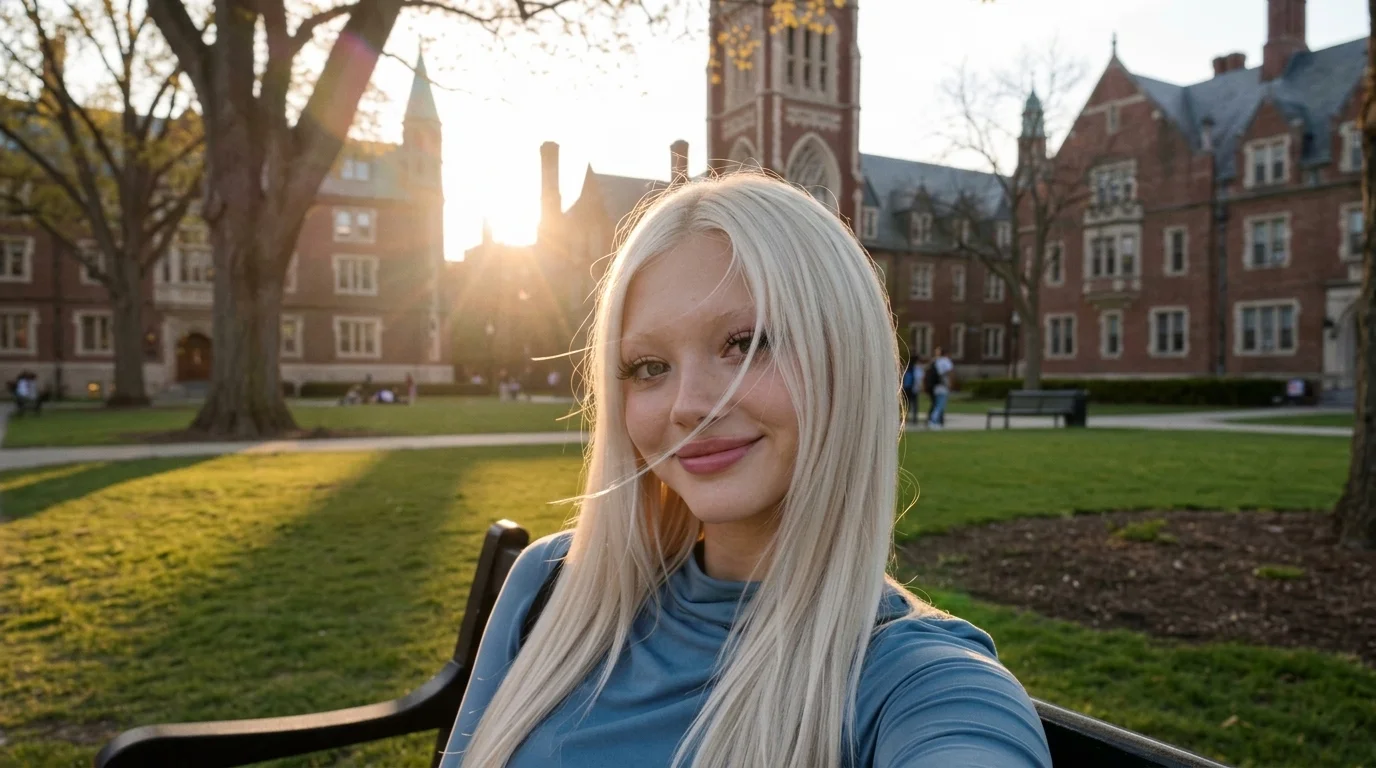
The official preview shows a young woman with long blonde hair in a blue turtleneck, taking a handheld selfie on a campus bench. Gothic brick halls, a clock tower, and golden-hour light fill the quad behind her.
See It In Action
What Is the First-Day College Admission Vlog Template?
First-Day College Admission Vlog is a PixVerse image-to-video template. You upload one photo; PixVerse V6 generates a 15-second vertical video. You do not write a prompt — the template prompt is locked, so the effect stays consistent.
Template details
| Field | Value |
|---|---|
| Template name | First-Day College Admission Vlog |
| Template ID | 420698700441024 |
| Output | Video |
| Model | PixVerse V6 |
| Input | 1 photo |
| Duration | 15 seconds |
| Quality | 720p |
| Custom prompt | Off |
| Launched | Aug 24 2026 |
How it works
- Upload one photo — a clear portrait works best
- Select First-Day College Admission Vlog — search the name in PixVerse templates, or use Template ID
420698700441024 - Generate — PixVerse V6 applies the effect automatically
- Download and share — export the 15-second clip for TikTok, Reels, or Shorts
What’s in the Official Preview
The template preview is a first-day campus vlog, not a classroom overlay:
- A handheld selfie on a black campus bench
- Long blonde hair and a blue turtleneck in the sample
- Gothic brick university buildings and a clock tower
- Green lawn, trees, and students walking in the distance
- Warm golden-hour sunlight across the quad
The uploaded face stays recognizable while the scene is staged as a first-day college admission vlog.
How to Create Your First-Day College Admission Vlog
Step 1: Choose a photo
Use a well-lit shot where the face is clear. Front-facing portraits match the official preview style.
Step 2: Open PixVerse
Visit PixVerse on web or in the app, then open the template library.
Step 3: Find First-Day College Admission Vlog
Search First-Day College Admission Vlog or look under newly launched templates. Confirm Template ID 420698700441024.
Step 4: Generate
Upload the photo and generate. The template does not accept a custom prompt, so you do not need to describe the scene.
Tips
- Use one subject per photo for a cleaner vlog selfie
- High-resolution images keep facial features sharper in the close-up
- A visible face and shoulders match the handheld framing
- The output is vertical 720p, ready for short-form platforms
Frequently Asked Questions (FAQ)
Q: Do I need to write a prompt? A: No. First-Day College Admission Vlog has custom prompts turned off. Upload one photo and generate.
Q: How long is the video? A: 15 seconds, generated with PixVerse V6.
Q: What quality is available? A: 720p.
Q: How many photos do I upload? A: One. This is a single-image template.
Q: Can I choose a different campus? A: No. Custom prompts are off. The first-day college vlog scene is fixed.
Ready to record your first-day college vlog? Open PixVerse, search First-Day College Admission Vlog, and generate from one photo.
Related templates:
- Blue-Hole Skydiving on the Island — jump into the island blue hole
- Speedboat Surfing — ride the wake from one photo
- Penguin Ice Skating Contest — race with little penguins
- Little Gymnast — tiny athlete on the rings